Skip to content
15 Best AI Room Design Tools Compared for Real Rooms, Beginners, and Smarter Makeovers in 2026
If you have ever stared at your bedroom, living room, or home office and thought, “I know this space could look better, but I have no idea where to start,” you are not alone.
That is the exact reason AI room design tools have become so popular. Most people are not looking for a full architectural workflow on day one. They are not trying to produce contractor drawings or spend hours learning a heavy 3D program. They usually want something much simpler. They want to upload a real room photo, try a few different styles, see what actually looks good, and make better decisions before spending money on paint, furniture, or decor.
The problem is that most comparison articles still do a poor job of helping with that decision. They throw dozens of tools into one list, repeat the same talking points, and act as if every platform solves the same problem. They do not. Some tools are built for quick photo-based redesigns. Some are really floor-plan and layout platforms. Some are much better for furniture placement, virtual staging, or client presentations than for everyday room makeovers.
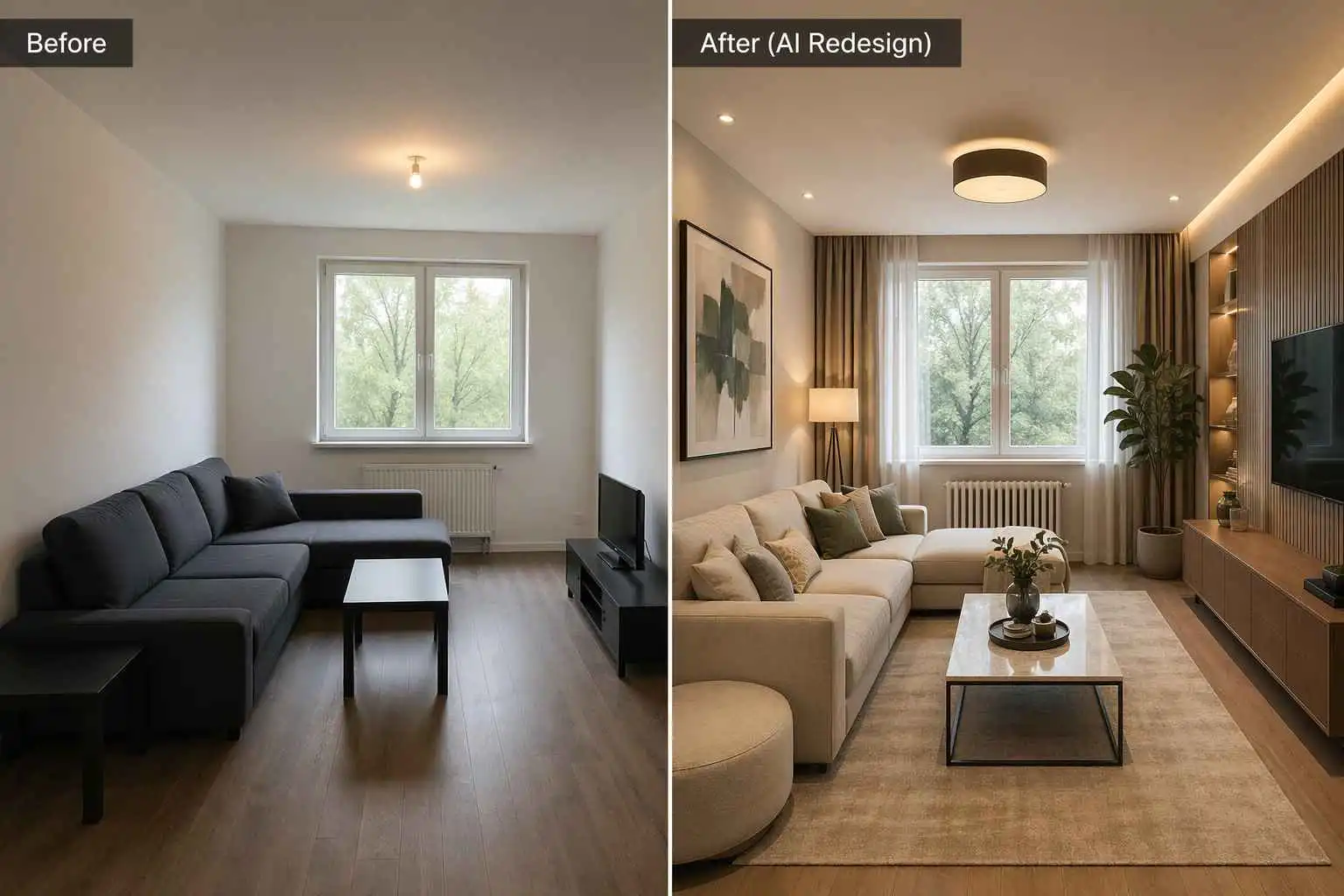
So this guide takes a different approach. Instead of asking, “Which tool has the longest feature list?” we are asking the questions real users actually care about:
- Can it work from a real room photo?
- Is it easy for a beginner?
- Does it keep the original layout, or does it invent a fantasy room that looks nothing like yours?
- Can it help with small rooms, awkward spaces, or fast style testing?
- And most importantly, which tool feels useful when you are trying to make a real decision, not just admire a pretty image?
What Makes a Good AI Room Design Tool for Ordinary Users
Before comparing brands, it helps to be honest about what most people mean when they search for terms like “AI room design” or “can AI design a room.”
Usually, they are not asking whether AI can replace an interior designer in every scenario. They are asking something far more practical. They want help exploring a direction. They want to know whether a dark bedroom could feel warmer. Whether a cramped living room could look more open. Whether a home office would work better in a calmer style. Whether new furniture would improve the room or just create more clutter.
That is why the most useful tools tend to do one of three things well. The first group starts with a real room photo and quickly restyles it. The second group helps you build or edit layouts, often with floor plans and 3D views. The third group is especially strong for staging, furniture visualization, or shopping-driven decisions. Many platforms overlap, but they usually still lean toward one of those paths.

Full Comparison Table
| Tool | Best For | Review Angle | Quick Conclusion | Score /10 |
|---|---|---|---|---|
| 🥇 EzRemove | Fast room makeovers from real photos | Ease of use, realistic redesign, speed, beginner fit | Best for users who want to upload a real room photo, test styles quickly, and get practical redesign ideas without a heavy workflow. | 9.2 |
| 🥈 RoomGPT | Instant inspiration with minimal effort | Simplicity, speed, low learning curve | Great for users who want quick room inspiration fast, especially in the early idea stage. | 8.8 |
| 🥉 Interior AI | Photorealistic style previews | Render quality, style transformation, visual impact | Strong choice for users who care most about polished, photorealistic style transformations. | 8.9 |
| REimagineHome | Product-aware redesign and shopping-led decisions | Real-world practicality, shopping relevance, styling depth | Best for users who want room ideas that feel closer to real buying decisions and budget-aware redesign. | 8.8 |
| RoomsGPT | Fast experimentation across many styles | Style variety, accessibility, quick testing | Good for users who want to test many room looks quickly with low friction. | 8.6 |
| Home AI | Simple room restyling from real photos | Simplicity, ease of use, narrow focus | Best for users who want a straightforward, lightweight tool for quick room redesign ideas. | 8.4 |
| HomeDesignsAI | Whole-home visual exploration | Scope, flexibility, multi-space coverage | Better for users who want to redesign interiors, exteriors, patios, and gardens in one place. | 8.5 |
| Homestyler AI | Photo redesign plus deeper design workflow | Balance of inspiration and planning, long-term usability | A good bridge for users who want quick inspiration now and more structured planning later. | 8.7 |
| Planner 5D | Layout planning and editable 3D room workflows | Layout control, 2D/3D planning, usability | Best for users who want more control over room layout, furniture placement, and editable design plans. | 9.0 |
| Coohom | Full home planning and 2D/3D workflows | Professional depth, rendering workflow, space planning | Better suited to users who need a broader home design system, not just a quick room makeover. | 8.9 |
| Foyr Neo | Presentation-ready renders and pro workflows | Visual polish, rendering quality, professional use | Strong for designers or advanced users who need polished renders and more formal presentation output. | 8.8 |
| RoomSketcher | Floor plans and space planning clarity | Layout accuracy, planning utility, simplicity | Best for users whose main issue is room layout, not visual restyling. | 8.6 |
| HomeByMe | Friendly 2D-to-3D home planning | Homeowner usability, planning depth, accessibility | Good for homeowners who want more planning control without jumping into an overly technical tool. | 8.7 |
| Maket | AI-first residential floor planning | Structural logic, floor-plan generation, planning depth | Best for users who are thinking in terms of residential plans rather than quick room styling. | 8.6 |
| DecorMatters | Furniture, decor, and lifestyle-led room planning | Decor exploration, shopping mindset, engagement | Best for users who want room design to feel more like trying ideas, decor, and furniture combinations. | 8.5 |
Quick Takeaway
If your reader only remembers one thing, it should be this:
- EzRemove is best for fast, real-room photo redesigns.
- RoomGPT and RoomsGPT are better for quick inspiration and experimentation.
- Interior AI is stronger for photorealistic style transformation.
- REimagineHome is better for a shopping-aware redesign direction.
- Planner 5D, Coohom, RoomSketcher, HomeByMe, and Maket are stronger for layout planning and structural control.
- Home AI is a good fit for users who want a simpler, narrower room restyling tool.
- HomeDesignsAI is better for broader whole-home visual exploration.
- Homestyler AI is a strong bridge between quick photo redesign and deeper planning.
- DecorMatters is better for decor-led, lifestyle-oriented room exploration.
Top 15 AI Room Design Tools to Try in 2026
1. EzRemove: Best for Fast Redesigns from a Real Room Photo
EzRemove makes the strongest first impression if your main goal is simple. You have a real room, you want to keep the space recognizable, and you want to try different looks without feeling pushed into a complicated planning workflow. Its AI room design page is straightforward. Upload a room image, choose a model, choose a room type, choose a style, add optional instructions, and generate. It supports JPG, PNG, and WEBP uploads up to 24MB, and its interface clearly positions Basic as the faster route and Pro as the more photorealistic, detail-heavy option.
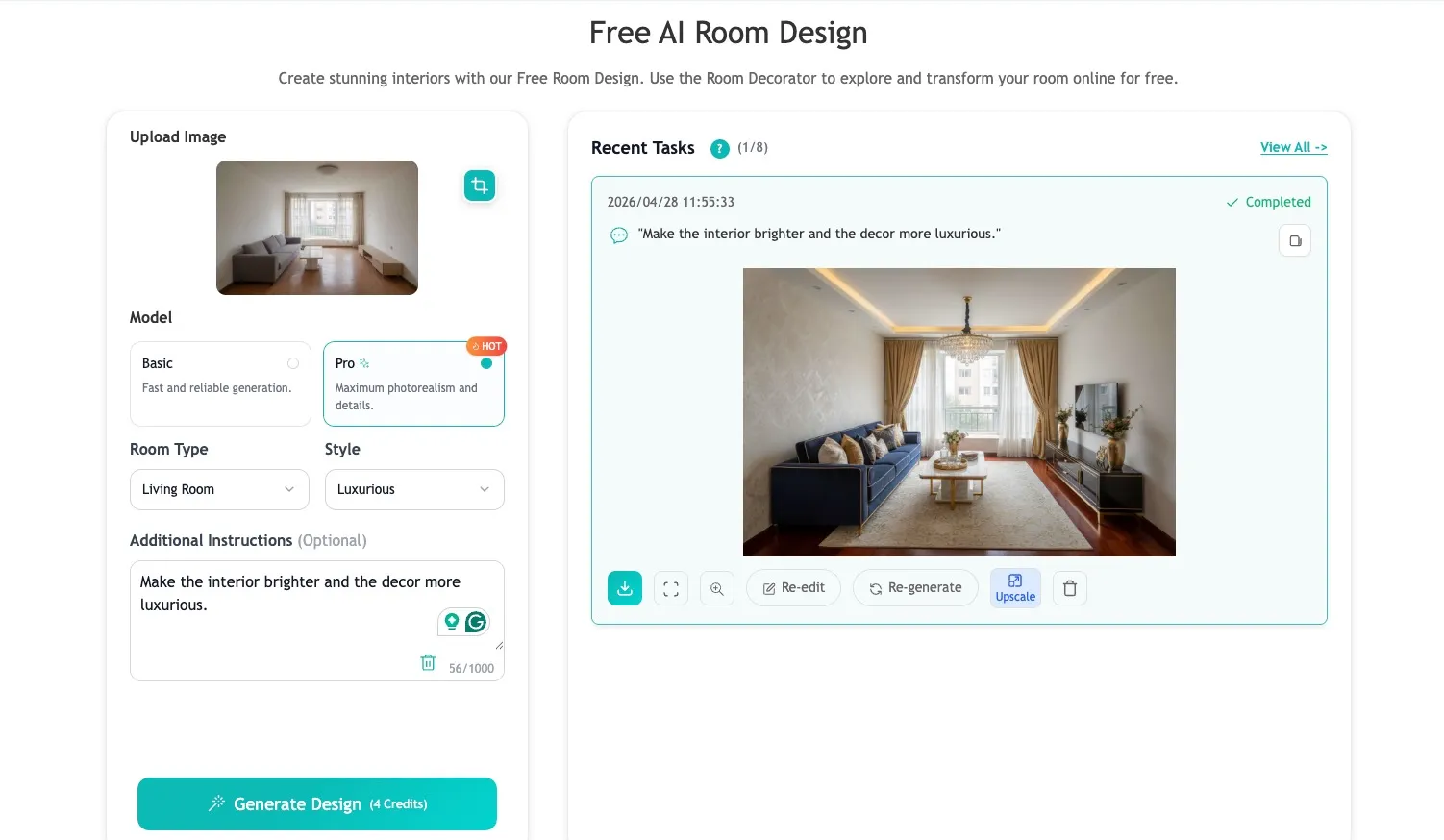
From a user perspective, this matters more than it sounds. A lot of room design tools look exciting until you realize they are really asking you to learn their system. EzRemove feels lighter than that. It is closer to the experience most beginners actually want: upload a room photo, choose a direction, compare variations, and move on. That makes it especially attractive for homeowners, renters, and marketers who care more about getting a believable direction than building a full technical project file.
It also helps that EzRemove lowers the barrier for first-time users with a practical free credit system. Users can get 10 free credits from daily login, and there is also a check-in activity that can unlock around 300 free credits in total. For anyone who wants to test a few styles before spending money, that makes the tool feel much easier to try in real life, especially compared with platforms that ask users to commit before they have even seen whether the results fit their room.
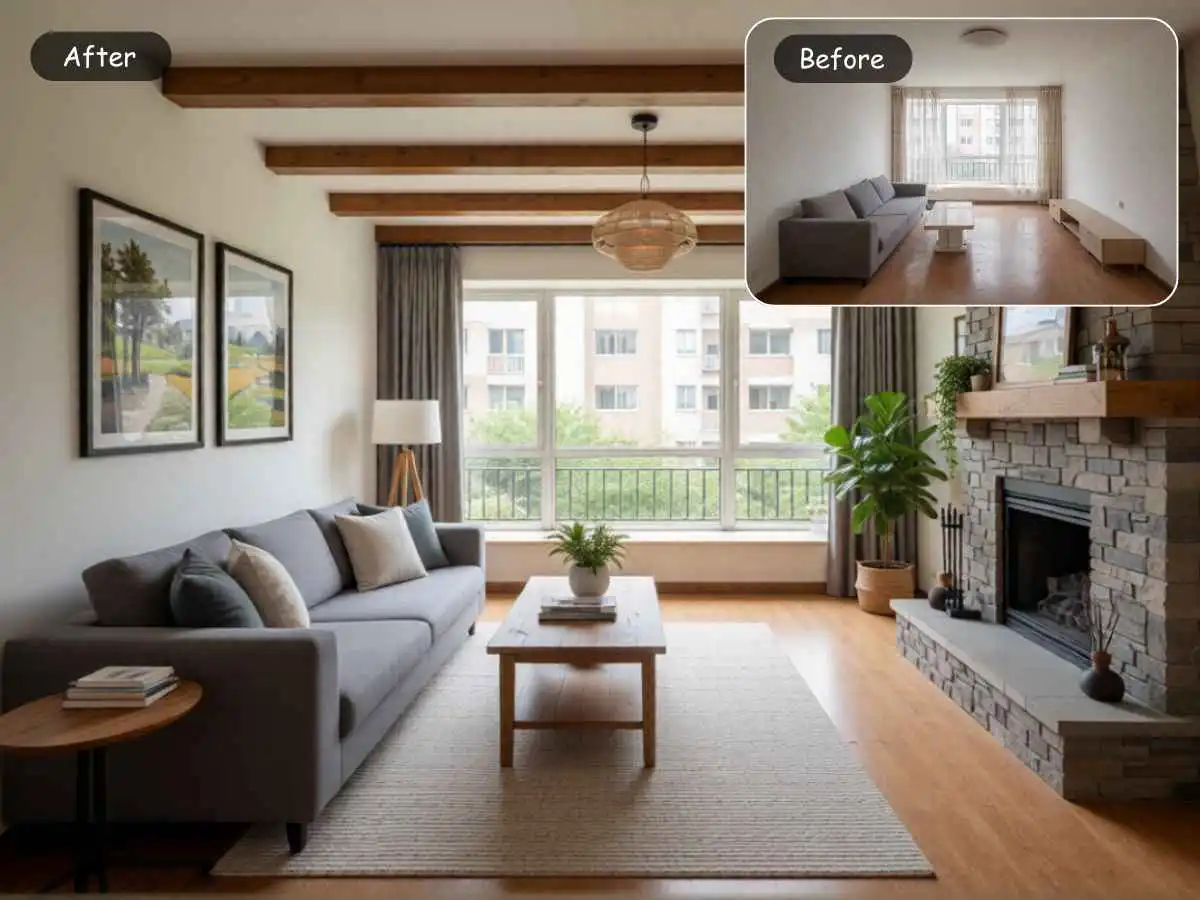
Where EzRemove feels strongest is the middle ground between inspiration and practicality. It is not pretending to be a professional floor-plan suite. It is trying to help you restyle a room you already have. That is a meaningful distinction. If your question is, “How would this living room look brighter, warmer, or more modern without starting over from scratch?” EzRemove answers that kind of question naturally.
2. RoomGPT: Best for Quick Visual Inspiration with Almost No Learning Curve
RoomGPT is one of the more intuitive and user-friendly tools in its class. Its clear focus and easy-to-understand overall experience make it ideal for users who want to quickly generate room design inspiration without spending too much time learning the product.
Its main appeal lies in its speed and simplicity, which is sufficient for users still in the early stages of inspiration. It performs quite well when the goal is to explore several possible directions and get things going, rather than making highly controlled or detailed redesigns.
However, this product is not as convenient as it initially seems. Users need to log in, and the verification process is cumbersome, which may be too much for users who just want to quickly test room design inspiration. This additional resistance undermines the simplicity the product attempts to provide.
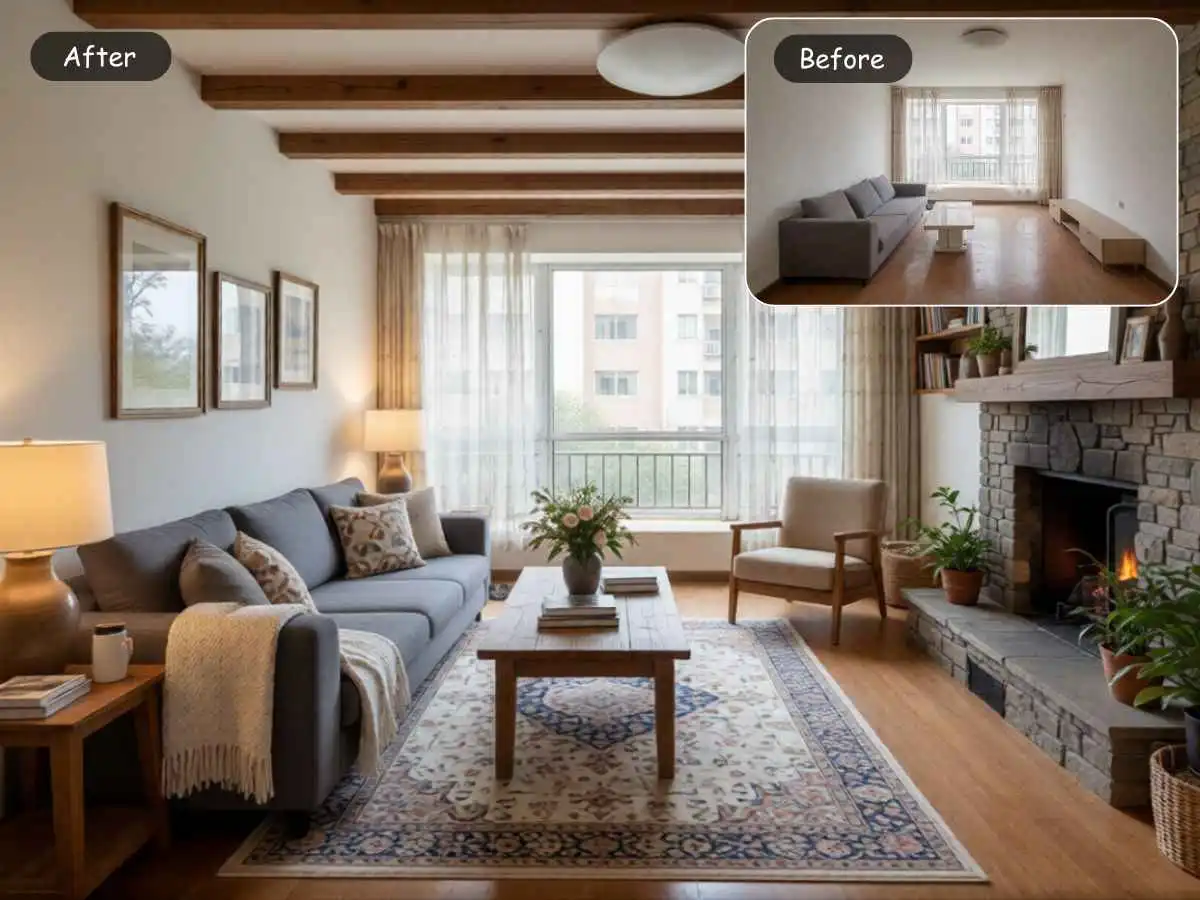
It also becomes somewhat limited once users need more precise functionality. It is less suitable for those who prioritize layout consistency, fine-tuning, or closer integration with subsequent design steps.
Overall, RoomGPT is a reasonable choice for beginners and quick style testing, especially for users who want an easy start, but the login and verification process may make the experience feel less convenient than expected.
3. Interior AI: Best for Users Who Want Photorealistic Style Previews Fast
Interior AI occupies a slightly different position. It still starts with a room photo, but its messaging leans more heavily into photorealistic renders and visual transformation. Upload a photo, pick a design style, and get a redesigned version in about half a minute. It also goes beyond standard room restyling by offering additional modes such as freestyle generation without an input photo, sketch-to-image, and SketchUp-based rendering.

For users, that makes Interior AI feel more visually ambitious than some simpler room-makeover tools. It is appealing to people who care a lot about the “wow” factor of the result and want to compare different aesthetics in a more polished, presentation-friendly way. If your goal is to see your current space through a more stylized, higher-impact lens, it can be an exciting product to explore.
At the same time, the entry experience feels less beginner-friendly than some alternatives. In my experience, the product requires a login before you can really use it, and there is no free generation available to casually test the workflow first. That creates more friction for users who just want to upload a room photo, try a few ideas, and quickly decide whether the tool fits their needs. When a product is positioned around instant visual inspiration, not being able to try it freely makes that first impression feel a bit less welcoming.
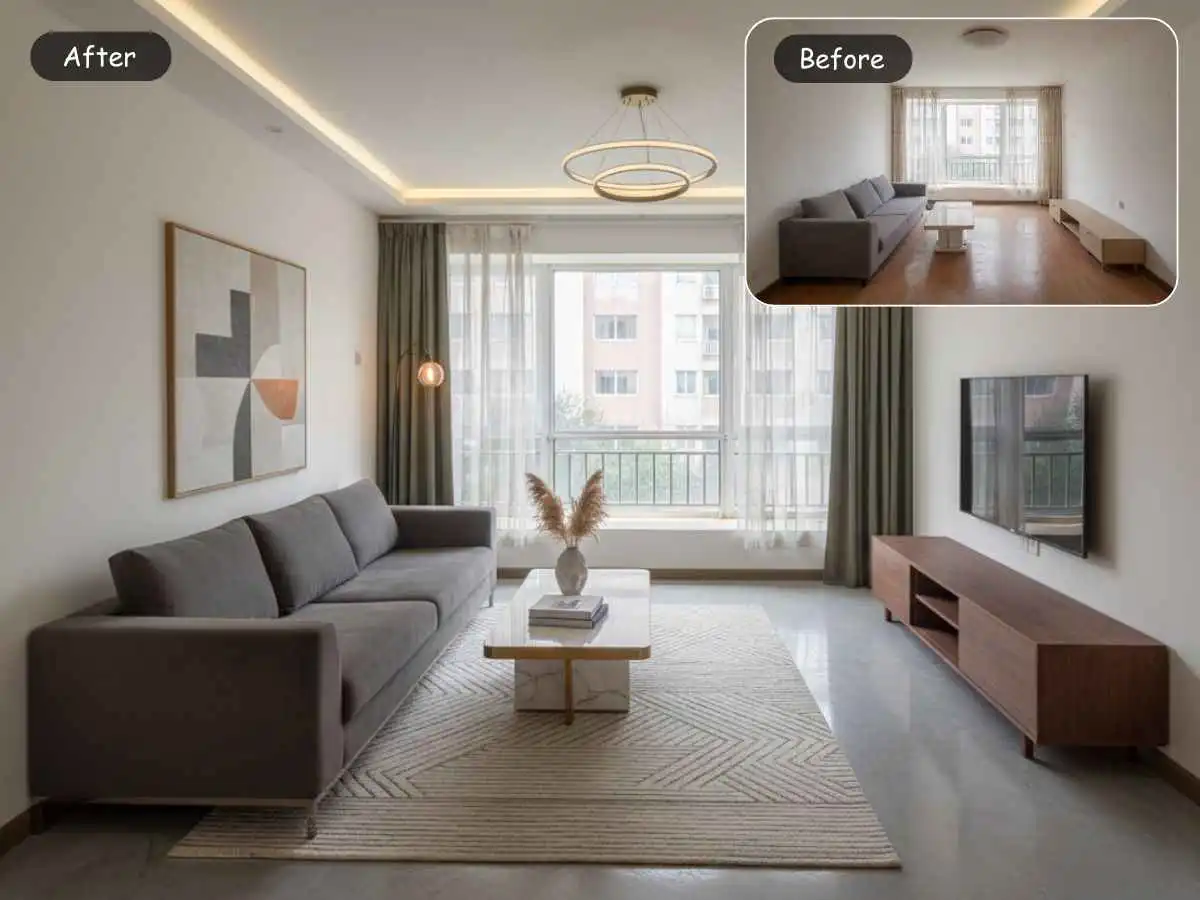
Where Interior AI also becomes less casual is in the scope of the product itself. Once a tool starts adding multiple design modes and more advanced rendering inputs, it naturally moves away from the simplest “help me restyle this room” use case. That does not make it difficult, but it does make it feel more tailored to users who are a bit more design-curious and willing to spend time exploring options. EzRemove feels more grounded in the “real room, practical restyle, low-friction decision” lane. Interior AI feels more like a creative visualization engine that also happens to serve practical redesign needs very well.
So which one is better? It depends on what you are trying to solve. If you want a straightforward tool that helps you rethink a real room quickly and with less friction, EzRemove feels calmer and more direct. If you want stronger style-driven transformations and photorealistic reinterpretation, Interior AI becomes very attractive. The tradeoff is that it asks for a bit more commitment up front before you can experience that value.
4. REimagineHome: Best for Users Who Want Design Ideas Tied to Real Products and Budget
REimagineHome stands out because it does not stop at “Here is a prettier room.” Its current positioning goes further. Upload a room photo, describe your goal, and get personalized designs tied to real, shoppable products that match your space, taste, and budget. It also emphasizes realistic room redesign from a single photo and architecture-aware transformations grounded in layout, materials, and lighting.
That changes the feel of the product. It is especially useful for people who are already moving beyond inspiration and closer to action. Maybe you are not just asking, “What style suits this room?” Maybe you are asking, “What could I actually buy to make this room look better without wasting time piecing everything together myself?” In that scenario, REimagineHome becomes much more than a simple restyling tool. It becomes a bridge between visualization and shopping decisions.
Compared with EzRemove, REimagineHome is more commerce-aware. EzRemove is better when you want fast, image-led experimentation with a real room and minimal friction. REimagineHome becomes more interesting when the user wants curated product direction, budget sensitivity, and the feeling that the design path is already narrowing into something more actionable.
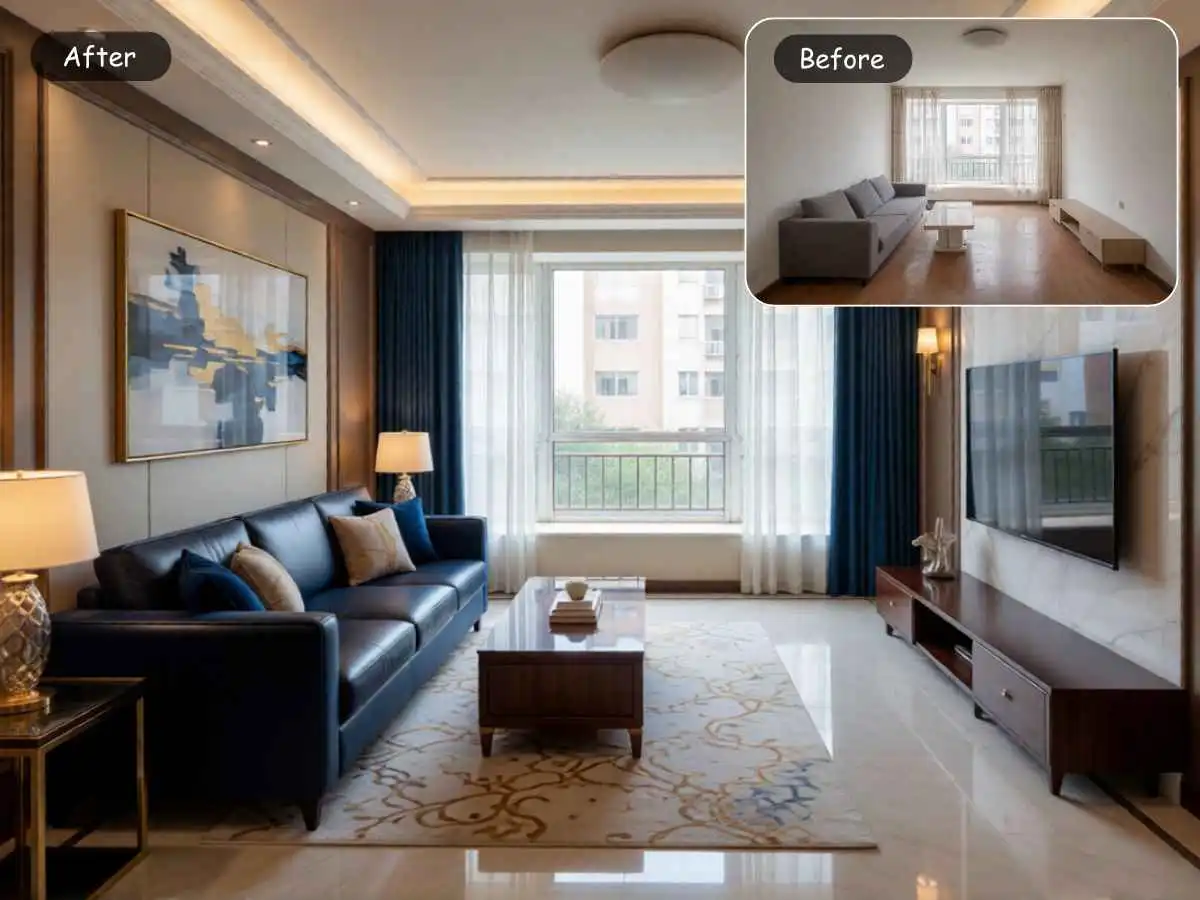
This also means REimagineHome is not always the first recommendation for every beginner. A true beginner may simply want to try styles and compare moods. In those early moments, a lighter tool often feels friendlier. But for users who are already leaning toward furniture purchases, room staging, or budget-conscious room improvements, REimagineHome can feel much closer to the real decision they are trying to make.
5. RoomsGPT: Best for Free-Flow Experimentation and Quick Style Testing
RoomsGPT has become a strong option for people who want the low-friction, photo-first experience without immediately being pushed into signup barriers or heavy planning logic. Its current positioning is clear. Upload a photo of any room, choose from more than 61 styles, and plan a redesign in seconds. It also highlights free daily credits and no signup required on key pages, which tells you a lot about the audience it is built for.
That makes RoomsGPT feel especially inviting for users who are still exploring. Maybe they have not committed to a full room project yet. Maybe they just want to test whether modern, Japandi, coastal, or minimalist works better in their actual bedroom. Maybe they are comparing paint direction, mood, or furnishing density. RoomsGPT understands that curiosity phase well. It meets users where they are instead of assuming they are already deep into a renovation workflow.
Another thing RoomsGPT does well is widen the workflow without making it feel too technical. Beyond room redesign, it now points users toward adjacent tools like exterior design, garden design, virtual staging, color visualization, and even AI design feedback. That can be genuinely helpful once the first image result raises new questions, such as whether the paint color is right or whether an empty room would benefit from lighter staging.
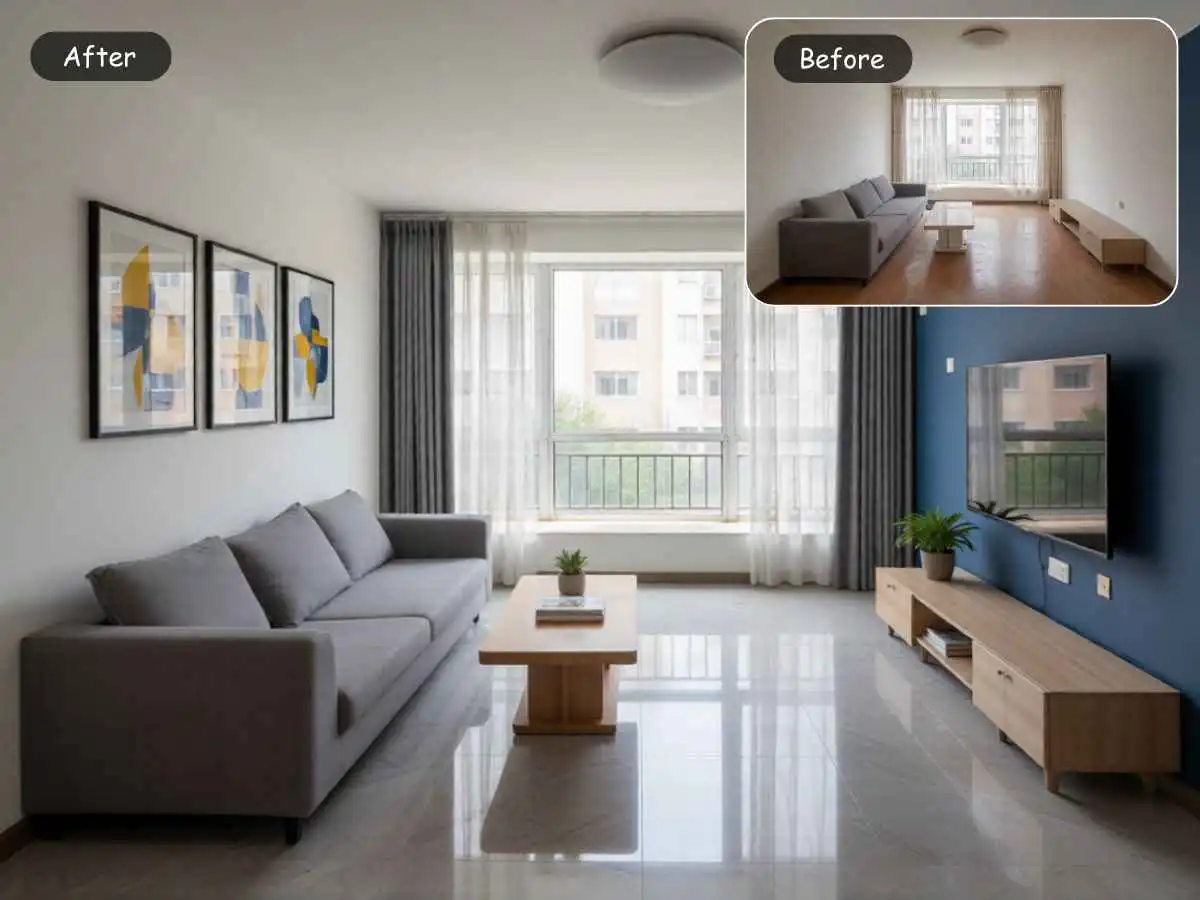
Compared with EzRemove, RoomsGPT feels more like a broad playground for trying directions. EzRemove feels more polished when the goal is a focused, high-quality room redesign workflow from a real image. RoomsGPT is excellent for experimentation, range, and low-friction discovery. EzRemove feels stronger when you want the redesign process to stay a little more disciplined and visually grounded.
6. Home AI: Best for People Who Want a Simple “Help Me Rethink This Room” Tool
Home AI is one of the simpler products in this category, and that simplicity is a feature, not a flaw. Its pitch is direct. Redesign your interior using AI. Its FAQ also frames the app around transforming real room photos into personalized, realistic redesigns using style and layout generation.
For users, that creates a very particular kind of comfort. Not everyone wants a huge ecosystem. Not everyone wants 3D planning, product catalogs, or adjacent calculators. Some people just want to upload a room, get several directions back, and feel less stuck. Home AI is appealing to that kind of user. It feels like a focused solution for style exploration rather than a multi-stage design platform.
That said, this is also where Home AI begins to feel narrower than the stronger all-around options in this comparison. If you need a tool that naturally expands into layout planning, more advanced editing, broader home categories, or retail-linked next steps, Home AI may feel a bit light. EzRemove, REimagineHome, and some of the tools coming later in this article cover more ground in ways that may matter once your redesign becomes more serious.
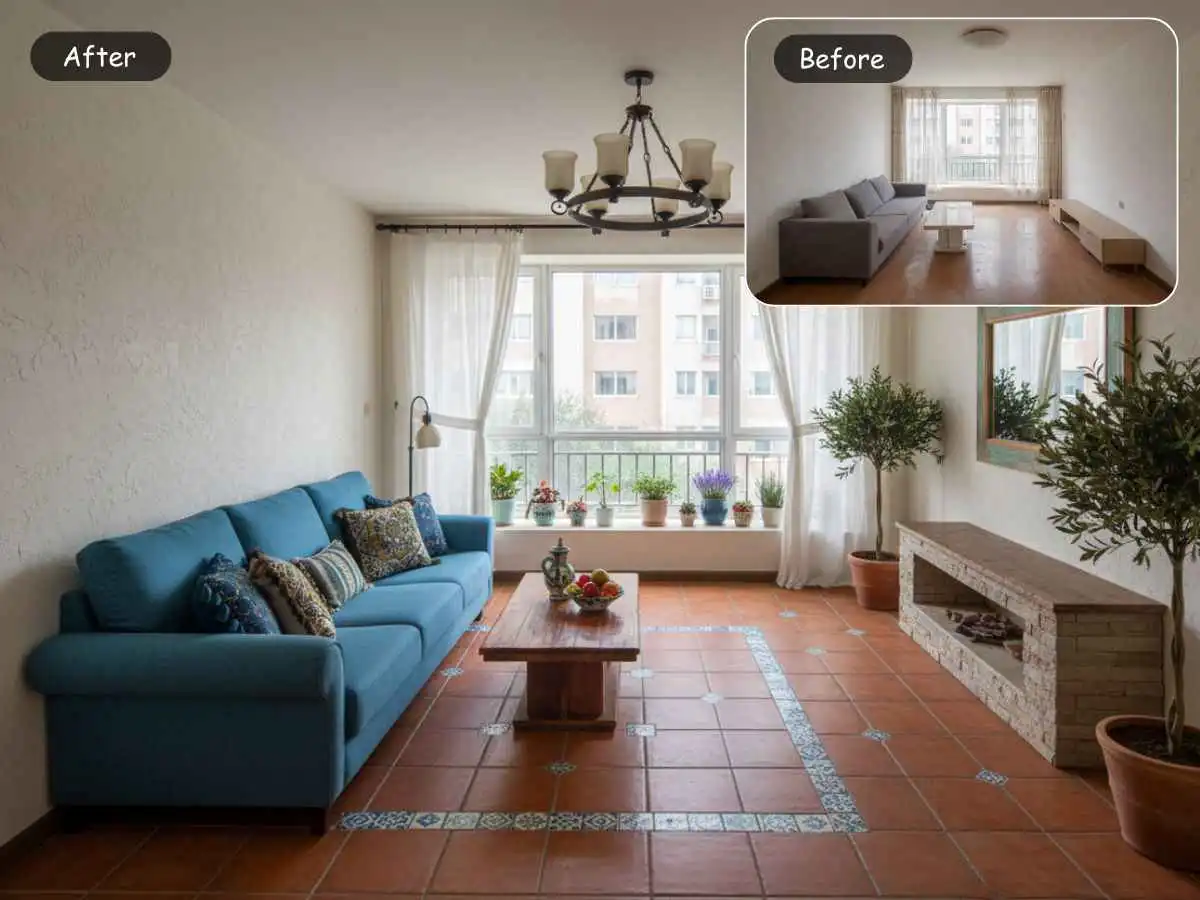
Still, there is real value in a product that knows what it is. Home AI is a reasonable choice for casual users who want fast design suggestions from real room photos without committing to a heavier workflow. It is not the most complete platform here. But for simplicity-first users, that may be exactly the point.
7. HomeDesignsAI: Best for Interiors, Exteriors, Gardens, and Patios
HomeDesignsAI is interesting because it broadens the room-design conversation into full-property visual exploration. Its product pages are not limited to interiors. They explicitly position the tool around redesigning interiors, exteriors, gardens, patios, and terraces from uploaded photos, often in under 30 seconds.
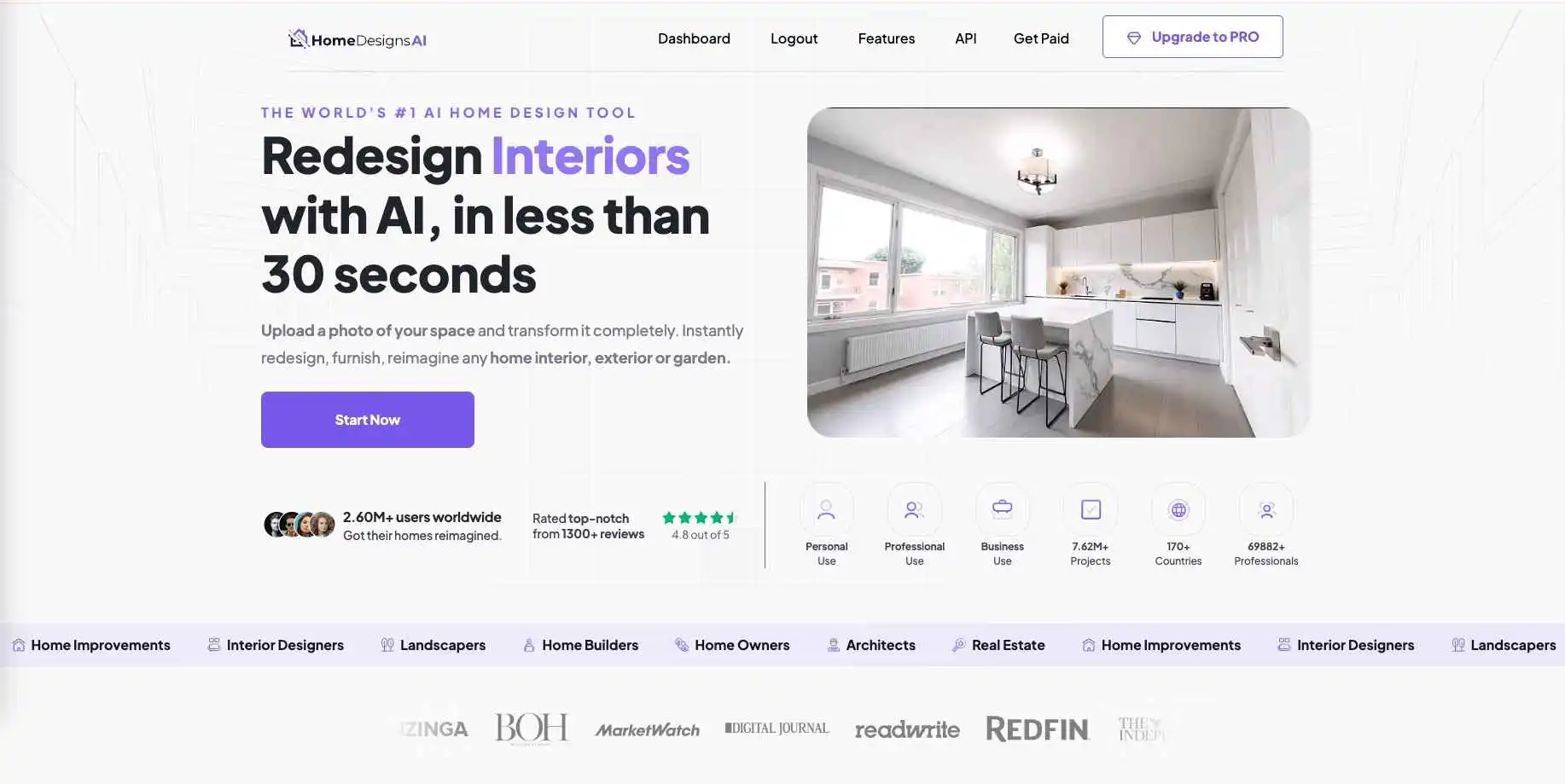
That wider scope is helpful for a certain kind of user. Some people do not think in neat categories. They are not just redesigning a bedroom. They are rethinking the feel of a home. They might want to compare a living room refresh, a front-yard redesign, and a patio update in the same weekend. In that context, a broader platform can feel much more useful than a narrowly focused room restyler.
Compared with EzRemove, HomeDesignsAI offers more range across home-related visual tasks. EzRemove feels more focused and cleaner when the job is specifically, “Help me redesign this room from a real interior photo.” HomeDesignsAI becomes more attractive when the user’s design thinking spills beyond interiors. That is a meaningful distinction, because the best tool is often the one that matches the size of the question you are asking.
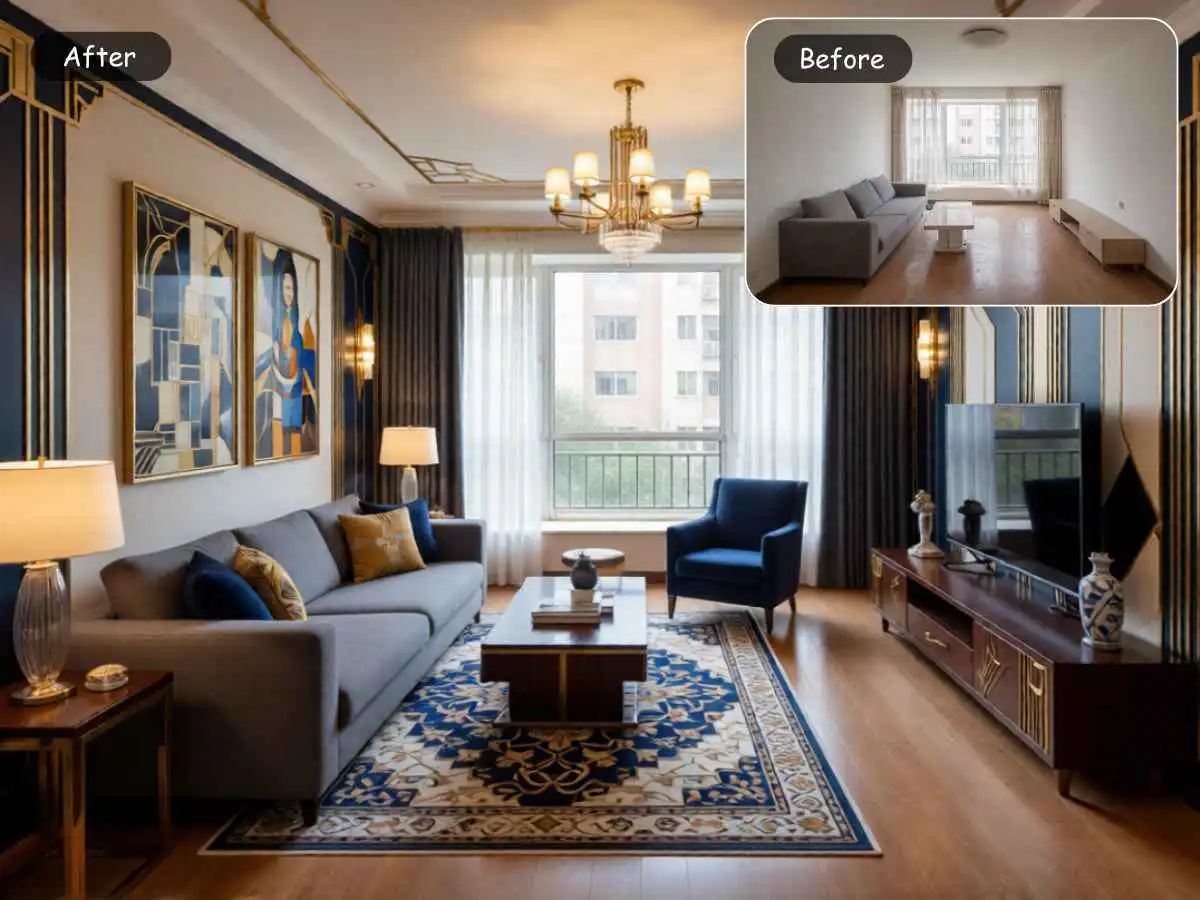
The tradeoff is that platforms with broader scope do not always feel as focused at the room level. Some users love that flexibility. Others find it easier to make decisions in a more contained environment. So HomeDesignsAI is best for users who want one home-design playground rather than one tightly focused room-redesign workflow.
8. Homestyler AI: Best for Photo-Based Redesign Plus Deeper Planning
Homestyler AI sits in a valuable middle zone. Its AI room design flow starts with what casual users expect, choose a style and upload photos of your space. But the larger Homestyler platform also has a long-standing 3D home design identity and explicitly serves both professionals and amateurs.
That means Homestyler is often a smart pick for users who are not sure how far they will go. Maybe today they only want to see a few redesign ideas from a room photo. But next week they might want to keep refining, explore 3D views, or treat the room project a little more seriously. Homestyler makes that transition easier than tools that stay purely in the “instant visual makeover” lane.
Compared with EzRemove, Homestyler feels more system-like. It has more of that “design platform” energy. EzRemove feels more immediate, lighter, and better suited to people who want fast room redesign from a real image without feeling pulled into a larger software environment. Homestyler is better when the user thinks there is a real chance this project will become more layered over time. EzRemove is better when the user wants clarity quickly.
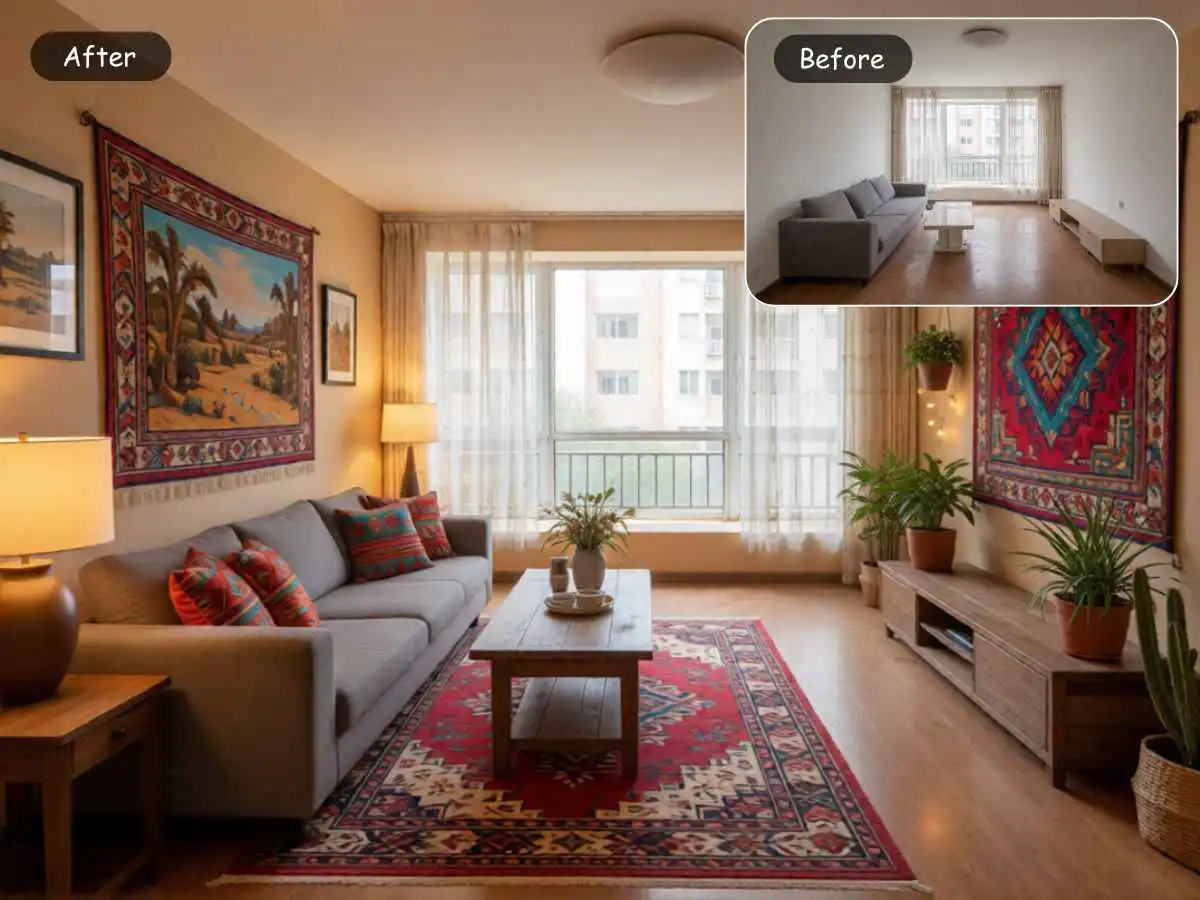
For many users, that difference will come down to temperament. Some people are happiest with a quick answer. Others like knowing the tool can grow with them. Homestyler earns its place in this comparison because it serves both mindsets better than most.
Early Takeaways from This First Group
After comparing these photo-first and inspiration-led tools, one pattern becomes obvious.
There is no single “best AI room design tool” in the abstract. There is only the best tool for the decision you are trying to make right now.
If you want a fast, focused, real-room redesign workflow with low friction, EzRemove is one of the strongest options in this group. If you just need quick visual inspiration, RoomGPT is still hard to beat for simplicity. If you care a lot about photorealistic style transformation, Interior AI stands out. If you want product-aware direction tied to budget and buying decisions, REimagineHome makes a strong case. If you want free-form experimentation and lots of style variety, RoomsGPT is especially approachable. If you want something simple and narrow, Home AI has a place. If you want broader home visualization across interior and exterior scenarios, HomeDesignsAI becomes more attractive. And if you want a bridge from quick photo redesign into something deeper and more system-like, Homestyler is worth serious attention.
9. Planner 5D: Best for AI Help Plus Real Layout Control
Planner 5D starts where many casual users feel comfortable, but it does not stop there. It supports room photos and floor plans, can automatically detect walls, doors, and windows, and then lets users keep editing the result with drag-and-drop controls. It also pushes much more clearly into 3D and even VR-style walkthroughs than the quick photo-redesign tools from Part 1.
That changes the experience in an important way. If you are the kind of person who says, “I like the inspiration, but I also want to move things around and see whether this room really works,” Planner 5D starts to make more sense than a simple photo restyler. It feels less like a one-click makeover tool and more like a bridge between inspiration and actual planning.
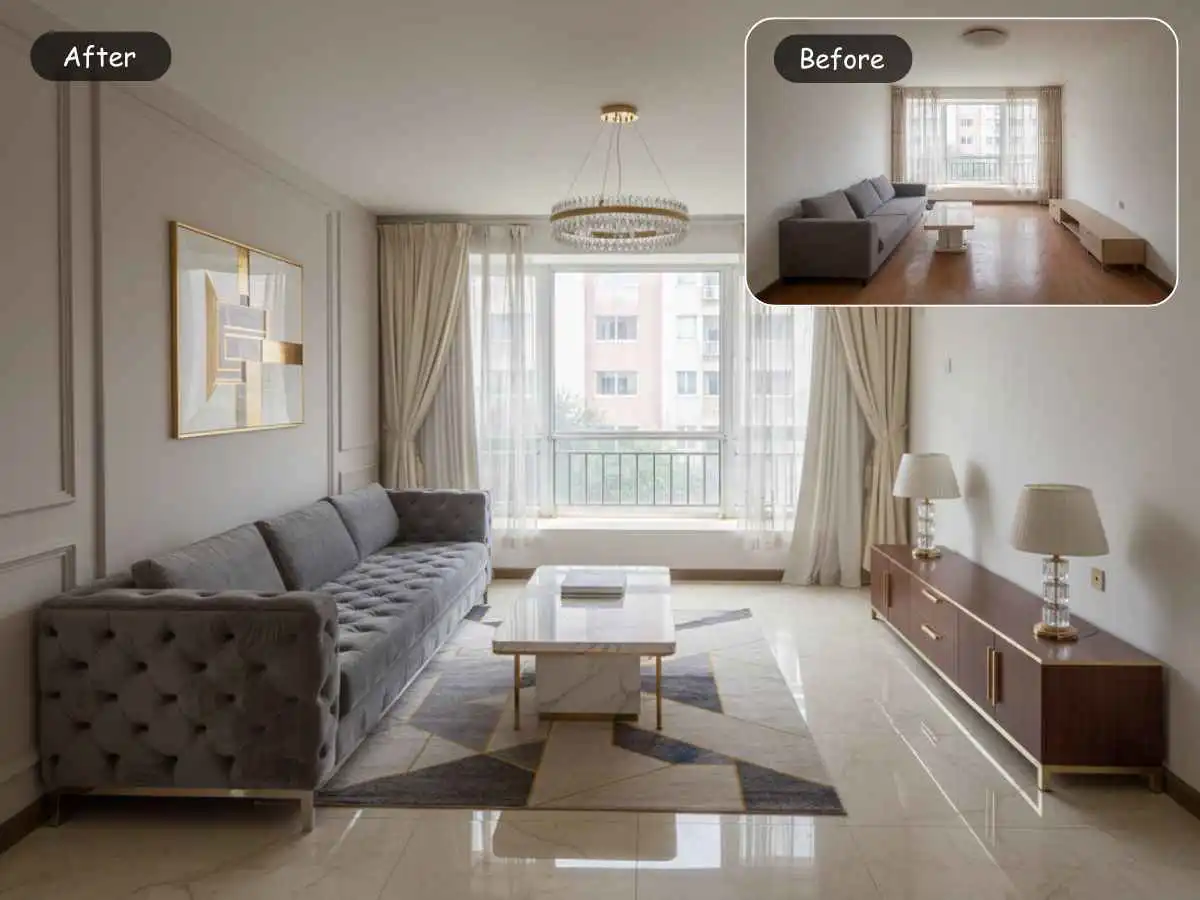
Compared with EzRemove, Planner 5D is heavier, but in a useful way. EzRemove is easier when the problem is “help me rethink this room fast from a real photo.” Planner 5D becomes the better choice when the user wants more say over the layout itself, not just the final look. For beginners, that can be both a benefit and a drawback. It offers more control, but it also asks for more attention.
10. Coohom: Best for Full Home Planning and 2D/3D Workflows
Coohom presents itself much more like a full home design environment. Its official pages emphasize free 2D and 3D floor plans, AI home design, room planning, and the ability to start from blank space or upload a plan so AI can generate layouts, zones, furniture placement, and 2D and 3D views.

For users, that means Coohom is not really competing on the same level as a quick room makeover tool. It is competing on scope. If you are planning a single room and want a fast answer, Coohom may feel like more platform than you need. But if you are thinking about an apartment, a home remodel, or any project where layout and 3D context matter, the extra structure becomes a strength instead of a burden.
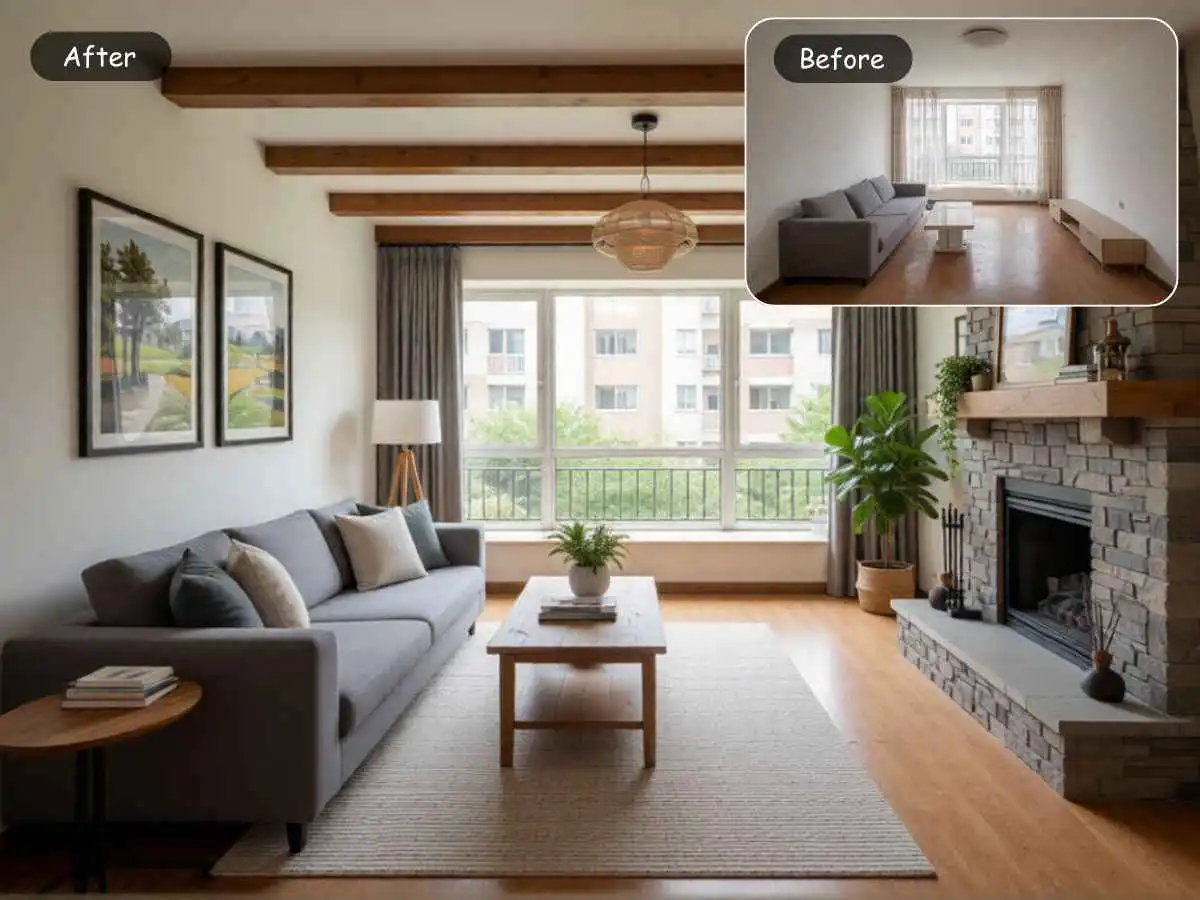
Compared with EzRemove, Coohom is less appealing for the “I just want to upload my bedroom and test a warmer style tonight” use case. It is more appealing for users who already know the project is serious enough to justify a planning environment. In other words, EzRemove helps you move faster. Coohom helps you move deeper.
11. Foyr Neo: Best for Polished Presentations and Renders
Foyr Neo leans hard into professional-looking output. Its official pages emphasize creating floor plans, designing spaces, and generating photorealistic 3D renders or 360 walkthroughs. More recent product updates also highlight converting 2D floor plans into 3D models, building moodboards, and producing photorealistic renders inside one workflow.
That makes Foyr Neo particularly attractive for people who need presentation quality, not just ideation. If you are an interior designer, a property marketer, or someone pitching a concept to another decision-maker, this kind of platform can feel much more useful than a lightweight room restyler. The output is part of the value. You are not just trying to imagine a room. You are trying to communicate it convincingly.
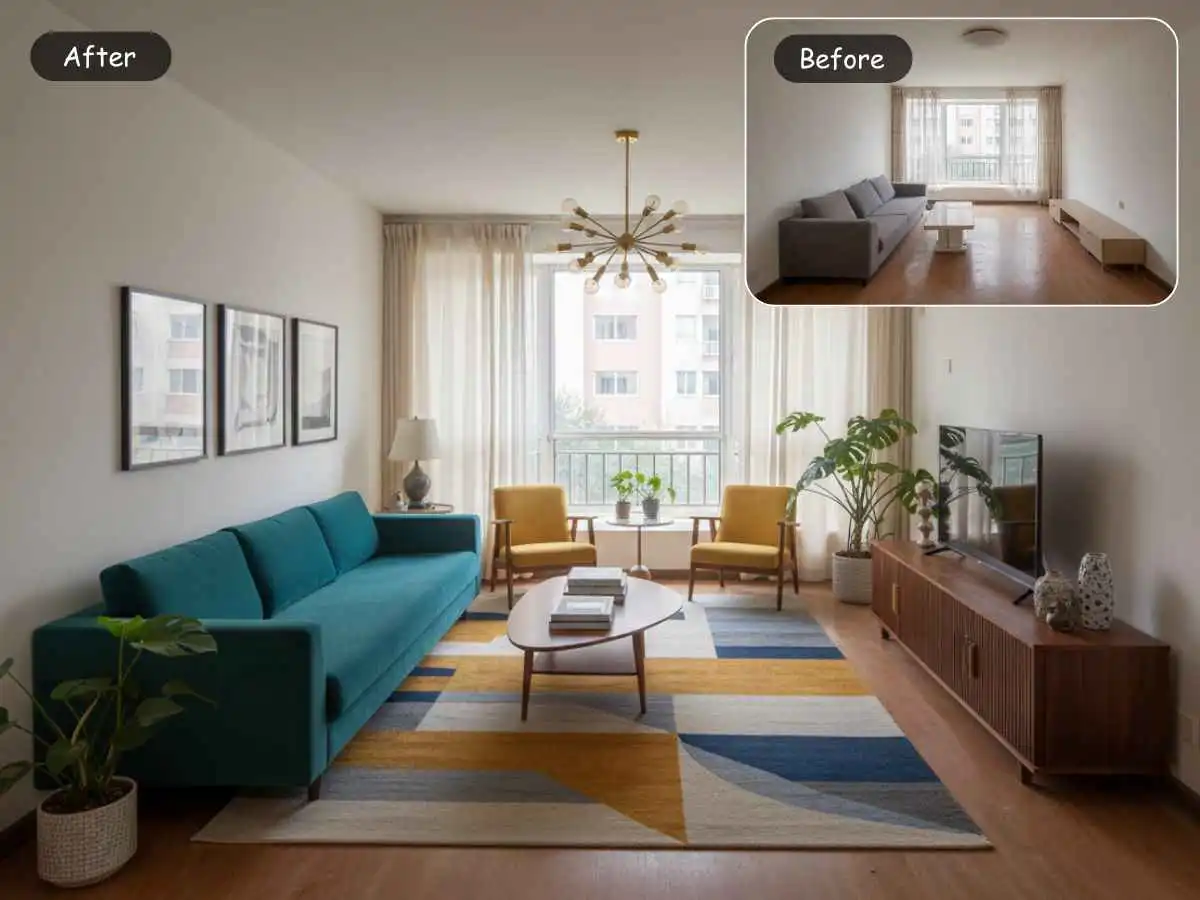
Compared with EzRemove, Foyr Neo is clearly less beginner-first. It may be overkill for someone who only wants to test three styles in a living room photo. But for users who need stronger presentation assets and a more formal design pipeline, Foyr Neo earns its complexity. EzRemove is better for speed and clarity. Foyr Neo is better for polished delivery and deeper project work.
12. RoomSketcher: Best for Floor Plans and Space Planning Clarity
RoomSketcher is one of the clearest examples of a tool that serves a different part of the design process. Its official positioning focuses on creating accurate floor plans fast, customizing and visualizing layouts, and using easy room planner software to generate professional floor plans and 3D visuals. It is used for listing properties, planning builds, and designing spaces, which tells you immediately that it is not trying to be a style-first photo transformation tool.
This makes RoomSketcher very useful for people who are stuck on arrangement, not aesthetics. Some users do not need another stylish render. They need to know whether the sofa should move, whether the room can support a desk, or whether the traffic flow is awkward. That is where a floor-plan-centered product can be more helpful than a photogenic AI makeover.
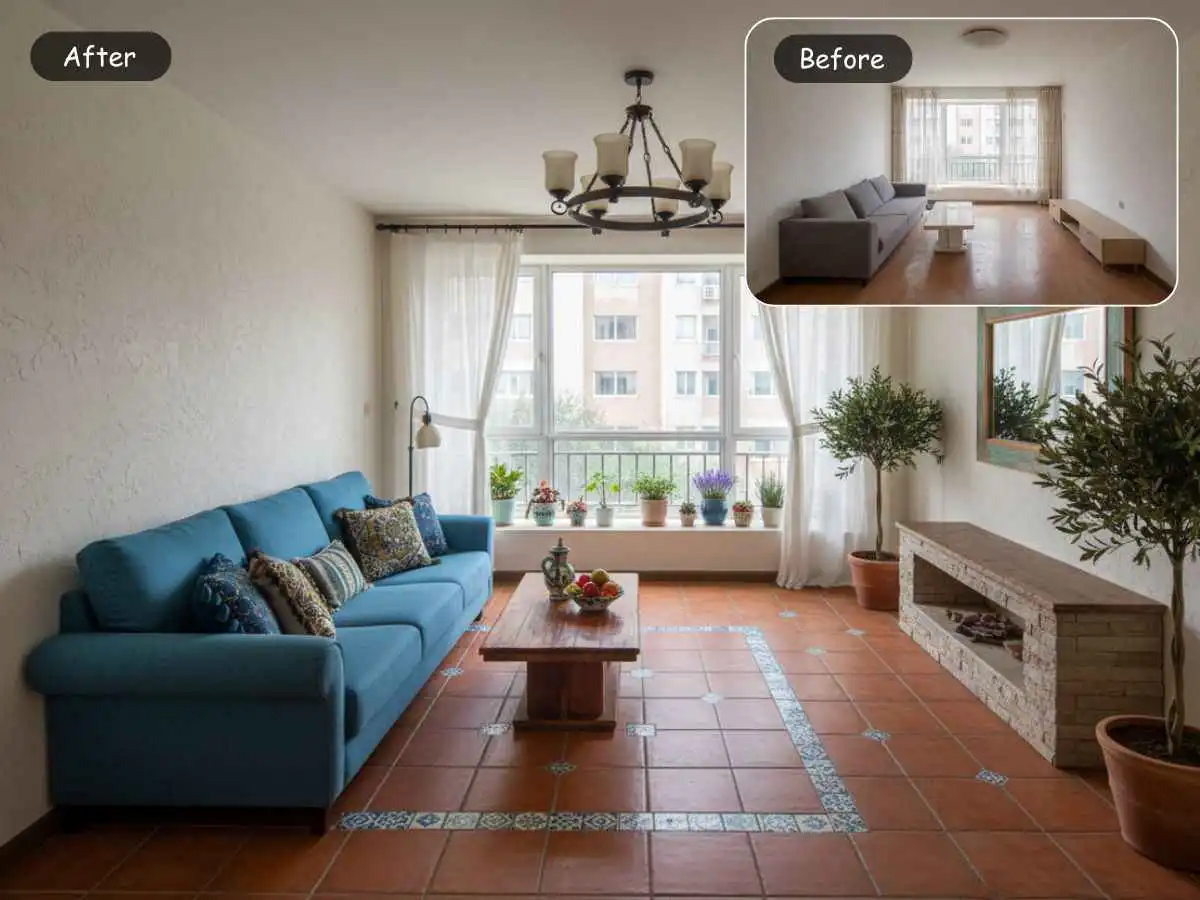
Compared with EzRemove, RoomSketcher is less emotionally satisfying at the “show me something beautiful” stage, but often more useful when the user’s real problem is spatial logic. That is worth saying plainly because many people confuse room design with room planning. They overlap, but they are not the same. EzRemove is stronger for quick redesign inspiration from real images. RoomSketcher is stronger for layout clarity.
13. HomeByMe: Best for a Friendlier Path into 2D and 3D Home Planning
HomeByMe is easier to understand than some of the heavier planning platforms. Its official site describes it as an intuitive 3D room planner that lets users create a home’s 2D floor plan, furnish it, and visualize it in 3D. It also supports importing a 2D floor plan and turning that into a 3D project, which lower the barrier for people who already have a rough plan but do not want to rebuild everything from scratch.

For everyday users, HomeByMe often feels less intimidating than tools that are obviously built around design-industry workflows. It still asks you to think in terms of layout and structure, but it does so in a way that feels homeowner-friendly. That makes it a better fit for people who are not chasing a one-click makeover, yet still do not want a steep professional learning curve.
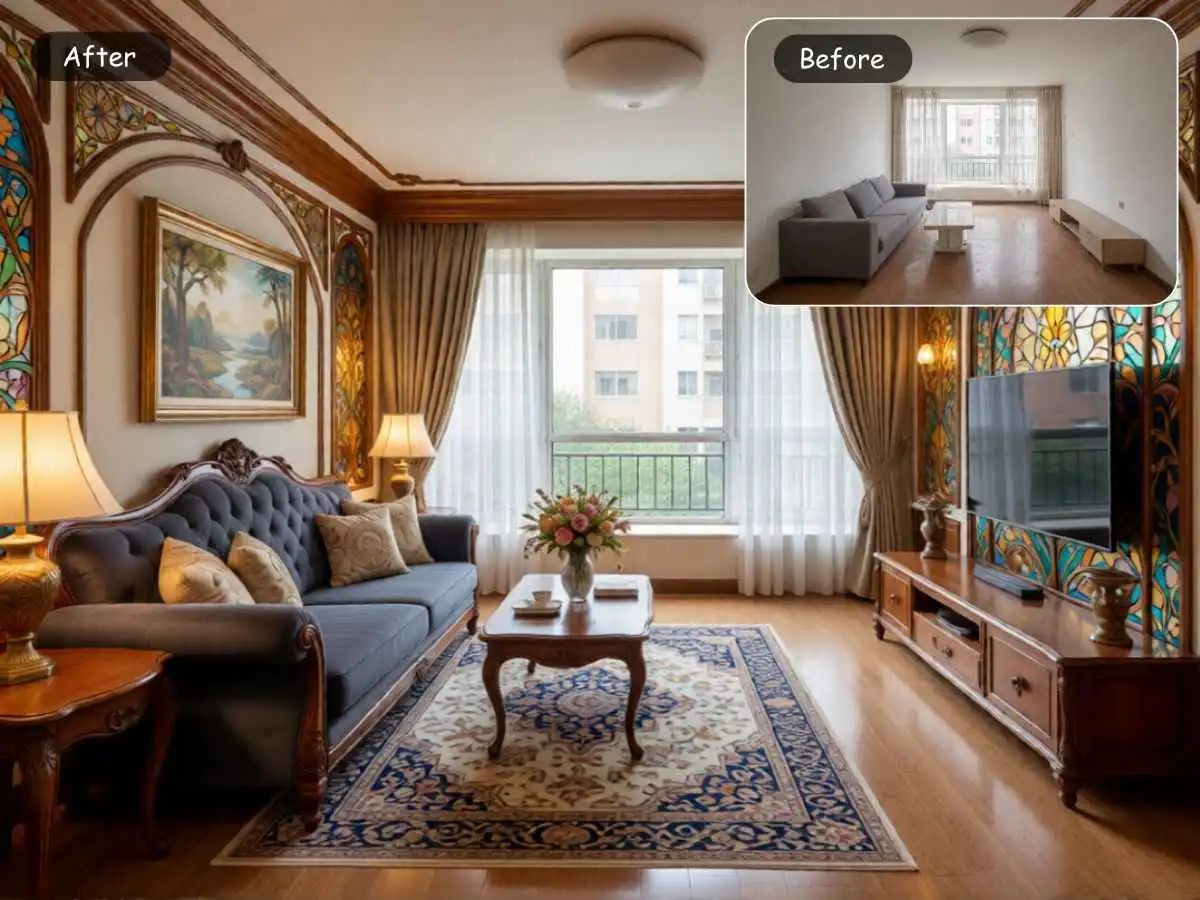
Compared with EzRemove, HomeByMe asks for more setup and more patience. But it gives back more control over the actual space. So the choice between them is not really about quality. It is about what stage of the project you are in. If you are still exploring, EzRemove is easier. If you already know the room needs real planning work, HomeByMe starts to feel more useful.
14. Maket: Best for Residential Plans, Not Just Room Styling
Maket is one of the clearest examples of an AI-first floor-plan tool rather than an image-first room redesign tool. Its official positioning is blunt. It is an AI floor plan generator and creator for residential floor plans that lets users describe what they want and generate ready-to-use layouts in minutes, with no architecture degree or CAD software required. Its pricing page also frames the product around creating new floor plans, refining existing ones, and exploring visual directions in one AI-powered workspace.
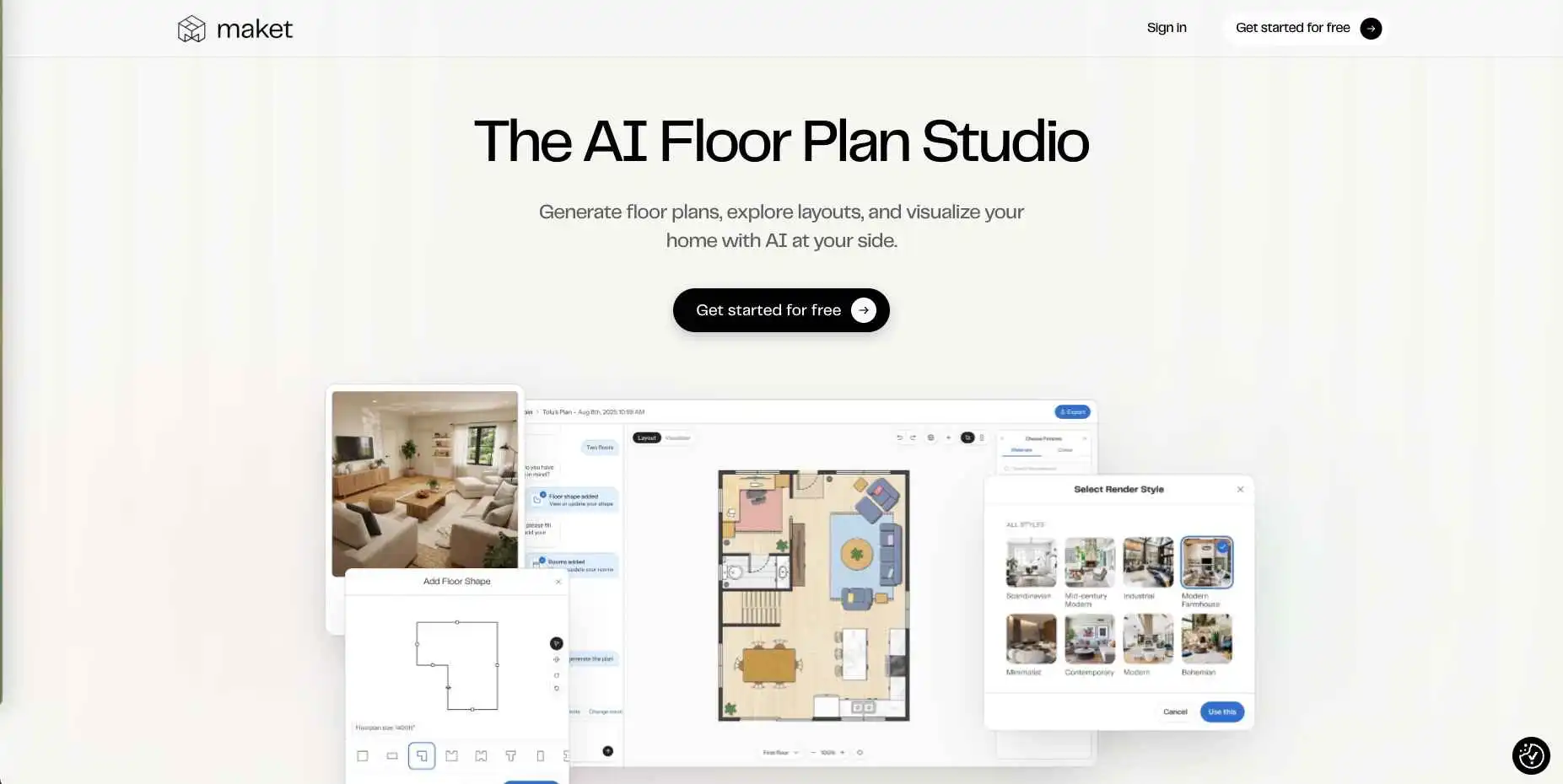
That means Maket appeals to a different mindset. A user choosing Maket is often further upstream. They are not asking, “What style suits this bedroom?” They are asking, “How should this home be arranged?” That could be a homeowner with a renovation idea, a builder working through concepts, or someone evaluating residential plan options before the interior decorating stage even begins.
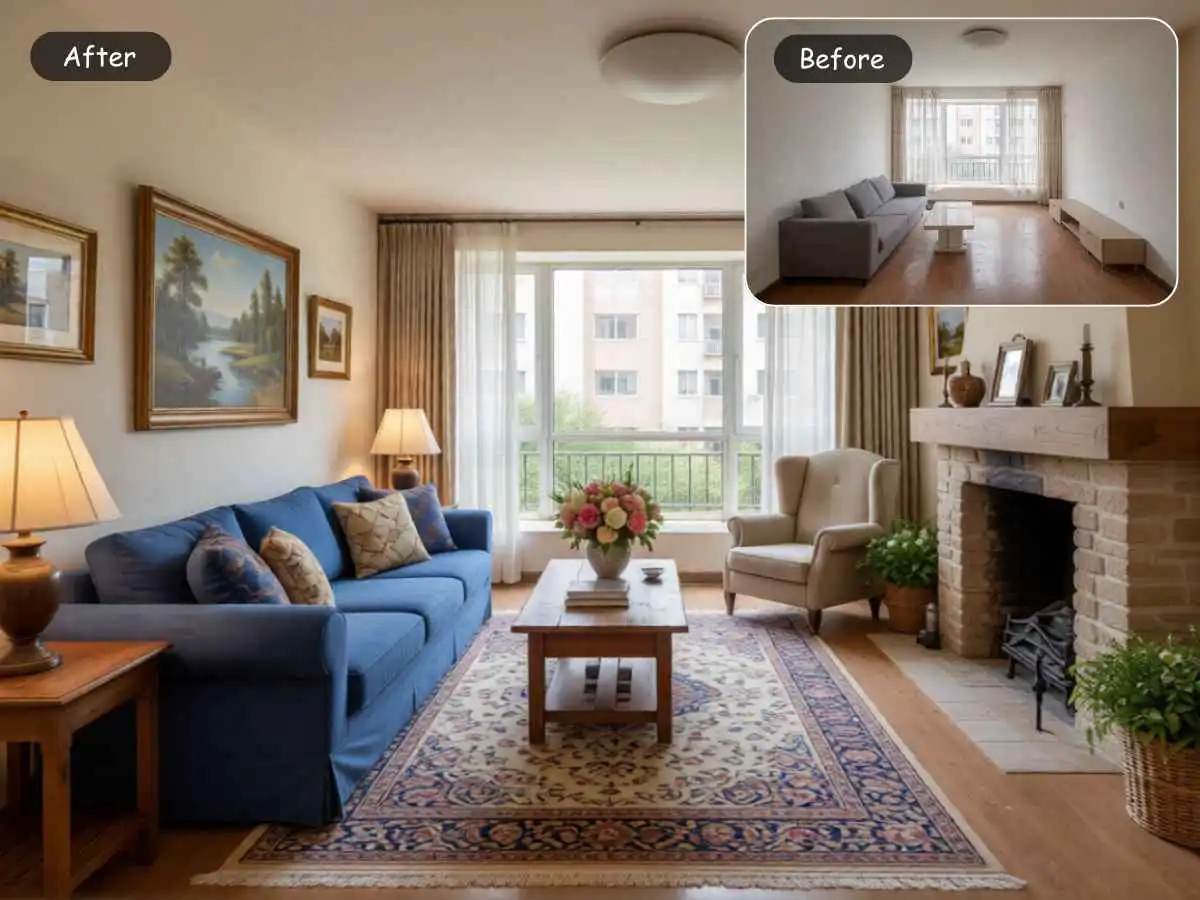
Compared with EzRemove, Maket solves a more structural problem. It is not a substitute for a quick room-makeover tool. It is the tool you look at when the room itself is no longer the whole question. If EzRemove is strong at helping users move from uncertainty to visual direction, Maket is stronger when the user needs layout generation and residential planning logic from the start.
15. DecorMatters: Best for Room Design, Layout Play, and Shopping Energy
DecorMatters has always had a slightly different personality from many design tools. Its official pages emphasize AI room design, exploring layouts, furniture, colors, and decor, and doing so in a way that works across phone and web. Other company and app pages also describe taking photos of your own room, trying store and personal items, and shopping from many brands.
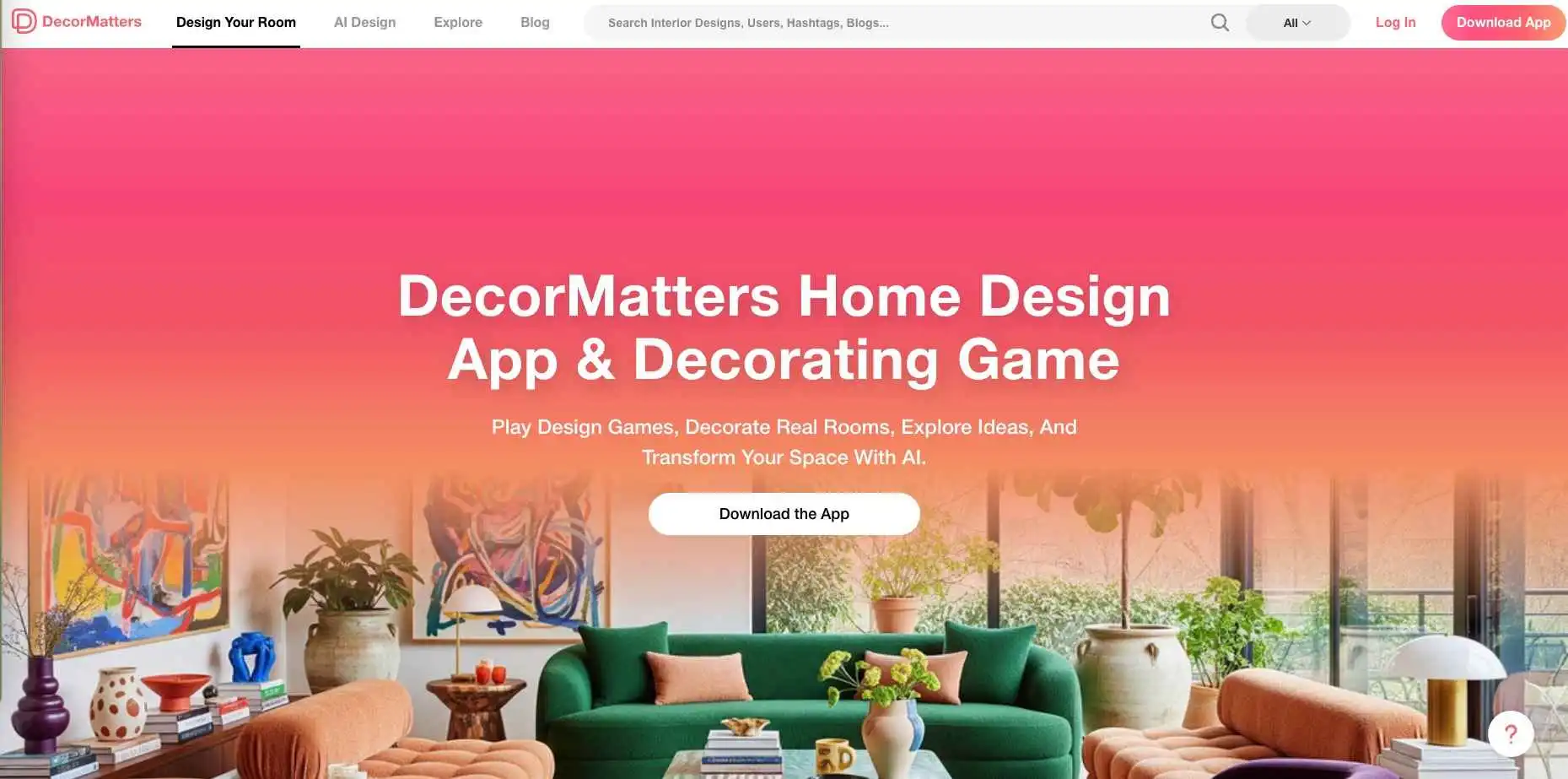
That makes DecorMatters feel more lifestyle-oriented. It is not just about solving a layout. It is about playing with a room, testing possibilities, and imagining purchases with a little more fun and immediacy. For some users, that is exactly what keeps the process moving. Not everyone wants room design to feel like software. Some want it to feel like trying ideas on.
Compared with EzRemove, DecorMatters is more furniture-and-decor-forward. EzRemove feels more efficient when the job is to upload a real room and quickly compare redesign directions. DecorMatters becomes more attractive when the user wants room design to blend into layout testing, style play, and shopping behavior. It is less about which tool is smarter, and more about whether you want focused redesign or a more exploratory design lifestyle experience.
What This Second Group Reveals
By this point, the tools start separating into clearly different kinds of work. Planner 5D, Coohom, Foyr Neo, RoomSketcher, HomeByMe, and Maket all move beyond quick visual restyling and become more useful when the user wants to plan a space more seriously, think in terms of layout, or work with floor plans and structured design decisions. DecorMatters stands slightly apart again, showing how room design can also blend into layout play, decor exploration, and shopping behavior rather than purely formal planning. That is why this group makes the category feel much less like a single market. Some tools are better for users who want more control over space and structure, while others are better for users who want room design to feel more interactive, lifestyle-driven, and purchase-adjacent. Once that difference becomes clear, the comparison stops being about which product is best overall and becomes more about which kind of design job the user is actually trying to solve.
FAQs About AI Room Design Tools
Which AI Room Design Tool Is Best for Beginners?
This is usually the first real question hiding behind all the broader search terms.
Most beginners are not asking for the most advanced platform. They are asking for the safest place to start. They want something that feels intuitive, works from a real room photo, and does not force them to learn floor plans, modeling, or complicated setup before they can see anything useful. From that perspective, EzRemove, RoomGPT, RoomsGPT, and Home AI are the easiest starting points in this comparison. They are all clearly built around quick entry, especially through room-photo uploads and light styling workflows, rather than full planning systems.
Among those, EzRemove feels especially balanced for beginners because it is simple without feeling disposable. Its workflow is straightforward, upload a real room photo, choose a room type, choose a style, and add optional instructions. That gives new users enough control to feel purposeful, without creating the sense that they need training before they can get value. RoomGPT is even faster to understand, but it feels more like a spark tool. RoomsGPT is great for experimentation. Home AI is friendly for casual use, but narrower overall. EzRemove sits in a very comfortable middle ground for people who want speed and a little more substance.
Which Tool Is Best If You Only Have One Photo of Your Room?
If this is your situation, and it is the most common situation by far, then you should strongly prefer the tools that were designed around that exact starting point instead of forcing yourself into a planner-first platform.
EzRemove, RoomGPT, Interior AI, REimagineHome, RoomsGPT, Home AI, and HomeDesignsAI all explicitly support a real-photo-based workflow. That matters because the quality of the experience changes when a product is built to interpret an existing room image instead of asking you to reconstruct the room from scratch. These tools are much closer to what ordinary users mean when they say, “Can AI design my room?” They are starting with a real space, not an abstract blank canvas.
If you want the shortest path from “here is my room” to “now I can see three or four realistic directions,” EzRemove is one of the strongest picks. If you want style-heavy visual transformation, Interior AI becomes more appealing. If you want that image to connect more directly to product or budget thinking, REimagineHome becomes more interesting. If you mainly want fast exploration with little friction, RoomGPT and RoomsGPT are both very easy to like.
Which Tools Are Best for Keeping the Original Layout?
This is one of the most important questions, because a lot of people do not actually want AI to invent a dream room that no longer resembles their real space. They want help improving what is already there.
In general, photo-first room redesign tools are good when you want the result to stay visually anchored to your existing room, while layout-first tools are better when you want to actively rethink structure and placement. EzRemove, REimagineHome, and Homestyler AI make the most sense when you want to preserve the feel of the original room while testing new styles or furnishings. Planner 5D, Coohom, RoomSketcher, and HomeByMe make more sense when you are willing to intervene more directly in layout logic, dimensions, or arrangement.
That means the answer depends on what you mean by “keep the layout.” If you mean “do not lose the identity of my actual room,” EzRemove is one of the better choices. If you mean “I need to control the layout more carefully,” then Planner 5D, Coohom, RoomSketcher, or HomeByMe are better suited because they are built around editable planning, not just image reinterpretation.
Which Tools Are Best for Small Rooms, Apartments, and Awkward Spaces?
Small rooms create a different kind of pressure. The user is not just chasing beauty. They are trying to solve a problem. They want the room to feel less cramped, less dark, less visually chaotic, or more flexible.
For this kind of project, there are two good paths. The first is a photo-first tool that helps you quickly test mood, furniture weight, lighting direction, and style density. EzRemove, Interior AI, and RoomsGPT are useful here because they help users compare how a room feels under different aesthetic directions without requiring a full rebuild. The second path is to use a planning tool like Planner 5D, RoomSketcher, or HomeByMe when the problem is more spatial than stylistic, for example when you genuinely need to rethink furniture placement, work zones, or traffic flow.
For most small apartments or compact bedrooms, a smart approach is to start with a photo-based tool first. It helps you decide whether the room really needs a layout change or whether it mostly needs a lighter palette, less visual weight, or better furniture choices. That is another reason EzRemove works well for small spaces. It helps users make that first judgment quickly, before they commit to a more involved planning workflow. This is an inference based on how its image-first room redesign flow compares with the planner-style products above.
Which Tools Are Best If You Want Furniture Ideas Before Buying?
This is a completely different user intention, and it is where many comparison articles go wrong. They act like “room design” is always about style transformation. But sometimes users are much closer to a purchase decision than that. They want to know what furniture to try, what items fit the room, or how to move from inspiration into something more actionable.
REimagineHome is strong when you want room redesign tied to real products and budget-aware shopping direction. DecorMatters is stronger when you want a more lifestyle-oriented, playful space to test decor, layout, and shopping ideas.
EzRemove can still be part of this process, but in a different way. It is better earlier in the decision journey, when the user is still testing broader directions, mood, color, style, brightness, furnishing density, and overall visual identity. Once the user moves from “What feels right in this room?” to “What should I actually buy?” tools like REimagineHome and DecorMatters often become more directly actionable.
Which Tools Are Best for Professionals, Realtors, and Client Presentations?
This is another category that deserves its own answer because professional-facing needs are simply different.
If the goal is polished, client-facing visual output, Foyr Neo stands out because it is clearly oriented toward presentation-quality interiors, photorealistic renders, and more formal design delivery. Coohom also makes sense here because of its broader 2D and 3D planning environment, especially for more structured workflows. RoomSketcher is valuable when the deliverable needs floor plans and spatial clarity rather than stylized image restyling.
EzRemove is still useful in professional environments, especially when someone wants fast room restyling from a real photo for concept exploration or visual ideation. But it is not trying to be a presentation-heavy professional suite. That is exactly why it remains more approachable for ordinary users. Professionals can still use it, but its strongest appeal is speed, image-based simplicity, and low friction, not complex deliverable management. This is an inference from its product flow and positioning compared with the more explicitly professional tools above.
How to Choose the Right AI Room Design Tool Without Overthinking It
By now the market can feel more confusing than helpful, so here is the simplest way to narrow the choice.
If your starting point is a real room photo and your goal is fast redesign inspiration, stay with the photo-first tools. EzRemove, RoomGPT, Interior AI, REimagineHome, RoomsGPT, and Home AI all fit that direction, though each one leans slightly differently. EzRemove is one of the best for balanced, practical redesigns. RoomGPT is great for instant inspiration. Interior AI pushes more into photorealistic style transformation. REimagineHome moves closer to product and budget decisions. RoomsGPT is a friendly experimentation space. Home AI is a simpler, narrower choice.
If your real problem is layout, movement, dimensions, or planning control, skip the temptation to force a photo-restyling tool to solve a planning problem. Planner 5D, Coohom, RoomSketcher, HomeByMe, Foyr Neo, and Maket are much better aligned with that kind of task. They ask for more effort, but they return more structural clarity.
If your question is really about furniture, decor direction, or purchase-oriented room decisions, then choose accordingly. DecorMatters and REimagineHome are stronger in those more action-oriented and shopping-aware scenarios.
Common Mistakes People Make When Choosing an AI Room Design Tool
The first mistake is assuming all these products do the same job. They do not. Some are image-first. Some are plan-first. Some are buying-first. If you pick the wrong category, even a good tool will feel disappointing. That is not always the product’s fault. Sometimes it is just a mismatch between the user’s question and the product’s design.
The second mistake is choosing a heavy planner when you really only need style direction. Many people do not need a floor plan on day one. They need clarity. A fast room-photo workflow is often the better place to start. That is why tools like EzRemove, RoomGPT, or Interior AI can be more useful than larger planning suites in the early stage of a project.
The third mistake is expecting a photo-first tool to behave like a technical planning tool. If you need exact layout logic, editable structure, and floor-plan control, choose Planner 5D, RoomSketcher, HomeByMe, Coohom, or Maket instead of getting frustrated that a lightweight room restyler is not acting like CAD software.
The fourth mistake is jumping straight into shopping before you understand the room direction. A lot of people would save money by using a fast redesign tool first, then switching to product-aware tools later. That sequence is often more efficient than trying to make furniture decisions before you are even sure what aesthetic or mood the room needs. This is an inference from how products like EzRemove compare with REimagineHome and DecorMatters across the decision journey.
Why EzRemove Makes Particular Sense for Fast, Real-Room Makeovers
After comparing these 15 room design tools, the clearest reason to choose EzRemove is not that it tries to do everything. It does not. The reason to choose it is that it solves one of the most common user problems very well.
That problem is simple. You have a real room. You have a photo. You want to see a better version of that room quickly, without signing up for a long design education along the way. EzRemove is especially well suited to that moment because its flow stays close to what the user already has, a room image, a room type, a style direction, and maybe one or two specific requests. It is practical, accessible, and fast.
It also avoids a trap that some tools fall into. It does not immediately push the user into a much heavier planning environment unless that is what they were already looking for. That is important because most people are not trying to become interior software users. They are trying to feel less stuck about a real room in their real life. EzRemove respects that more directly than many broader platforms. This is an inference based on its product flow compared with platforms like Planner 5D, Coohom, and HomeByMe.
In plain terms, EzRemove makes the most sense when the user wants four things at once. They want to start from a real room photo. They want low learning friction. They want useful style comparison. And they want results that feel close enough to their actual space to help them make a real decision. That is why it stands out in this particular category, even if other tools are stronger for deep planning, staging, or professional rendering.
Final Verdict
If you want one sentence, here it is.
There is no universal winner, only the right tool for the stage of room design you are actually in.
Choose EzRemove if you want the fastest, most approachable route from a real room photo to a believable redesign direction. Choose RoomGPT or RoomsGPT if you mainly want quick inspiration and experimentation. Choose Interior AI if you care more about photorealistic style transformation. Choose REimagineHome if the design decision is already moving toward real products and budget. Choose Planner 5D, Coohom, RoomSketcher, HomeByMe, or Maket if layout control matters more than quick visual restyling. Choose DecorMatters if your next step is decor exploration and more lifestyle-driven room planning. Choose Foyr Neo if your room images need to impress clients, collaborators, or decision-makers, not just yourself.
And if you are still unsure, that uncertainty is a clue. It usually means you should not start with the heaviest platform. Start with a tool that helps you learn what you want from the room first. For most ordinary users, that makes a photo-first redesign tool the most sensible first step. From there, if the project becomes more serious, more technical, or more purchase-driven, you can always move deeper into the other categories. That is often the smartest way to use AI for room design in real life. This final recommendation is an inference drawn from the product categories and workflows compared throughout the article.