Skip to content
How to Design Your Room with AI: Complete Guide
Redesigning a room often starts with a simple feeling: something is not quite right.
Maybe your bedroom feels crowded. Maybe your living room has furniture, but still looks unfinished. Maybe your home office works for basic tasks, but you never feel comfortable enough to spend a full day in. Or maybe you are planning a bigger makeover and want to see a few ideas before buying paint, lighting, rugs, storage, or new furniture.
AI room design can make that early stage much easier.

Instead of guessing what a space might look like after a makeover, you can upload a real room photo and preview different styles, color palettes, furniture ideas, and layouts in minutes. It is not a replacement for measurements, construction planning, or professional interior design advice. But it is a practical way to turn rough ideas into visual directions before making real changes.
In this guide, you will learn how to design your room with AI step by step, how to prepare a better room photo, how to choose the right design style, how to write useful prompts, how to evaluate the results, and how to turn an AI-generated room concept into a realistic room makeover plan.
What Is AI Room Design?
AI room design is the process of using artificial intelligence to redesign, restyle, decorate, or virtually stage a room based on a photo, prompt, selected room type, or interior style.
In simple terms, you show the AI your current space and tell it what kind of room you want to see.
For example, you might upload a photo of a small bedroom and ask for a Scandinavian redesign with light wood furniture, soft bedding, hidden storage, and warm lighting. Or you might upload an empty apartment living room and ask for a modern staging concept with a cream sofa, textured rug, coffee table, curtains, and indoor plants.
The AI then generates a visual concept that helps you understand what your room could look like.
AI room design is useful for exploring different parts of a room before you make real changes. Instead of looking at a single finished image, you can use AI to preview colors, furniture styles, lighting, materials, decor, layout, atmosphere, and even virtual staging ideas.
| Image | Design Area | What AI Can Help You Preview | Why It Matters | Example Direction |
|---|---|---|---|---|
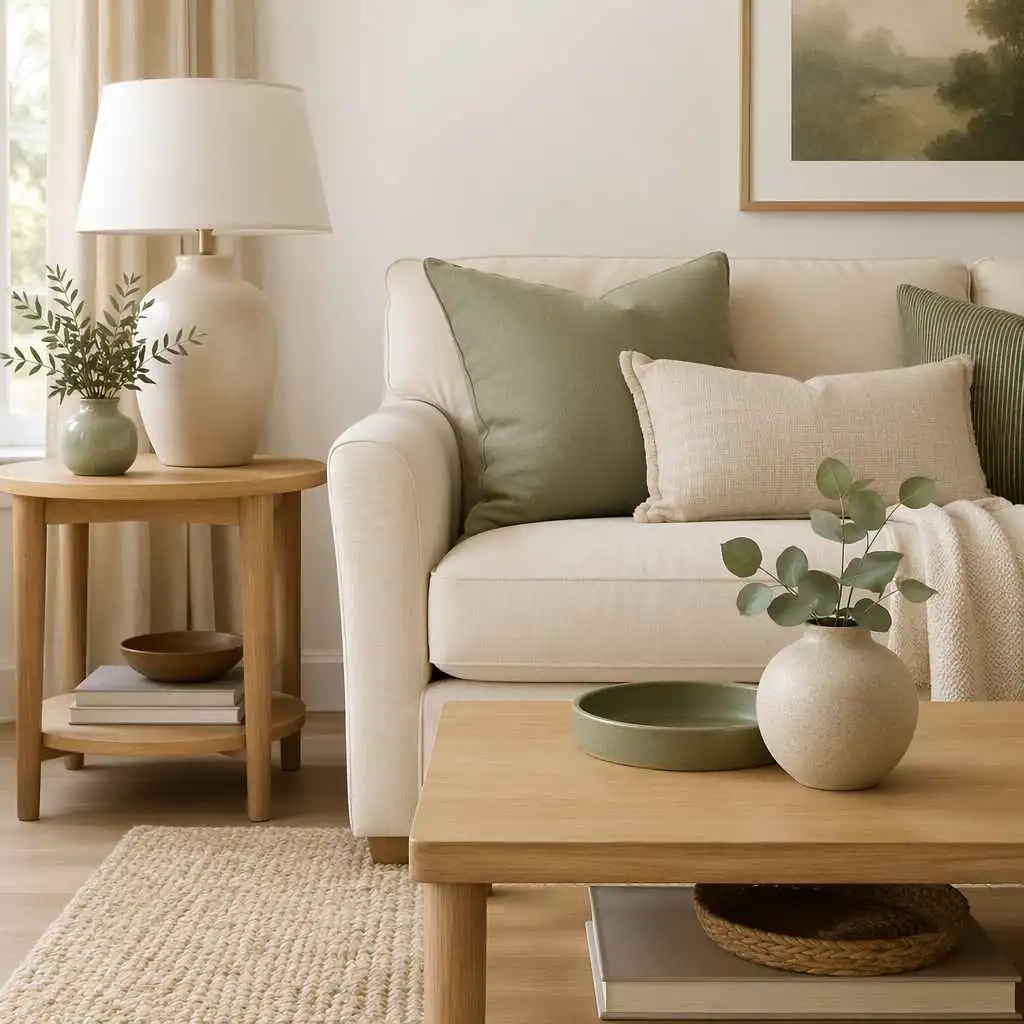 | Color palette | Wall colors, furniture colors, flooring tones, accent colors, and soft decor shades | Color is often the first thing that changes how a room feels. AI helps you test whether a space should feel warmer, brighter, calmer, or more dramatic before repainting or buying furniture. | Warm white walls, cream sofa, light oak furniture, sage green accents |
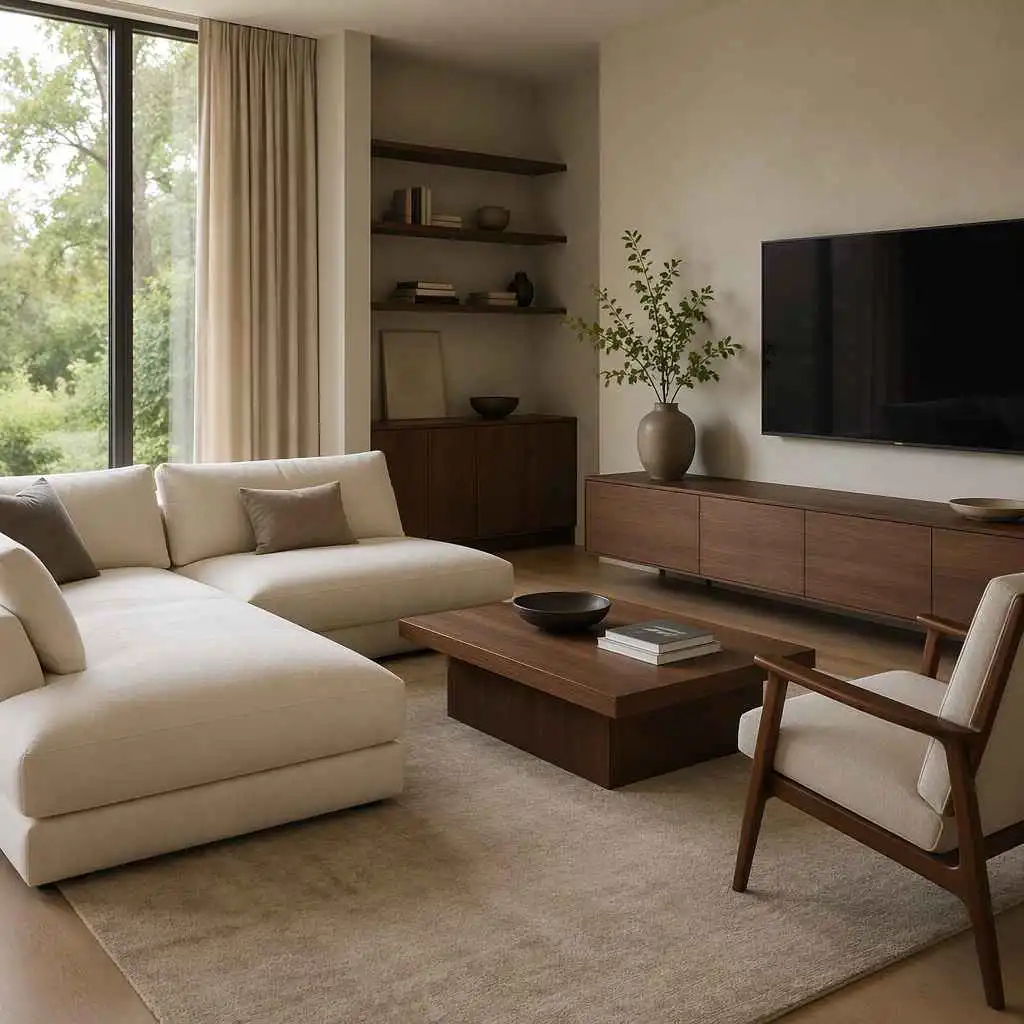 | Furniture style | Sofa shape, bed frame, desk type, dining table style, chair design, storage units, and cabinet look | Furniture defines the character of a room. AI can help you see whether modern, rustic, minimalist, Scandinavian, or luxury furniture fits your real space. | Low-profile sofa, walnut coffee table, linen bed frame, slim media console |
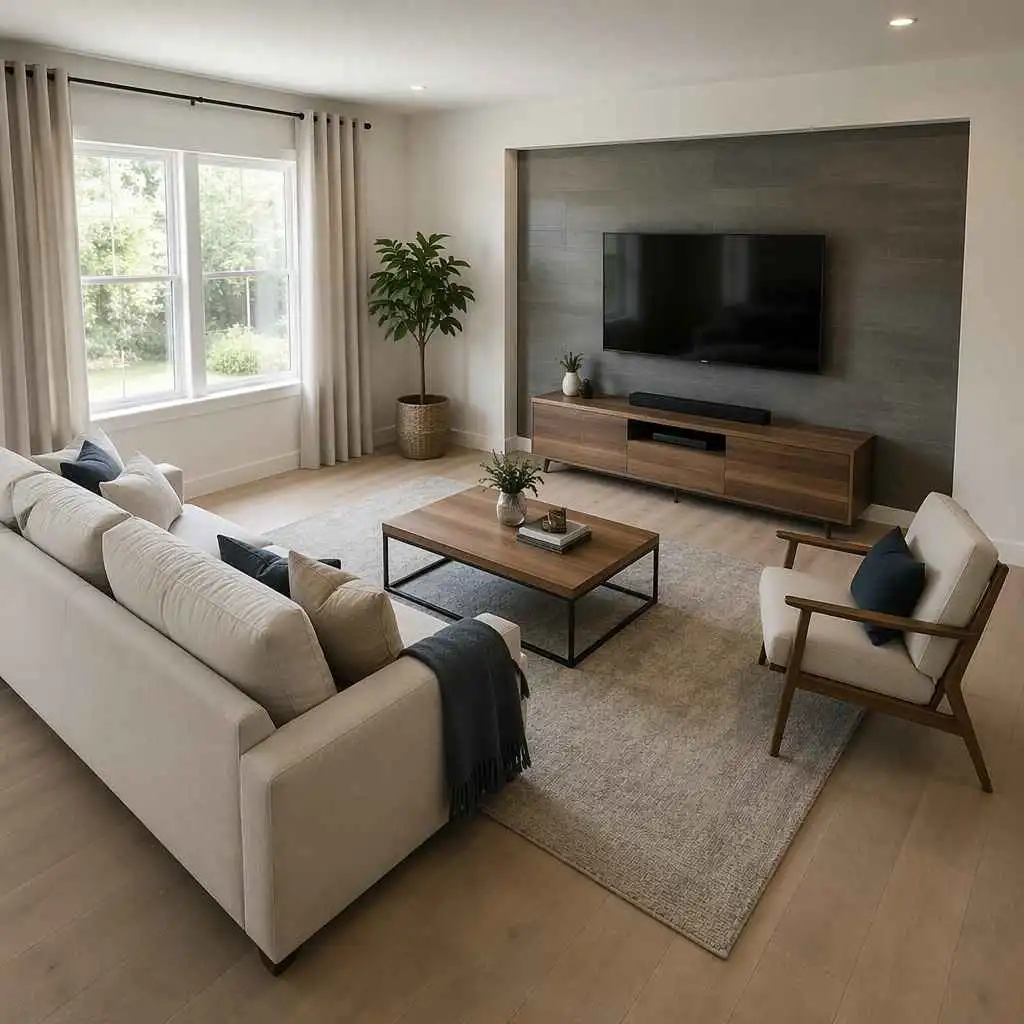 | Layout direction | Seating arrangement, bed placement, desk position, rug placement, walking space, and focal wall setup | A room can look beautiful but still feel uncomfortable if the layout is wrong. AI helps you compare different placements before moving furniture or buying new pieces. | Sofa facing TV wall, bed centered on main wall, desk near window |
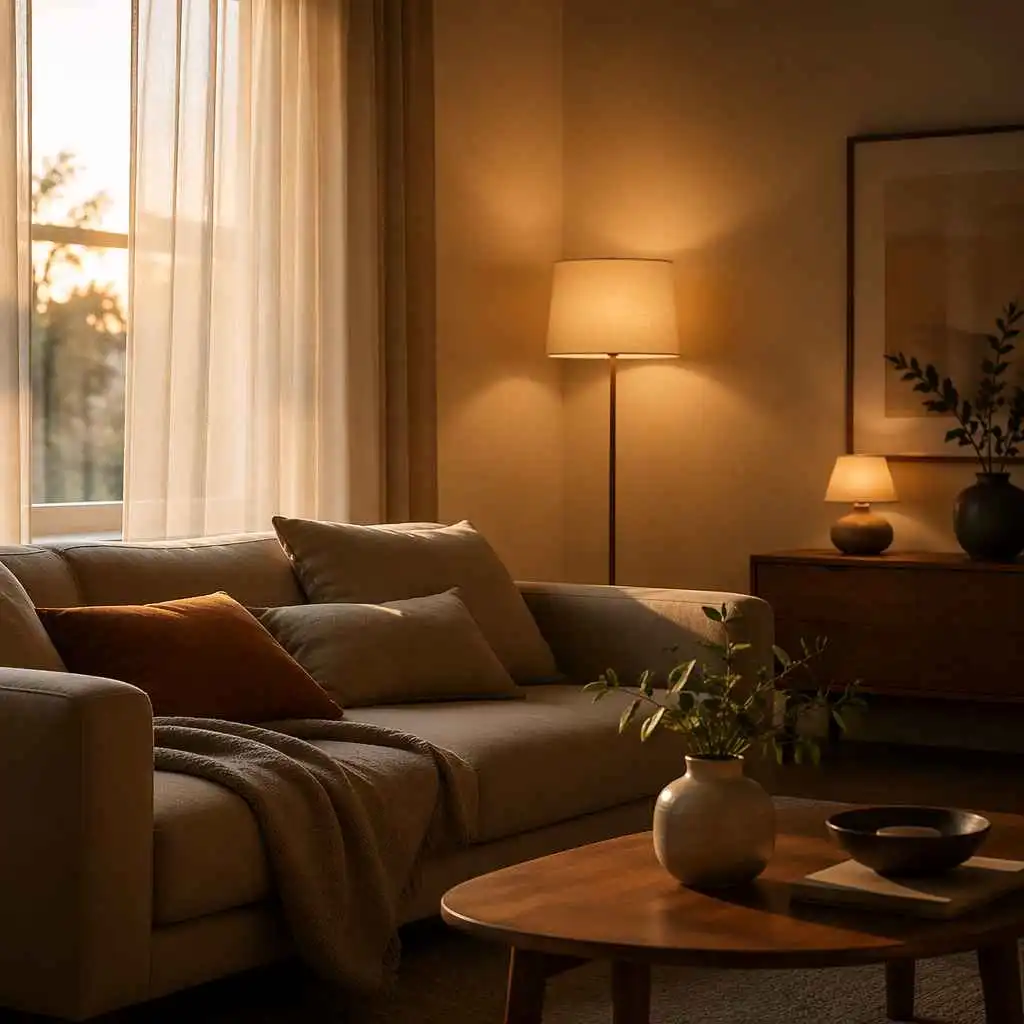 | Lighting mood | Natural daylight, warm lamps, pendant lights, floor lamps, wall sconces, and layered lighting | Lighting changes the mood of a room quickly. AI can help you preview whether the space should feel bright and airy, warm and cozy, or polished and elegant. | Soft daylight, warm bedside lamps, layered living room lighting |
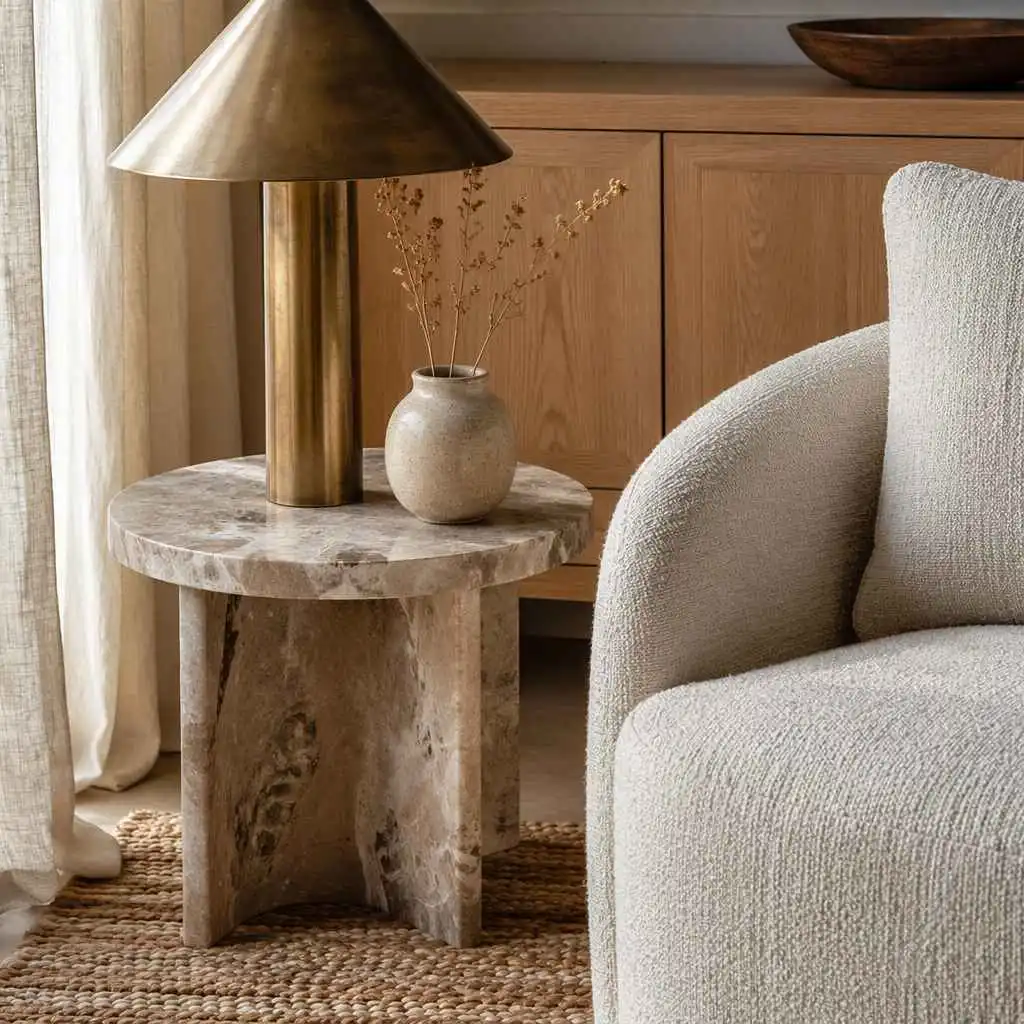 | Materials | Wood, stone, linen, rattan, marble, brass, matte black metal, boucle, leather, and ceramic finishes | Materials make the design feel real. AI can help you test whether your room works better with light wood, warm walnut, stone surfaces, soft fabrics, or metallic details. | Light oak floor, linen curtains, marble side table, brass lamp |
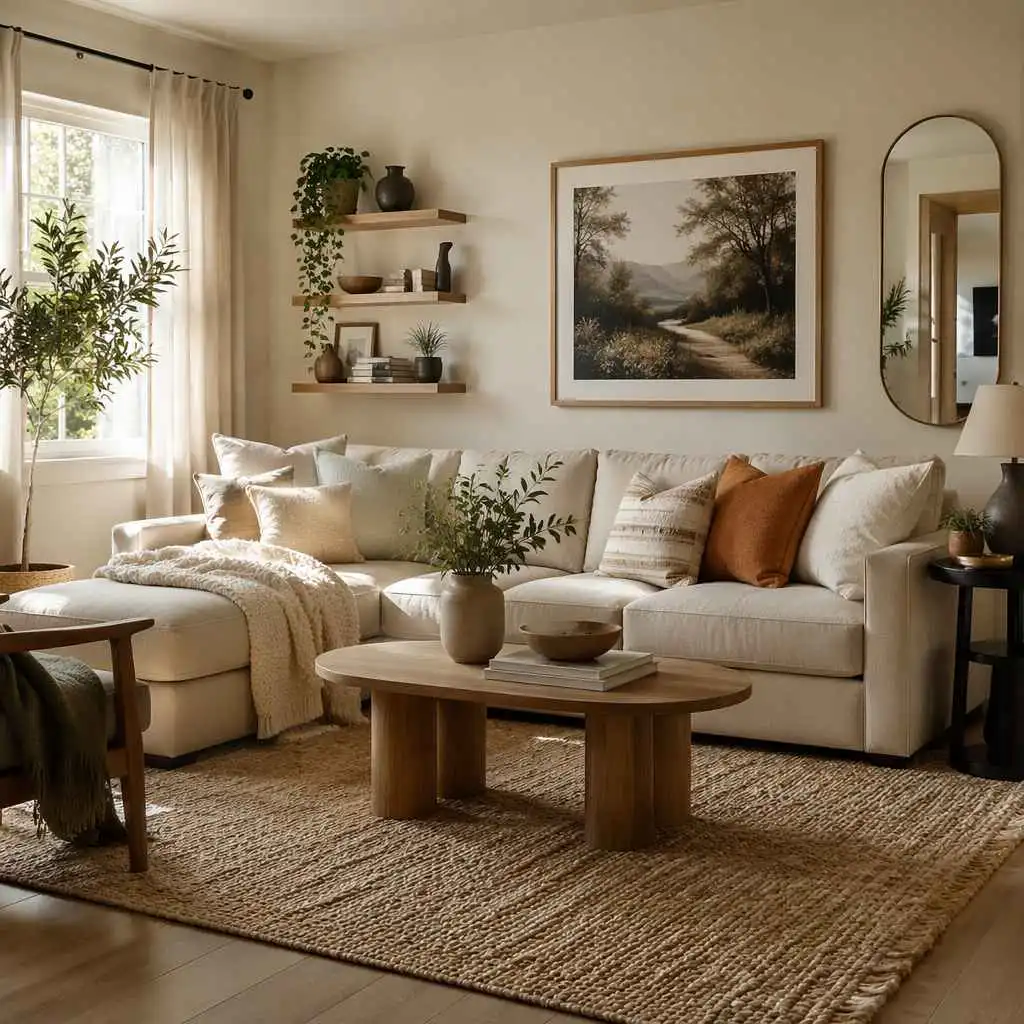 | Decor | Rugs, curtains, wall art, plants, pillows, shelves, mirrors, lamps, and small accessories | Decor adds personality and makes a room feel finished. AI can help you see which details improve the room without making it feel cluttered. | Large textured rug, indoor plants, simple wall art, soft curtains |
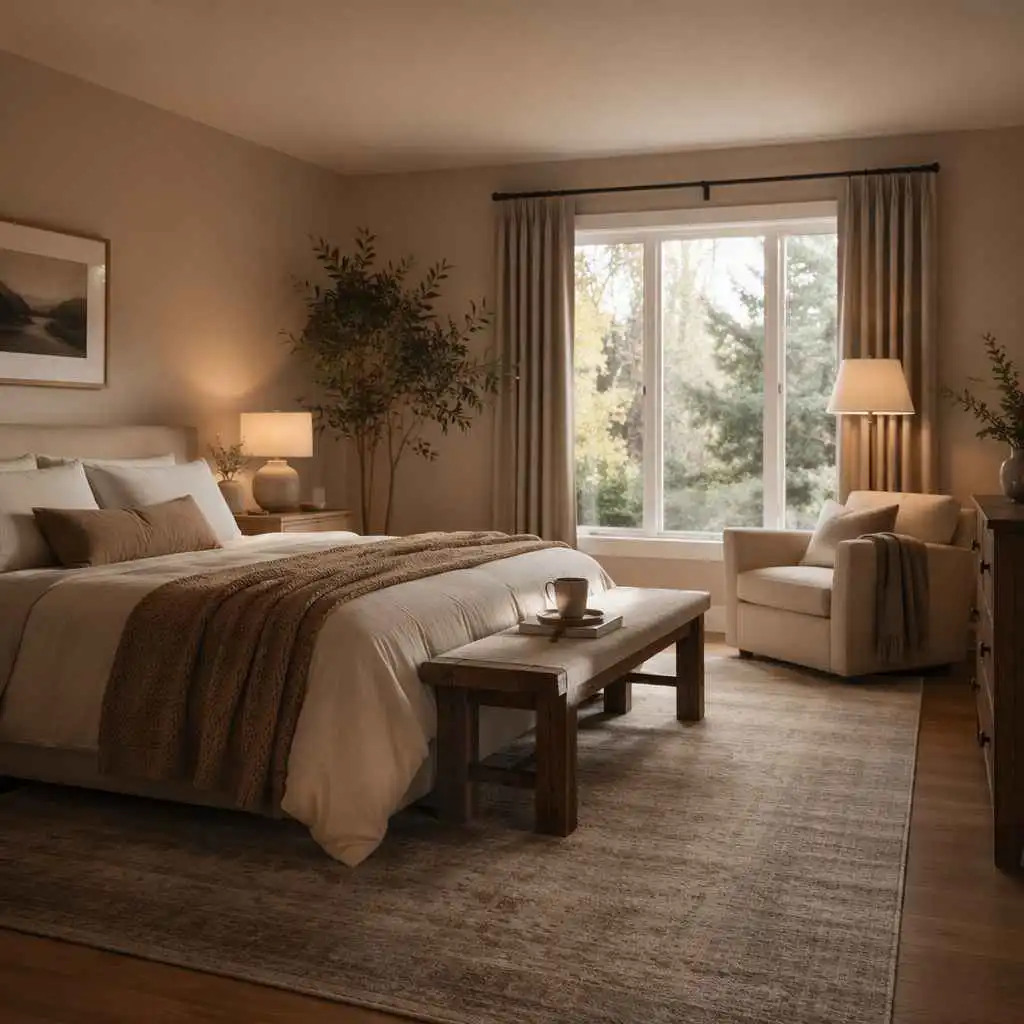 | Room atmosphere | Cozy, calm, bright, luxury, minimal, rustic, elegant, relaxed, focused, or family-friendly mood | A room is not only about furniture. It should create the right feeling for daily life. AI helps you compare emotional directions before committing to one style. | Calm bedroom, cozy living room, focused home office, airy apartment |
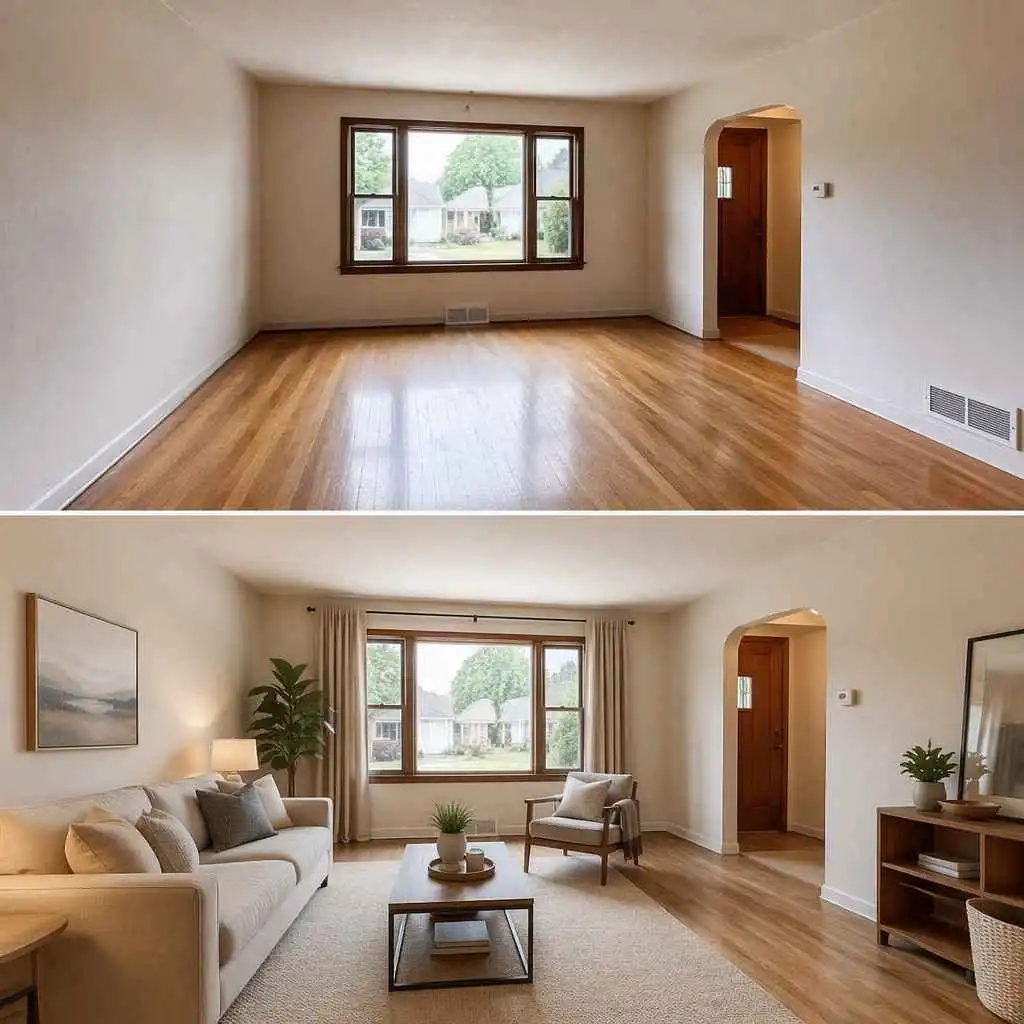 | Virtual staging | Furnished previews for empty rooms, outdated rooms, rental listings, real estate photos, and unused spaces | Empty or outdated rooms are hard to imagine. AI can help show how the space could look with furniture, lighting, and decor, especially for real estate or rental presentations. | Empty living room staged with neutral sofa, rug, coffee table, and warm lighting |
The value is simple: AI lets you see possibilities before you commit.
What AI Room Design Can and Cannot Do
AI room design is helpful, but it works best when you understand its limits.
It can give you quick visual ideas, but it should not be treated as a final construction plan. It can inspire furniture direction, but it cannot guarantee that every item will fit your exact room size. It can show beautiful wall colors, but it cannot judge paint finish, lighting temperature, or material quality the way they appear in your home.
Use AI as a visual planning assistant, not as the final authority.
| AI Room Design Can Help With | AI Room Design Cannot Fully Replace |
|---|---|
| Testing interior styles | Accurate room measurements |
| Visualizing room makeovers | Construction drawings |
| Exploring color palettes | Building code requirements |
| Finding furniture inspiration | Electrical or plumbing planning |
| Creating virtual staging ideas | Structural renovation advice |
| Comparing before-and-after looks | Contractor or installation decisions |
| Improving design communication | Professional design judgment |
| Generating quick room concepts | Real product sourcing and budgeting |
This makes AI especially useful in the early stage of a room project. It helps you answer questions like:
- What style suits this room?
- Would lighter colors make the space feel bigger?
- Should I keep the current layout?
- What kind of furniture would make the room feel more finished?
- Is this design direction worth exploring further?
Once you find a direction you like, you can use measurements, budget planning, product research, or professional advice to make it real.
Why Use AI to Design Your Room?
Most people do not struggle because they have no taste. They struggle because it is hard to imagine how separate design choices will work together inside a real room.
A sofa may look good online. A wall color may look beautiful in a photo. A rug may feel perfect in a store. But when everything comes together in your actual room, the result may feel too dark, too crowded, too cold, or simply not like you.
AI helps by making the idea visible earlier.
Test Styles Before Spending Money
One of the biggest benefits of AI room design is that you can explore options before buying anything.
Before you repaint a wall, replace furniture, buy curtains, or order a rug, you can generate a few design directions and compare them. You might realize that a minimalist room feels too plain, while a warm modern version feels more comfortable. You might discover that dark furniture makes the room feel smaller, while light wood opens the space.
This does not mean every AI detail should be copied exactly. But it can help you avoid expensive guesswork.
Start from Your Real Room Photo
A Pinterest board shows beautiful rooms. AI room design can start from your room.
That matters because your room has fixed features: windows, flooring, ceiling height, wall shape, doors, built-ins, and existing furniture. A random inspiration image may not match those conditions. A photo-based AI room design gives you a more relevant starting point.
Instead of asking, “Can I make my room look like this photo?” you can ask, “What would this style look like in my actual space?”
Make Design Decisions Easier
Design is easier when people can see the same thing.
If you are discussing a room makeover with a partner, roommate, client, landlord, designer, builder, or real estate buyer, an AI-generated visual can reduce confusion. Instead of describing “a warmer and more modern look,” you can show a concept and say, “This is close, but I want a lighter rug and less furniture.”
That makes feedback faster and decisions clearer.

What You Need Before You Start
You do not need professional design skills to use AI room design. But a little preparation will help you get better results.
| What You Need | Why It Matters |
|---|---|
| A clear room photo | Helps the AI understand the room structure |
| A design goal | Keeps the result focused |
| A room type | Guides function and furniture logic |
| A preferred style | Defines the visual direction |
| Real-world constraints | Makes the result more practical |
| A few minutes to compare results | The best version is often not the first one |
The design goal is especially important.
A vague goal sounds like this:
“Make my room look better.”
A better goal sounds like this:
“Make this small bedroom feel brighter and less crowded. Keep the bed position, use light wood furniture, add hidden storage, and create a calm Scandinavian style.”
The second version gives the AI useful direction. It also gives you a clear way to judge whether the result works.
How to Take a Better Room Photo for AI Design
Your room photo is the foundation of the design. A clearer photo usually leads to a more useful result.
You do not need a professional camera. A normal phone photo is enough, as long as the room is easy to understand.
Use Natural Daylight
Take the photo during the day if possible. Open curtains or blinds so the room has enough natural light. If the space is still dark, turn on indoor lights, but avoid harsh flash or strong reflections.
Dark photos can make the AI misread the room. Clear daylight helps it understand furniture, wall colors, floor texture, and room depth.
Shoot from a Corner or Doorway
Stand near a corner or doorway and capture as much of the room as possible. This gives the AI more context, including walls, floor, windows, furniture, and the overall layout.
For a bedroom, try to include the bed, floor area, window, and at least two walls.
For a living room, include the seating area, focal wall, rug area, windows, and walking space.
For a kitchen, include cabinets, counters, floor, lighting, and major appliances.
Keep Fixed Room Features Visible
AI works better when it can see the parts of the room that should not randomly change.
Try to include:
- Windows
- Doors
- Wall corners
- Floor area
- Ceiling line
- Built-in cabinets
- Fireplace
- Kitchen cabinets
- Large furniture
- Stairs or columns
These details help the design feel connected to the real space.
Remove Obvious Clutter
You do not need to make the room perfect before taking a photo. But if possible, remove temporary clutter first. Laundry piles, trash bags, loose cables, cardboard boxes, and other random items on the floor can affect the final result because the AI may treat them as part of the room and design around them.
If cleaning up everything in advance is inconvenient, you can also use a magic eraser tool to remove small distractions from the image before uploading it. This can help create a cleaner starting point and make it easier for the AI to focus on the actual room structure, furniture, and layout.
A cleaner photo usually leads to a clearer and more useful design result.
Avoid Extreme Wide-Angle Distortion
Ultra-wide photos can make walls curve, corners stretch, and furniture look strange. If possible, use a normal camera setting and step back instead of relying on heavy wide-angle distortion.
A simple, clear photo is better than a dramatic but warped one.
How to Design Your Room with AI Step by Step
The exact workflow depends on the tool you use, but most AI room design tools follow a similar process: upload a room photo, choose a room type, select a design style, add instructions, generate a result, and refine it.
With an online tool like EzRemove AI Room Design, you can start directly from a real room image, choose the model and room type, select a style, add additional instructions, and preview a new room design online.
Step 1: Upload Your Room Photo
Start with the clearest photo of the room you want to redesign.
This could be:
- A bedroom that feels crowded or outdated
- A living room that needs better furniture balance
- A home office that feels messy or cold
- A kitchen that needs a visual refresh
- A small apartment that needs smarter use of space
- An empty room that needs virtual staging
- A rental room that needs non-permanent upgrades
The photo does not need to look like a magazine image. It only needs to show the room clearly.
If your photo is blurry, dark, or cluttered, the design result may feel less accurate. When possible, take one clean photo before generating.
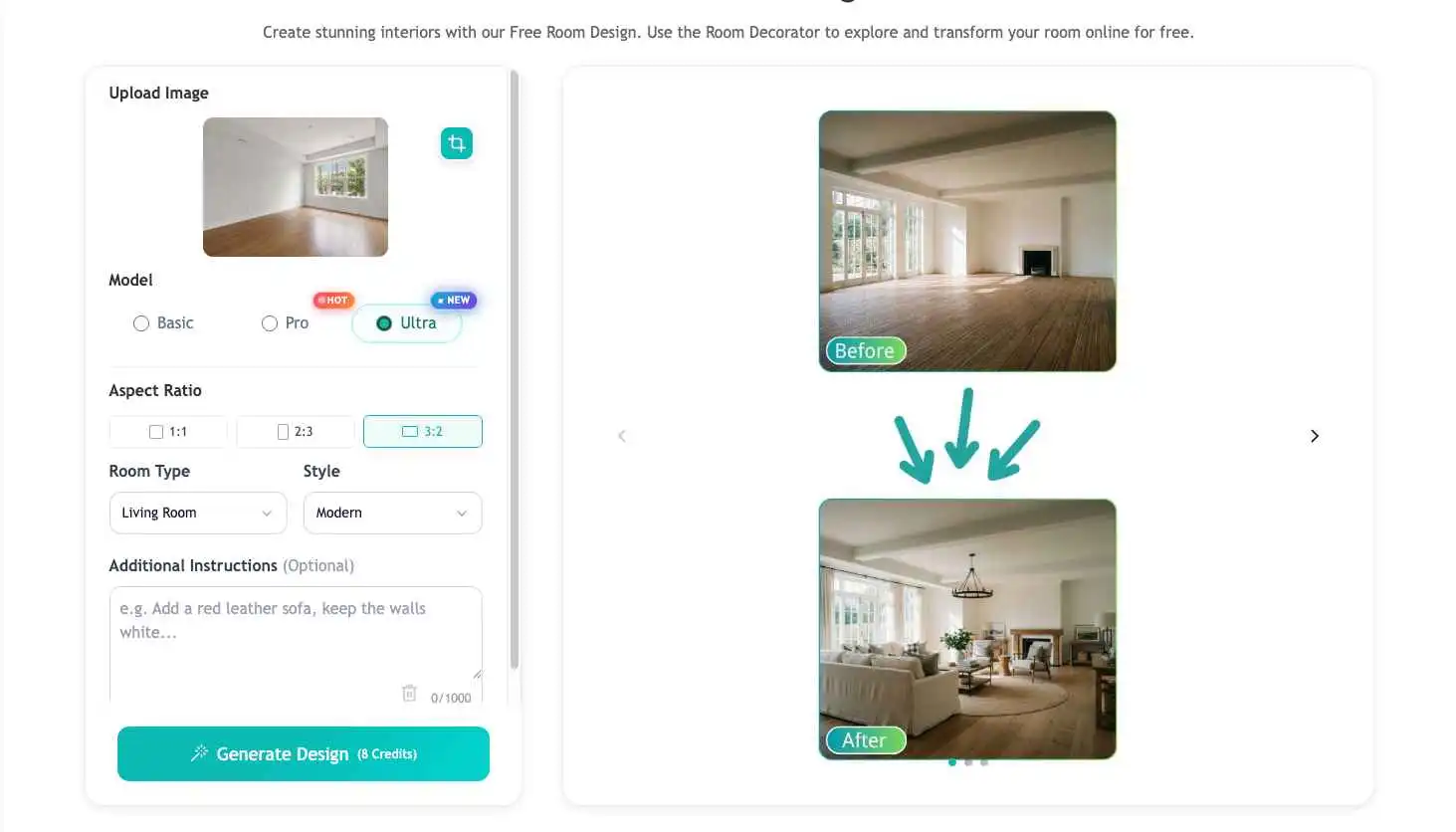
Step 2: Choose the Right Room Type
Room type helps the AI understand how the space should function.
A bedroom should feel restful. A kitchen should respect cabinets, counters, and lighting. A living room needs seating, circulation, and a focal point. A home office needs focus, storage, and a comfortable desk setup.
| Room Type | What the Design Should Prioritize |
|---|---|
| Bedroom | Bed placement, storage, soft lighting, calm mood |
| Living room | Seating layout, rug, focal wall, comfort |
| Kitchen | Cabinets, counters, backsplash, lighting |
| Home office | Desk position, storage, background, task lighting |
| Dining room | Table size, chairs, pendant light, hosting mood |
| Bathroom | Surfaces, mirror, lighting, clean storage |
| Apartment | Space efficiency, openness, multi-use furniture |
| Empty room | Virtual staging, furniture scale, room purpose |
Choose the closest room type to your space. This gives the AI a better design direction from the beginning.
Step 3: Pick an Interior Design Style
Style affects the room’s colors, materials, furniture shapes, lighting, and decor.
If you already know what you like, choose that style. If not, test a few broad options and compare them.
| Style | Best For | Typical Look |
|---|---|---|
| Modern | Updated homes and apartments | Clean lines, neutral colors, simple finishes |
| Minimalist | Small or cluttered spaces | Open space, fewer objects, clean surfaces |
| Scandinavian | Bedrooms, apartments, family rooms | Light wood, soft neutrals, cozy texture |
| Japandi | Calm bedrooms and living rooms | Natural materials, low furniture, quiet balance |
| Industrial | Lofts, studios, darker spaces | Metal, brick, concrete, raw materials |
| Boho | Creative and relaxed rooms | Rugs, plants, layered textures, warm colors |
| Rustic | Cozy homes and cabins | Wood, earthy tones, natural finishes |
| Luxury | Larger rooms and formal spaces | Marble, brass, statement lighting, rich textures |
| Coastal | Bright, airy rooms | White, beige, blue, linen, light wood |
| Classic | Traditional homes | Symmetry, elegant details, warm wood |
Do not choose a style only because it is trending. Choose one that fits your room size, lighting, flooring, and daily life.
A small room may look better in Scandinavian or minimalist style than in heavy luxury. A room with warm wood floors may naturally suit Japandi, rustic, or organic modern styles.
Step 4: Add Specific Instructions
This is where your result can improve the most.
A preset style gives the AI a general direction. Your written instructions tell it what matters to you.
Instead of writing:
“Make it modern.”
Write something like:
“Create a warm modern living room with a cream sofa, light oak coffee table, large beige rug, soft natural daylight, minimal wall decor, and a cozy but spacious feeling. Keep the original window position.”
Good instructions often include:
- What to keep
- What to remove
- Main color palette
- Furniture type
- Material preference
- Lighting mood
- Design atmosphere
- Storage needs
- Budget or rental limits
You do not need professional design language. Clear everyday words usually work well.
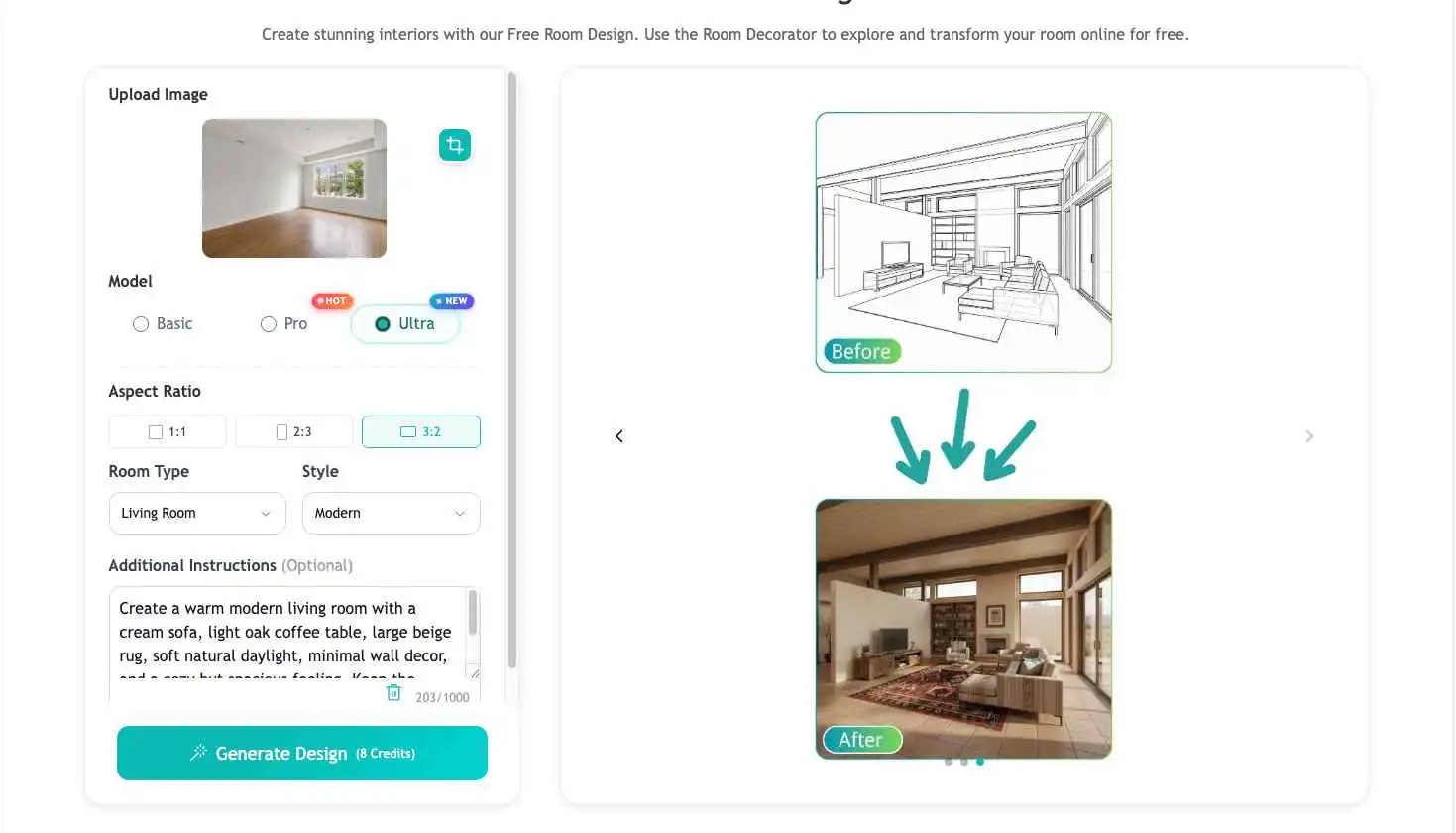
Step 5: Generate Several Versions
Do not expect the first result to be final.
The first version is often just a starting point. It shows you what the AI understands from your photo and prompt. From there, you can refine.
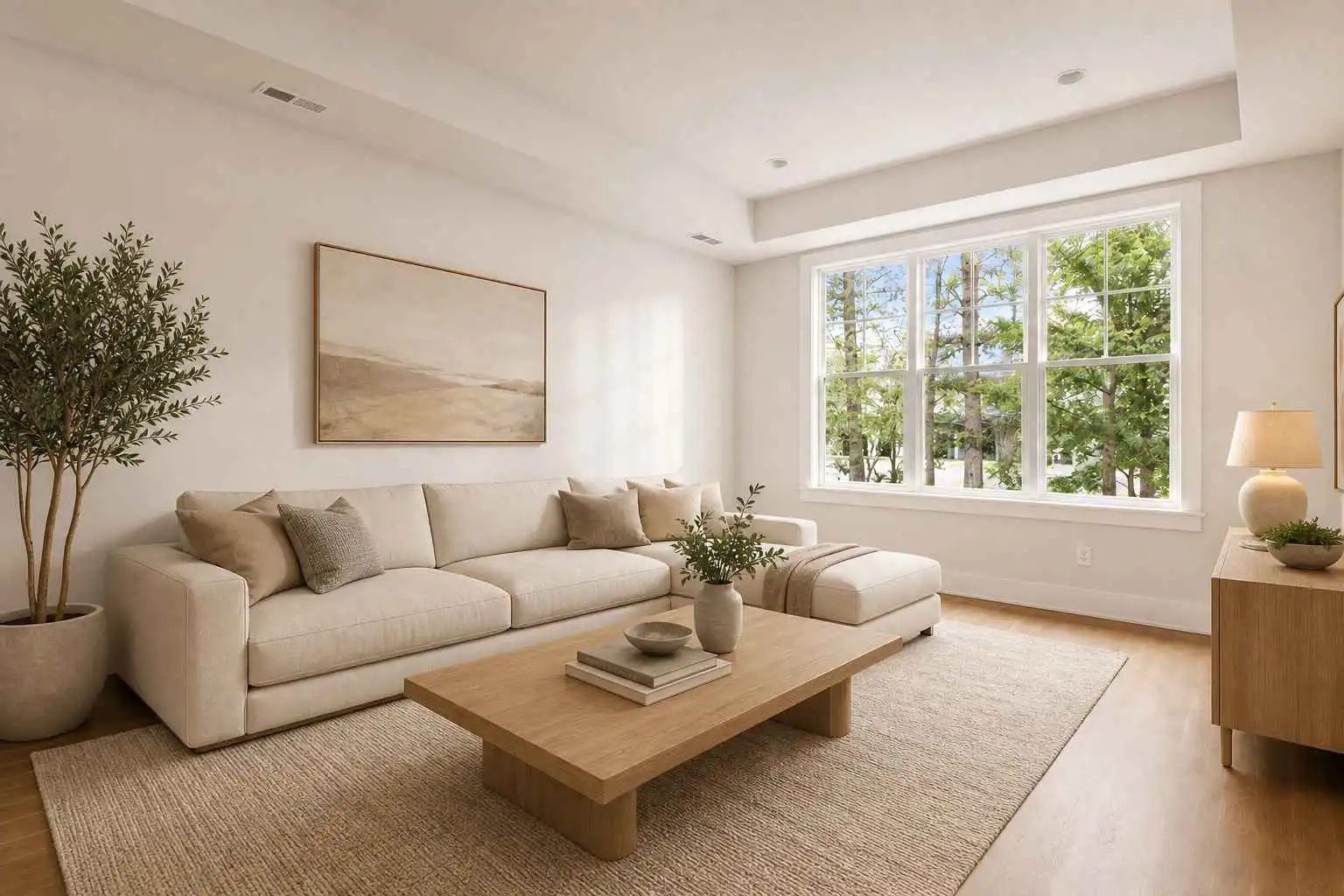
Try small changes such as:
- Make it warmer
- Make it more minimal
- Keep the sofa
- Add more storage
- Use lighter colors
- Make it renter-friendly
- Avoid oversized furniture
- Keep the original floor
- Make the room feel larger
- Add plants and soft lighting
A useful approach is to generate at least three versions:
| Version | Goal |
|---|---|
| Version 1 | Explore the first design direction |
| Version 2 | Adjust color, furniture, or lighting |
| Version 3 | Refine toward something realistic |
| Version 4 | Optional final comparison |
The best result is often the one that combines inspiration with practicality.
Step 6: Compare and Refine the Result
Do not choose the prettiest image too quickly.
A beautiful AI room can still be unrealistic if the furniture is too large, the layout blocks a doorway, or the design changes fixed features like windows and walls.
Ask yourself:
| Question | Why It Matters |
|---|---|
| Does the room still look like my room? | The design should respect the real space |
| Are windows and doors still realistic? | Fixed features should not move randomly |
| Does the furniture scale make sense? | Large furniture may not fit |
| Is there enough walking space? | The room must work in daily life |
| Does the color palette suit the existing floor? | Some colors conflict with real materials |
| Can I recreate this within my budget? | Inspiration should lead to action |
| What specific ideas can I copy? | Useful results should become decisions |
A good AI design does not need to be copied exactly. It should help you choose colors, furniture direction, lighting, decor, and layout ideas.
Step 7: Turn the AI Result into a Real Plan
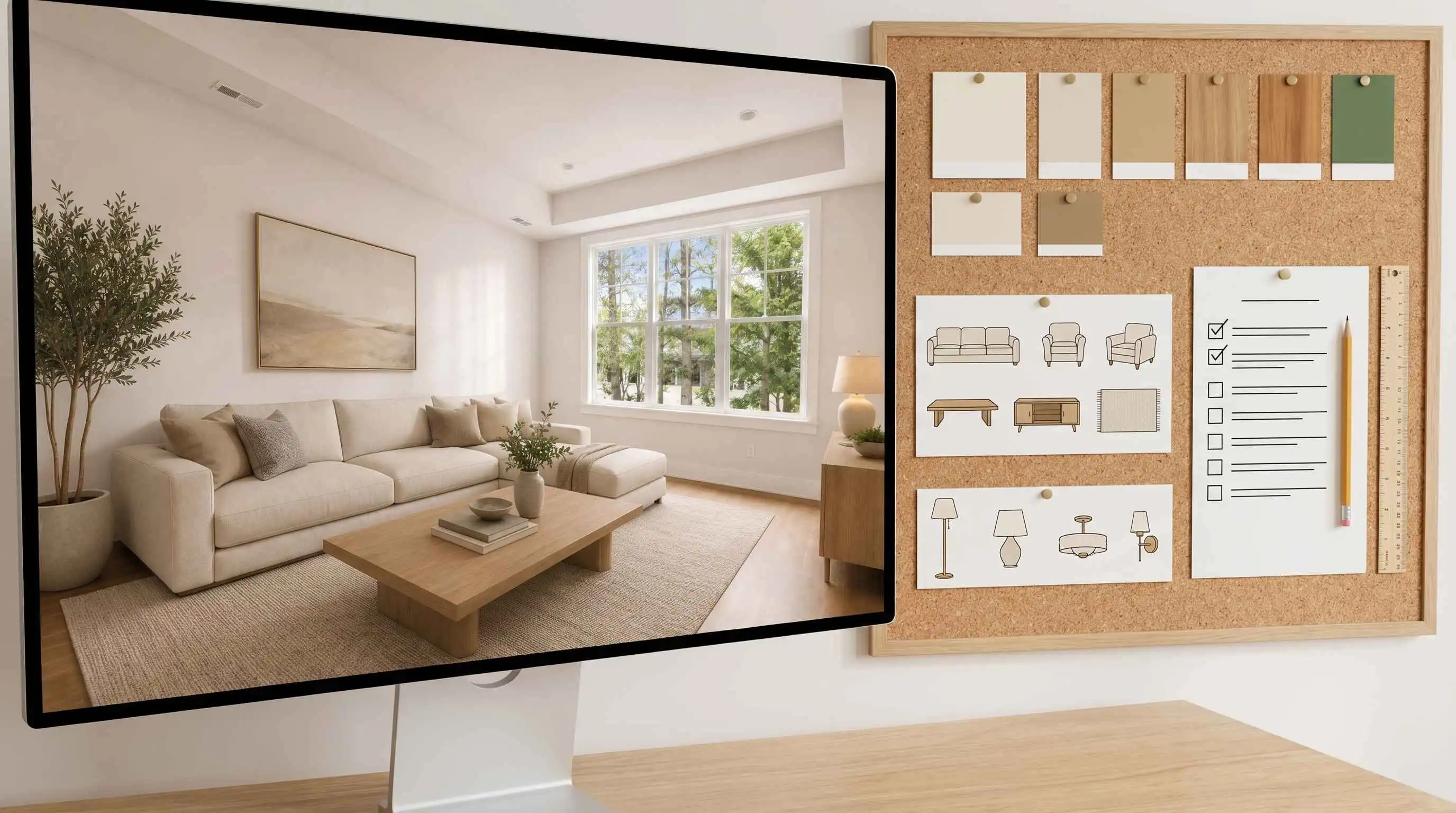
Once you find a version you like, break it down.
Look at the image and write down:
- Main wall color
- Furniture style
- Wood or material tone
- Lighting type
- Rug style
- Curtain style
- Storage ideas
- Decor details
- Items you already own
- Items you may need to buy
For example:
| Design Element | What to Extract from the AI Result |
|---|---|
| Wall color | Warm white, soft beige, sage green, deep blue |
| Furniture | Sofa shape, bed frame, desk type, dining table |
| Materials | Light oak, walnut, linen, stone, brass |
| Lighting | Floor lamp, pendant light, wall sconce, warm LED |
| Decor | Rug, artwork, plants, pillows, curtains |
| Layout | Bed position, sofa placement, desk orientation |
| Mood | Calm, cozy, bright, elegant, focused |
This is how an AI-generated image becomes a useful room makeover plan.
Best AI Room Design Prompt Formula
A good AI room design prompt should be clear, specific, and realistic.
Use this formula:
Room type + design style + color palette + furniture details + lighting + mood + keep or remove instructions
Here is what each part means:
| Prompt Part | What to Include | Why It Matters | Example Words or Phrases |
|---|---|---|---|
| Room type | Mention the exact space you want to redesign, such as bedroom, living room, kitchen, home office, dining room, bathroom, apartment, or empty room | Different rooms have different functions. A bedroom needs rest and storage, while a living room needs seating, flow, and a focal point | small bedroom, modern living room, compact kitchen, home office, empty apartment, rental bedroom |
| Design style | Choose one clear interior style instead of mixing too many directions | Style controls the overall look, including furniture shapes, colors, materials, and decor. One focused style usually gives cleaner results | Scandinavian, Japandi, warm modern, minimalist, coastal, rustic, industrial, luxury, boho |
| Color palette | Describe the main colors for walls, furniture, flooring, and accent decor | Color strongly affects how the room feels. A clear palette helps the AI avoid random or mismatched colors | cream and beige, warm white walls, light oak furniture, soft green accents, neutral tones, black and white contrast |
| Furniture details | Specify the key furniture pieces you want to add, keep, or replace | Furniture defines the room’s function and visual balance. Clear furniture details make the result more practical | low bed, linen sofa, walnut desk, round dining table, slim media console, floating shelves, upholstered chair |
| Materials | Add material preferences for furniture, surfaces, textiles, and decor | Materials make the design feel more realistic and cohesive. They also help control whether the room feels warm, modern, natural, or high-end | light wood, walnut, stone, linen, rattan, brass, matte black metal, marble, boucle, leather |
| Lighting | Describe the lighting source and mood, such as natural light, warm lamps, or layered lighting | Lighting changes the atmosphere of the room. It can make a space feel brighter, warmer, calmer, or more refined | soft natural daylight, warm bedside lamps, floor lamp glow, pendant light, layered lighting, under-cabinet lighting |
| Mood | Explain the feeling you want the room to create | Mood helps the AI understand the emotional goal, not just the furniture style. This is especially useful for bedrooms, living rooms, and offices | calm, cozy, bright, elegant, spacious, relaxed, focused, family-friendly, hotel-like, welcoming |
| Keep instructions | Tell the AI which parts of the room should stay the same | This prevents the AI from changing fixed or important parts of your real room | keep the floor, keep the sofa, keep the window position, keep the bed against the same wall, keep the cabinet layout |
| Remove instructions | Mention anything you want the AI to ignore, remove, or avoid | This helps reduce clutter and prevents unwanted objects from being included in the new design | remove clutter, remove boxes, remove visible cables, remove old decor, avoid too many accessories |
| Practical limits | Add real-world limits, especially for renters, small rooms, or budget makeovers | AI can create beautiful but unrealistic designs. Practical limits help the result stay useful and achievable | renter-friendly, budget-friendly, no major renovation, realistic furniture scale, avoid oversized furniture, keep walking space |
| Output goal | Tell the AI what kind of final result you want | A clear output goal helps the AI generate a result that matches your purpose, whether for inspiration, staging, or real makeover planning | realistic room makeover, virtual staging, small room refresh, cozy bedroom design, modern living room concept |
Useful Words to Add to Your Prompt
| Detail Type | Helpful Words and Phrases | When to Use | Example Prompt Fragment |
|---|---|---|---|
| Materials | light oak, walnut, natural wood, linen, boucle, marble, travertine, stone, brass, rattan, leather, ceramic, matte black metal, brushed gold | Use these words when you want the room to feel more realistic, tactile, warm, natural, or high-end | Use light oak furniture, linen curtains, a marble side table, and brass lighting accents |
| Lighting | soft daylight, warm evening light, natural window light, layered lighting, floor lamp glow, bedside lamps, pendant light, wall sconces, under-cabinet lighting, ambient lighting | Use these words when the room looks too flat, dark, cold, or unrealistic | Add soft natural daylight, warm floor lamp glow, and layered lighting for a cozy mood |
| Mood | calm, cozy, spacious, bright, elegant, relaxed, focused, warm, airy, peaceful, welcoming, hotel-like, family-friendly, uncluttered | Use these words when you want to control the emotional feeling of the room, not just the furniture style | Make the room feel calm, cozy, spacious, and welcoming |
| Color palette | warm white, cream, beige, greige, soft gray, light oak, sage green, olive green, terracotta, navy blue, charcoal, black and white contrast, neutral tones | Use these words when you want a more controlled color direction and fewer random colors | Use warm white walls, a cream sofa, light oak furniture, and sage green accents |
| Furniture details | low-profile sofa, linen sofa, upholstered bed, walnut desk, round dining table, slim media console, floating shelves, accent chair, storage bench, built-in cabinet | Use these words when you want the AI to generate more practical furniture instead of vague decoration | Add a low-profile cream sofa, walnut coffee table, slim media console, and floating shelves |
| Layout direction | open layout, clear walking path, sofa facing TV wall, bed centered on main wall, desk near window, dining table under pendant light, seating around rug, keep traffic flow open | Use these words when you care about furniture placement, movement, and real-world usability | Keep a clear walking path, place the sofa facing the TV wall, and center the coffee table on the rug |
| Decor details | textured rug, soft curtains, framed wall art, indoor plants, throw pillows, ceramic vase, mirror, bookshelves, simple decor, minimal accessories, woven basket | Use these words when the room feels unfinished and needs softer, more personal details | Add a textured rug, soft curtains, indoor plants, simple wall art, and a few warm decor accents |
| Practical limits | renter-friendly, budget-friendly, no major renovation, realistic furniture scale, easy to recreate, keep walking space, avoid custom built-ins, use movable furniture | Use these words when you want the design to stay realistic and achievable | Make the design renter-friendly, budget-friendly, and easy to recreate with realistic furniture scale |
| Keep instructions | keep the floor, keep the sofa, keep the bed position, keep the window position, keep the wall structure, keep the cabinet layout, keep existing natural light | Use these words when you want to preserve important parts of the original room | Keep the original floor, window position, and sofa placement |
| Remove instructions | remove clutter, remove boxes, remove visible cables, remove old decor, remove extra chairs, remove messy items, clear the floor, simplify the room | Use these words when the original photo has distractions or too many objects | Remove visible cables, old decor, and floor clutter while keeping the main furniture |
| Avoid instructions | avoid oversized furniture, avoid dark colors, avoid heavy decor, avoid major renovation, avoid changing windows, avoid moving doors, avoid cluttered styling | Use these words when you want to prevent unrealistic or unwanted changes | Avoid oversized furniture, dark colors, major renovation, and cluttered styling |
| Output goal | realistic room makeover, small room refresh, modern living room concept, cozy bedroom design, virtual staging, rental room makeover, practical interior design preview | Use these words when you want the final result to match a specific purpose | Create a realistic room makeover that works as a practical interior design preview |
Prompt Example 1: Modern Living Room
Redesign this living room in a warm modern style. Use a soft neutral color palette with warm white walls, a cream sofa, light oak furniture, a large textured beige rug, and simple wall decor. Add soft natural daylight, warm layered lighting, and a few indoor plants to make the room feel brighter, cleaner, and more welcoming. Keep the original window position and room structure. Make the layout realistic, spacious, and easy to recreate.
Prompt Example 2: Small Bedroom
Redesign this small bedroom in a Scandinavian style. Use white or warm neutral walls, light wood furniture, soft beige bedding, hidden storage, and warm bedside lighting. Keep the bed close to its current wall and avoid oversized furniture. Make the room feel larger, brighter, calm, and uncluttered while keeping the layout practical for daily use.
Prompt Example 3: Japandi Home Office
Transform this room into a calm Japandi home office. Add a walnut desk, ergonomic chair, floating shelves, warm neutral walls, natural textures, and soft daylight. Keep the design minimal, balanced, and focused, with enough storage for a clean workspace. Avoid heavy decor, dark colors, and clutter. Make the office feel peaceful, practical, and comfortable for long work sessions.
Prompt Example 4: Rental Apartment
Create a renter-friendly living room makeover for this apartment. Use removable decor, a beige sofa, soft neutral rug, floor lamp, indoor plants, light wood furniture, and warm cozy lighting. Keep the original flooring, windows, wall structure, and built-in features unchanged. Avoid major renovation, dark colors, and oversized furniture. Make the space feel warm, practical, stylish, and easy to recreate on a budget.
Prompt Example 5: Empty Room Staging
Stage this empty room as a modern guest bedroom. Add a queen bed, soft neutral bedding, light oak nightstands, warm bedside lamps, simple wall art, curtains, and a calm hotel-like atmosphere. Keep the furniture scale realistic and leave enough walking space around the bed. Make the room feel welcoming, bright, and easy to recreate for real estate, rental, or guest room inspiration.
Prompt Example 6: Minimal Kitchen Refresh
Refresh this kitchen in a clean minimalist style. Use warm white cabinets, light stone countertops, a simple backsplash, matte black handles, natural wood accents, and warm under-cabinet lighting. Keep the existing cabinet layout, appliance positions, windows, and flooring unchanged. Avoid major renovation or overly decorative details. Make the kitchen feel brighter, cleaner, more modern, and realistic for a practical home update.
AI Room Design Ideas by Room Type
Different rooms need different design decisions. A bedroom should feel restful. A living room needs comfort and flow. A home office should support focus. A small apartment needs better space use.
Use the ideas below as starting points.
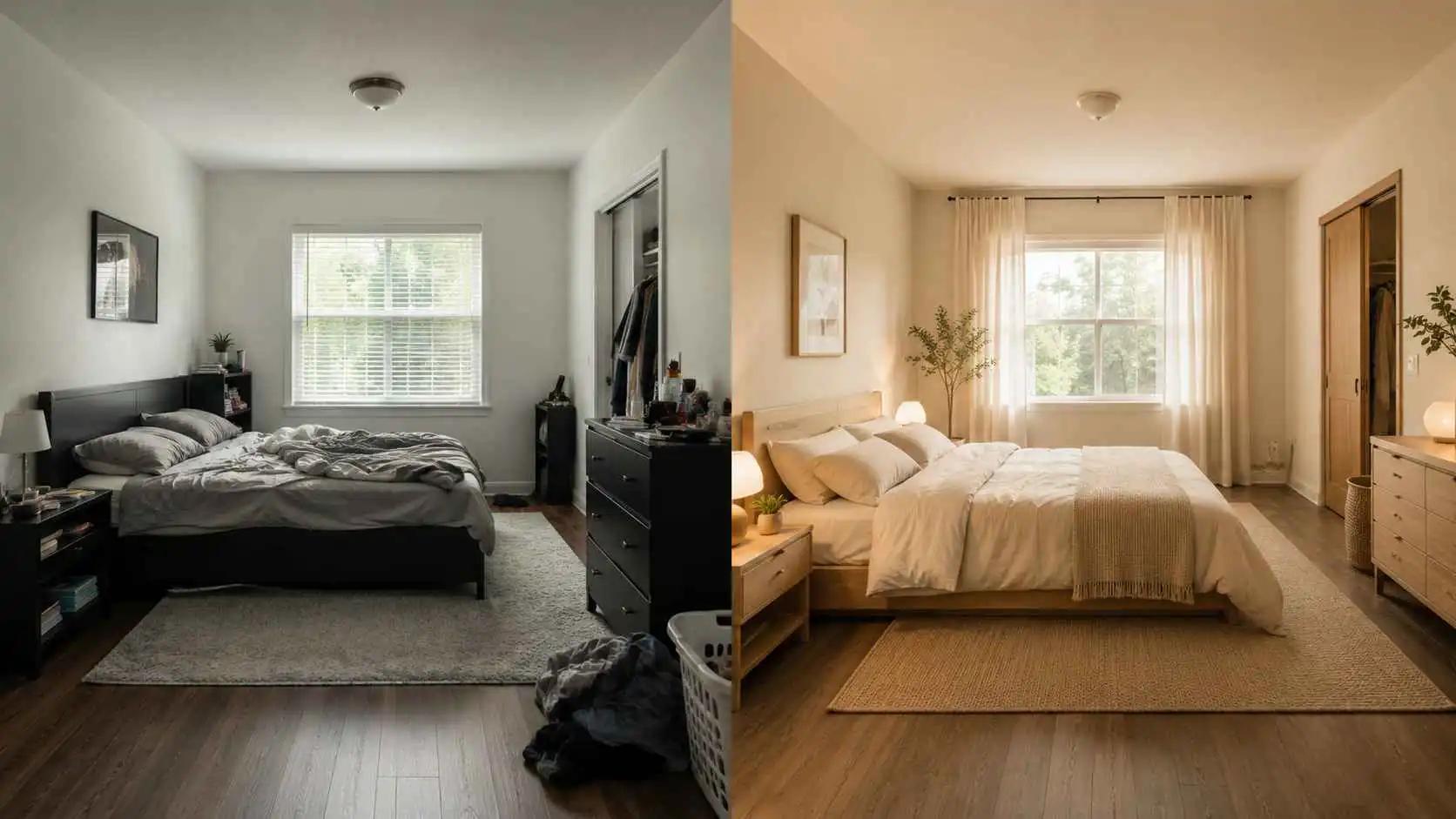
AI Bedroom Design Ideas
A bedroom should feel calm, comfortable, and easy to live in. Even if you like bold design, the room still needs to support rest.
Best for:
- Small bedroom refresh
- Guest room redesign
- Calm master bedroom ideas
- Better storage and lighting
- Softer, warmer room mood
Focus on:
- Bed placement
- Soft lighting
- Comfortable bedding
- Curtains
- Storage
- Wall color
- Nightstands
- Visual calm
Prompt example:
“Redesign this bedroom in a calm Japandi style with a low bed, warm wood furniture, soft beige bedding, hidden storage, linen curtains, and warm bedside lighting. Keep the room uncluttered and peaceful.”
Common mistake:
Adding too much decor. Bedrooms often look better when the design removes visual noise instead of adding more objects.
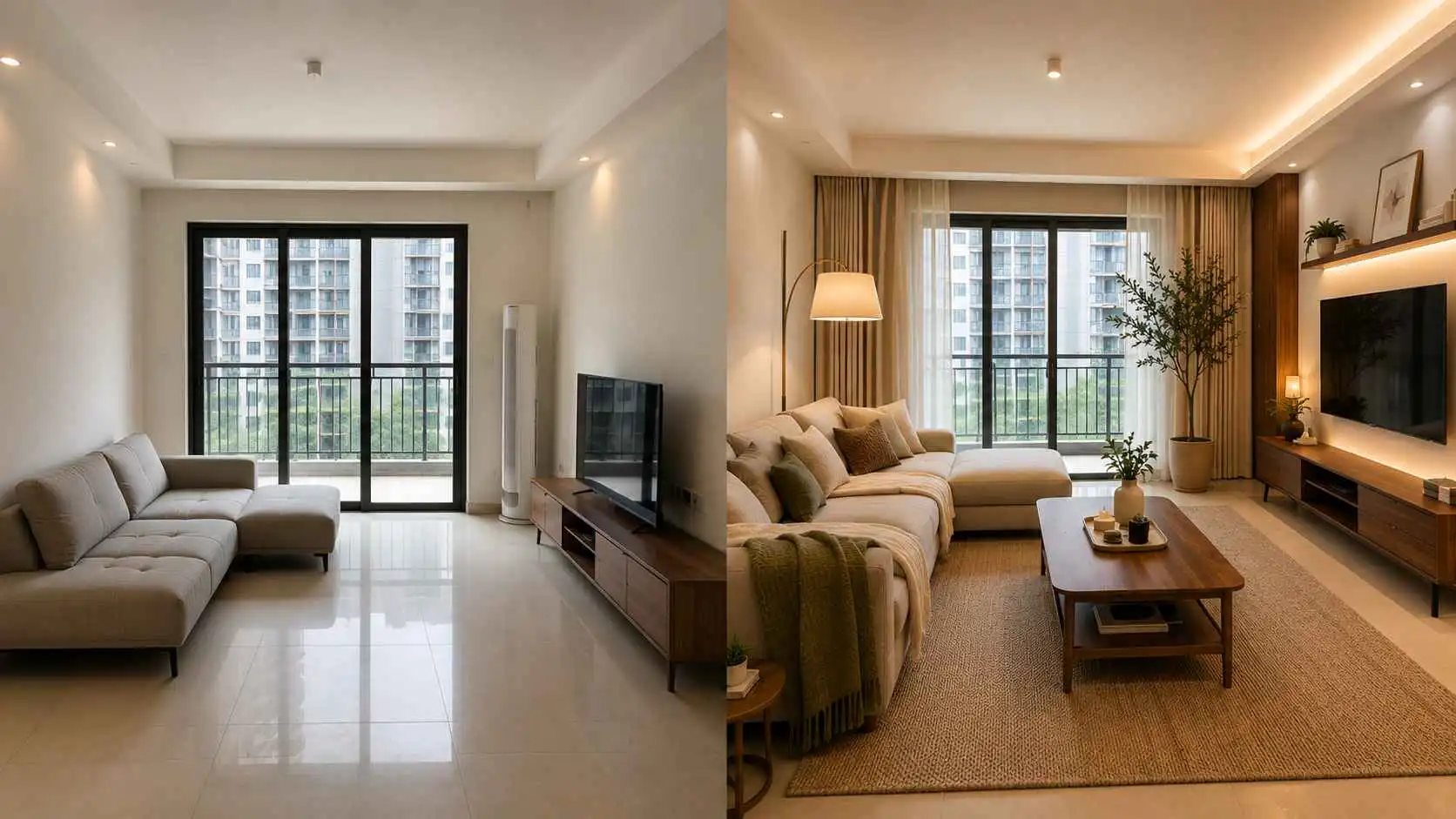
AI Living Room Design Ideas
The living room usually needs to be both attractive and practical. It may be used for relaxing, hosting guests, watching TV, reading, working, or spending time with family.
Best for:
- Unfinished living rooms
- Sofa and rug layout ideas
- TV wall refreshes
- Cozy apartment living rooms
- Modern family room makeovers
Focus on:
- Seating layout
- Rug size
- Coffee table scale
- TV wall or focal wall
- Curtains
- Lighting layers
- Storage
- Walking space
Prompt example:
“Create a warm modern living room using the existing layout. Keep the sofa position, add a larger textured rug, walnut coffee table, clean media wall, soft curtains, indoor plants, and warm layered lighting. Use neutral colors and make the room feel cozy but not crowded.”
Common mistake:
Choosing furniture that looks good in the image but blocks real movement. Always check walking paths, door access, and distance between furniture.
Useful action list:
| Priority | Item | Why It Helps |
|---|---|---|
| High | Larger rug | Defines the seating area |
| High | Floor lamp | Adds warmth and mood |
| Medium | Coffee table | Improves function and balance |
| Medium | Curtains | Softens windows and walls |
| Low | Wall art | Adds a finishing touch |
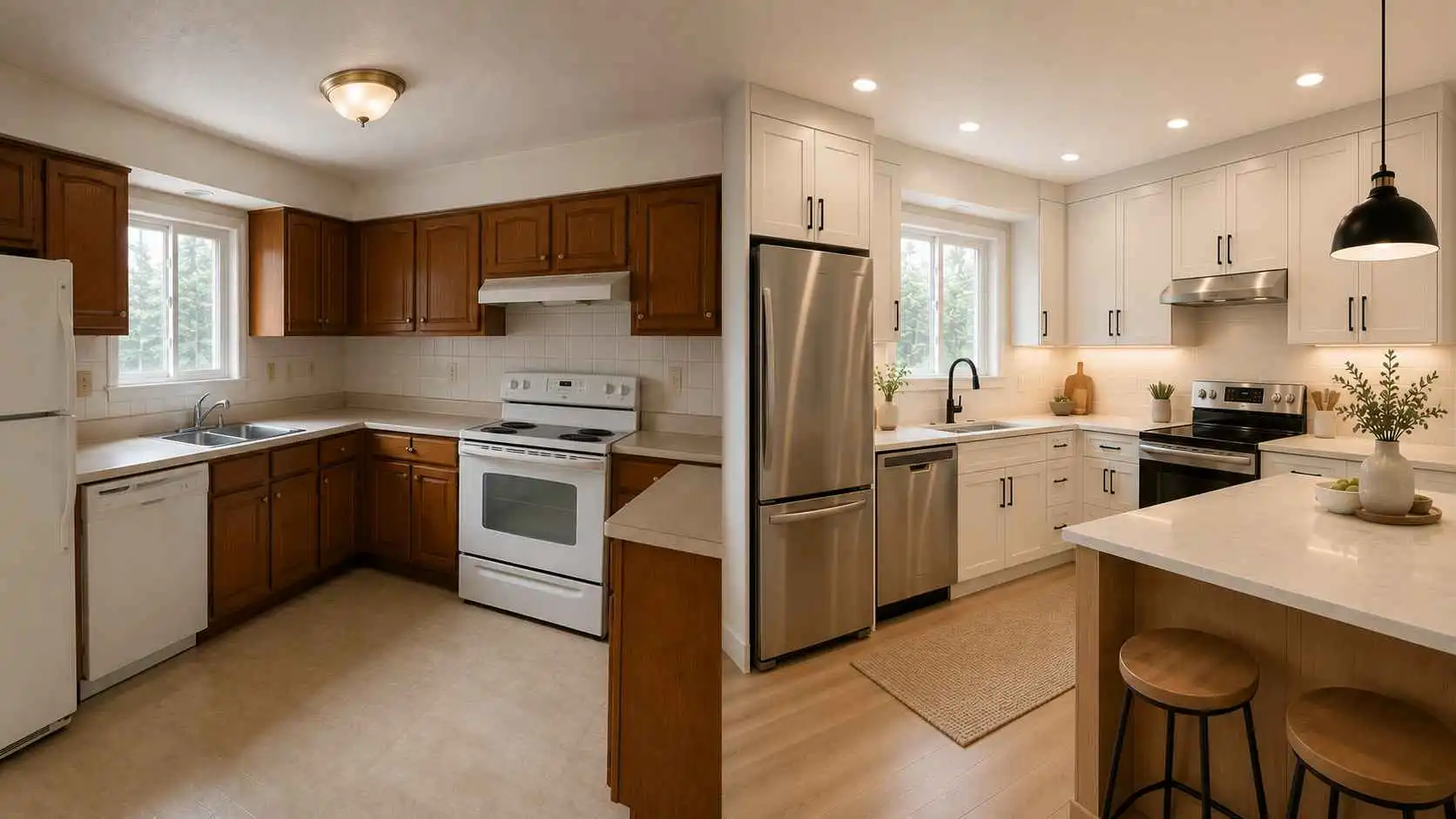
AI Kitchen Design Ideas
Kitchens are more technical than bedrooms or living rooms. Even if you are only using AI for visual inspiration, you should think about storage, surfaces, lighting, and workflow.
Best for:
- Cabinet color ideas
- Countertop and backsplash inspiration
- Small kitchen refreshes
- Modern kitchen styling
- Visual renovation planning
Focus on:
- Cabinet colors
- Countertops
- Backsplash
- Handles
- Lighting
- Flooring
- Island or dining area
- Clean surfaces
Prompt example:
“Refresh this kitchen with a clean modern style, warm white cabinets, light stone countertops, matte black handles, a simple backsplash, warm under-cabinet lighting, and natural wood accents. Keep the existing cabinet layout.”
Common mistake:
Asking for a full structural kitchen redesign when you only want a visual refresh. If you do not plan major renovation, ask the AI to keep the cabinet layout, appliances, windows, and floor.
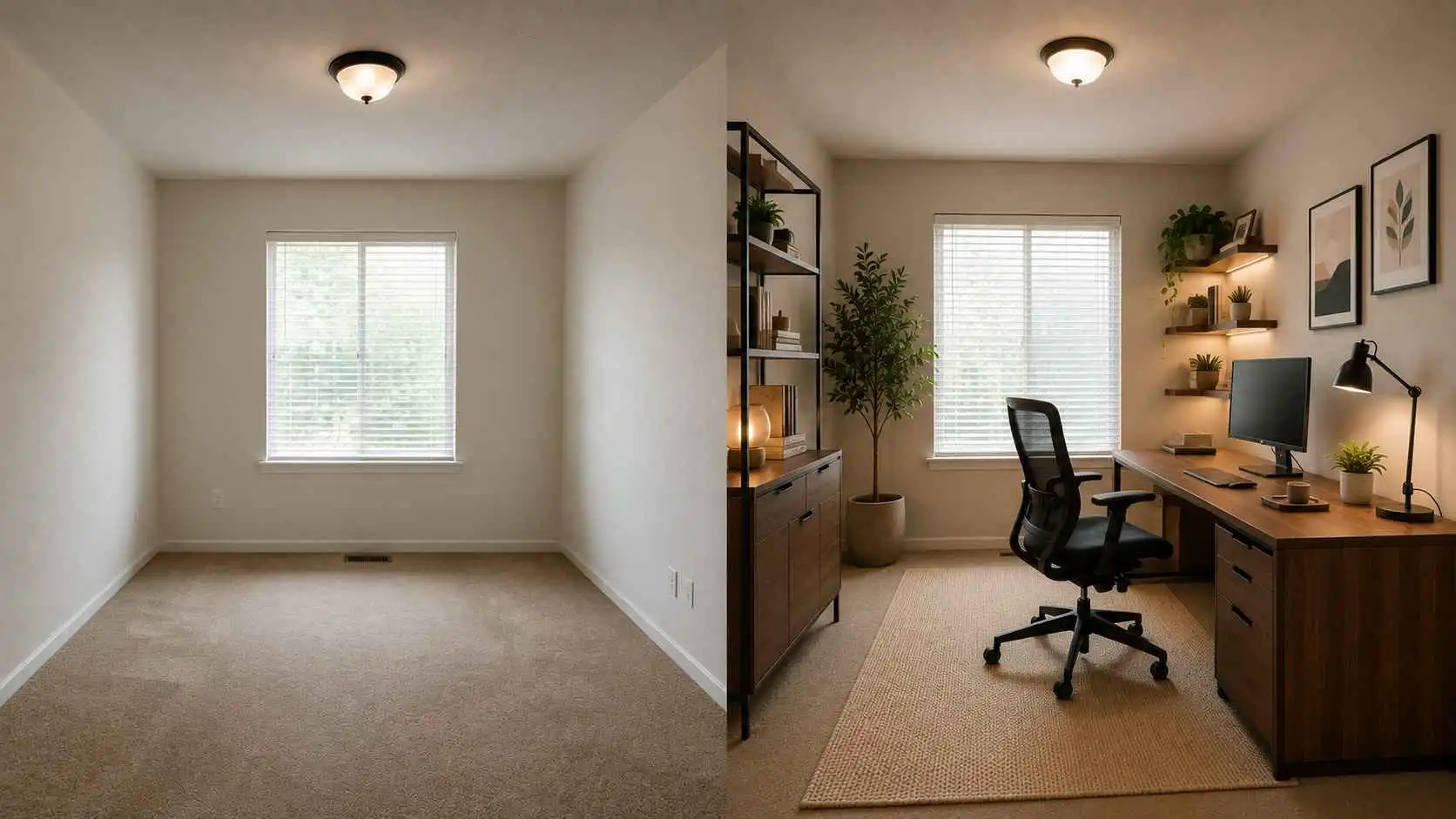
AI Home Office Design Ideas
A home office should look good and work well. It needs to support focus, comfort, video calls, lighting, and storage.
Best for:
- Work-from-home spaces
- Small office corners
- Video call backgrounds
- Study rooms
- Productivity-focused redesigns
Focus on:
- Desk placement
- Chair comfort
- Background wall
- Storage
- Shelving
- Task lighting
- Cable control
- Calm colors
Prompt example:
“Design this home office in a minimalist warm modern style with a walnut desk, ergonomic chair, floating shelves, soft neutral walls, warm task lighting, and a clean video-call background. Make the room feel focused and uncluttered.”
Common mistake:
Designing only for the camera view. A good office should look nice on video calls, but it also needs to be comfortable for long work sessions.
AI Small Room Design Ideas
Small rooms benefit from AI because you can quickly test whether colors, furniture shapes, and storage ideas make the room feel larger or more crowded.
Best for:
- Small bedrooms
- Studio apartments
- Compact living rooms
- Dorm rooms
- Narrow home offices
Focus on:
- Light colors
- Slim furniture
- Hidden storage
- Mirrors
- Vertical shelves
- Clear floor space
- Multi-functional furniture
- Warm but simple lighting
Prompt example:
“Redesign this small room to feel larger and brighter with light neutral walls, slim furniture, hidden storage, a small desk, soft curtains, and warm natural lighting. Keep the layout practical and avoid clutter.”
Common mistake:
Choosing a dramatic style that needs more space than the room has. Small rooms usually look better with fewer pieces, lighter colors, and better storage.
AI Rental Room Makeover Ideas
Renters often cannot change flooring, tiles, built-ins, or wall structure. That does not mean the room cannot look better.
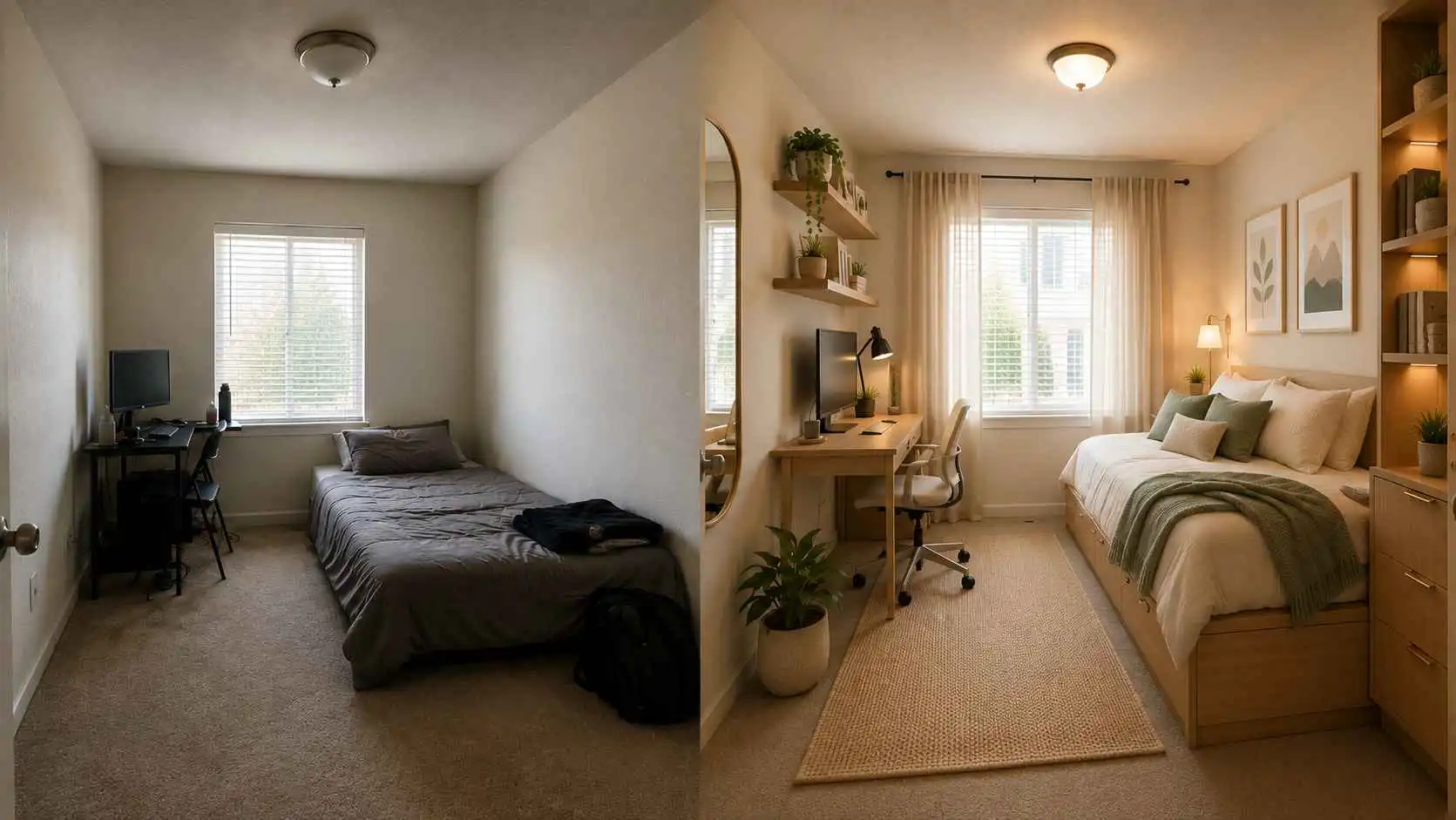
Best for:
- Apartment bedrooms
- Rental living rooms
- Temporary workspaces
- Student rooms
- Low-commitment decor changes
Focus on:
- Rugs
- Curtains
- Lamps
- Removable wall decor
- Freestanding storage
- Bedding
- Plants
- Small furniture upgrades
Prompt example:
“Create a renter-friendly bedroom makeover with no permanent renovation, using a soft rug, warm floor lamp, light wood furniture, cozy bedding, removable wall art, plants, and neutral colors. Keep the original flooring and wall structure.”
Common mistake:
Letting the AI invent expensive renovation changes. Be clear about what cannot change.
AI Room Design for Real Estate Staging
AI room design can also help real estate agents, sellers, landlords, and property managers show the potential of empty or outdated spaces.
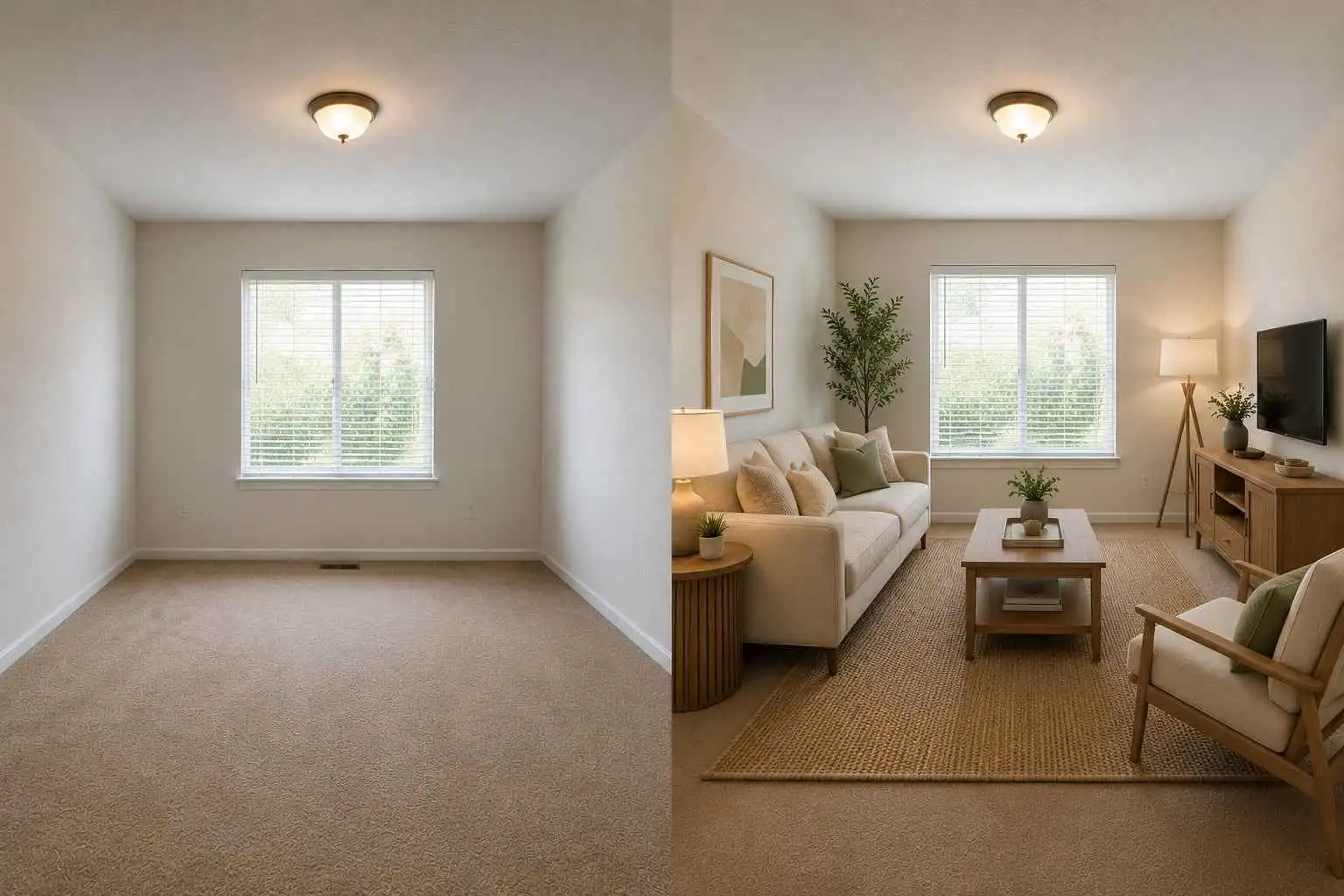
Best for:
- Empty room staging
- Rental listing visuals
- Property marketing ideas
- Buyer-friendly room concepts
- Outdated room refresh previews
Focus on:
- Neutral furniture
- Realistic scale
- Bright lighting
- Clear room purpose
- Minimal decor
- Buyer-friendly style
- Spacious layout
Prompt example:
“Stage this empty living room for a real estate listing with neutral modern furniture, a light sofa, simple coffee table, textured rug, warm lighting, and minimal decor. Make it look realistic, spacious, and welcoming.”
Common mistake:
Making the room look too luxurious or unrealistic for the property. Good staging should help people imagine living there, not distract them with fantasy decor.
Who Should Use AI Room Design?
AI room design is useful for anyone who wants to see a room’s potential before spending money, moving furniture, hiring help, or committing to a design direction. Different users may have different goals, but the main value is the same: AI helps turn a vague idea into a clear visual starting point.
Homeowners and DIY Users
Homeowners often know that a room needs improvement, but they may not know what to change first. A living room may feel unfinished, a bedroom may feel outdated, or a kitchen may look dark even though the layout still works.
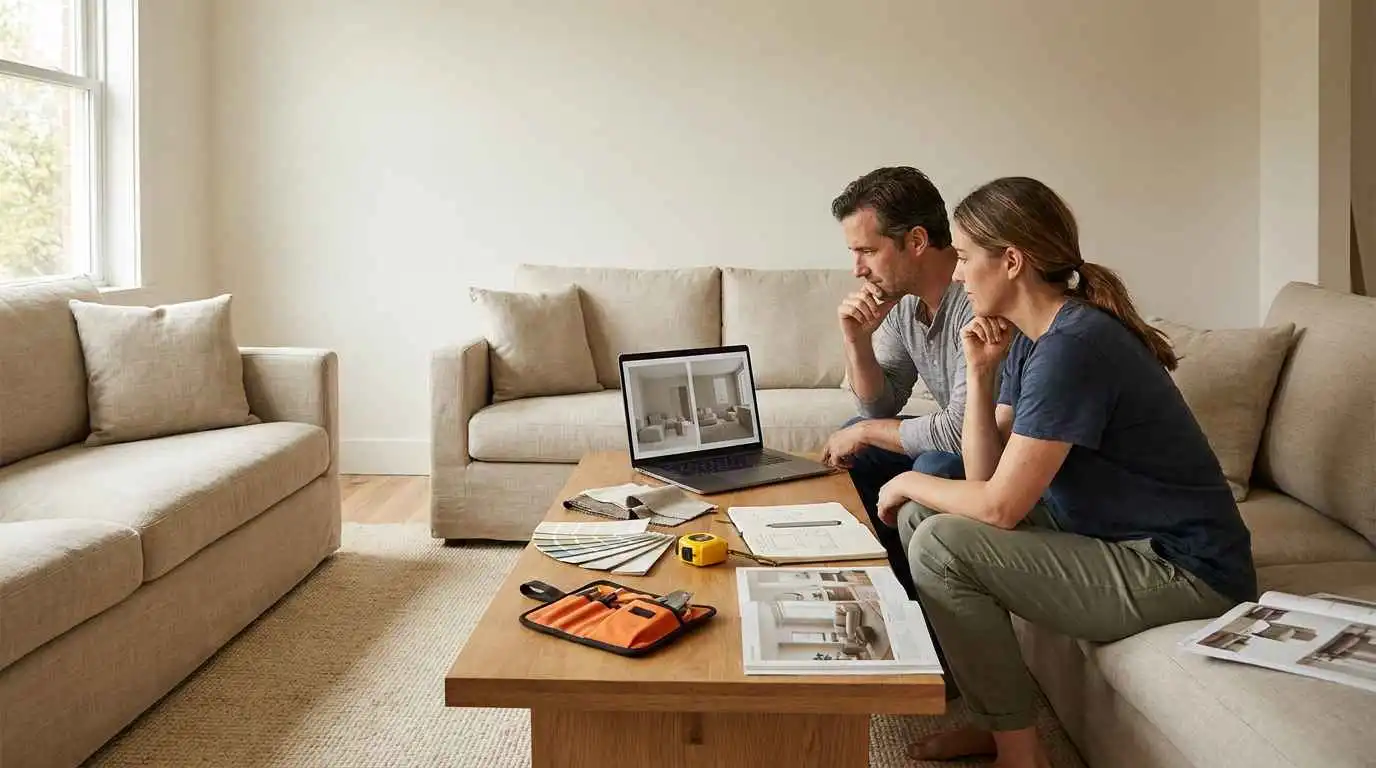
AI room design helps homeowners and DIY users preview different makeover directions before buying paint, furniture, rugs, curtains, lighting, or decor. Instead of relying only on product photos or inspiration boards, they can test how a new style might look inside their actual room.
This is especially useful for choices that are expensive or hard to reverse, such as wall color, sofa style, flooring tone, built-in storage, or a full room refresh. DIY users can also use AI to turn a weekend project into a clearer action plan, such as testing a new wall color, comparing rug sizes, previewing shelving ideas, or deciding whether better lighting would improve the space.
Renters and Small-Space Users
Renters, students, dorm room users, and small apartment users often face the same problem: they want a better-looking space, but they have limited room, limited budget, or rules that prevent permanent changes.
AI room design can focus on practical, low-commitment upgrades such as rugs, curtains, lamps, bedding, plants, removable wall decor, freestanding shelves, storage baskets, mirrors, slim furniture, and multi-functional pieces. These changes can make a room feel warmer, brighter, and more personal without major renovation.
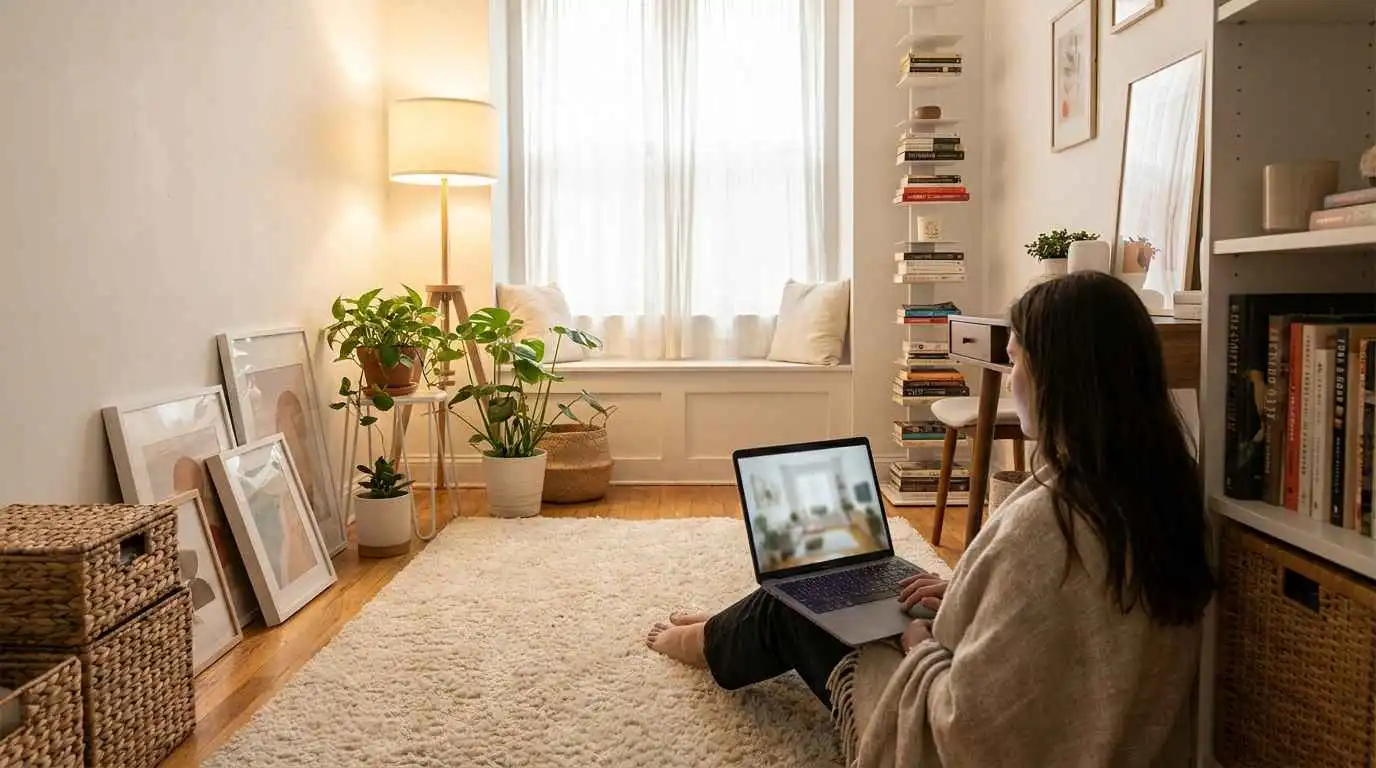
For example, a renter can redesign a plain bedroom with a soft rug, warm floor lamp, cozy bedding, framed prints, indoor plants, and light wood furniture while keeping the original flooring, walls, and window structure unchanged. A small apartment user can test hidden storage, vertical shelves, light colors, and open walking paths before changing the real space.
Useful prompt details include “renter-friendly,” “budget-friendly,” “no major renovation,” “keep the flooring,” “small room storage,” and “avoid oversized furniture.”
Interior Designers
Interior designers can use AI room design during the early concept stage. Before detailed planning begins, clients often need help understanding a visual direction. A client may say they want something modern, cozy, warm, minimal, or elegant, but those words can mean different things to different people.

AI-generated room concepts can make early conversations clearer. Designers can use the same room photo to compare different moods, color palettes, furniture directions, and style options before moving into measurements, sourcing, layouts, and professional design documents.
AI should not replace the designer’s judgment. Its value is in speeding up early exploration and improving communication between designer and client.
Real Estate and Rental Professionals
Real estate agents, home sellers, property managers, and landlords often need to show the potential of empty, outdated, or plain spaces. A blank room may look smaller, colder, or less useful than it really is. An outdated room may distract buyers or renters from the property’s actual potential.
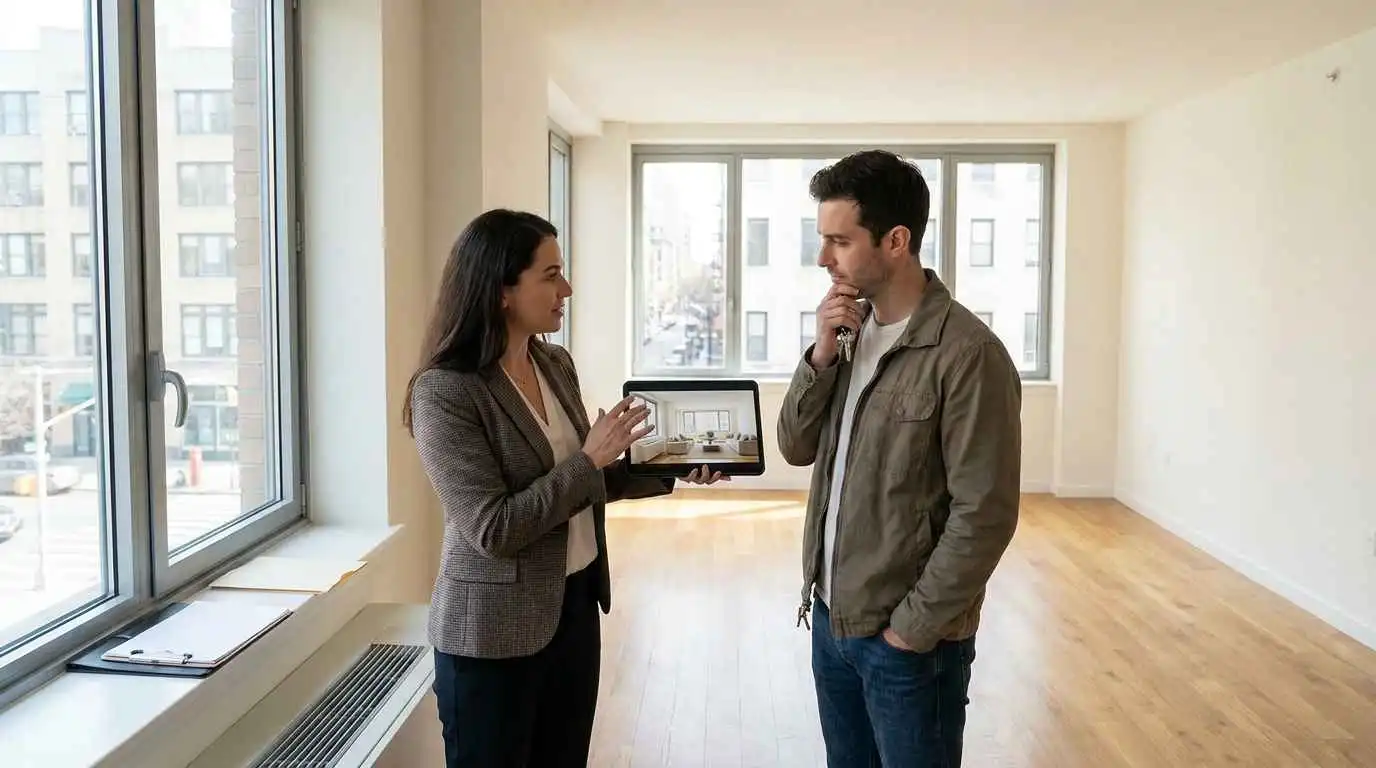
AI room design can help stage these spaces visually with neutral furniture, realistic lighting, simple decor, and a clear room purpose. An empty room can become a welcoming living room, guest bedroom, home office, dining area, or rental-ready bedroom.
For real estate and rental marketing, the design should stay believable. Neutral furniture, realistic scale, bright lighting, and simple decor usually work better than dramatic luxury styling. The goal is not to create a fantasy interior. It is to help buyers or renters imagine how the space could work in daily life.
Content Creators and Bloggers
Content creators, bloggers, and social media marketers often need visuals that match a specific content angle. Generic stock photos may look nice, but they may not fit topics like small bedroom ideas, cozy living room layouts, rental room makeovers, modern kitchen refreshes, or home office design ideas.

AI room design can help create more specific visual examples for blog sections, tutorials, Pinterest posts, social media content, and design guides. For example, a blogger writing about small room design can generate a compact bedroom with hidden storage, light colors, vertical shelves, and a slim desk. A creator making a post about cozy living rooms can generate variations with rugs, lamps, plants, and warm neutral colors.
In this case, the image is not just decoration. It helps explain the article’s point more clearly.
Remote Workers and Home Office Users
Remote workers need spaces that support focus, comfort, video calls, and long work sessions. A desk in the corner may work temporarily, but it may not feel productive, professional, or comfortable enough for daily use.
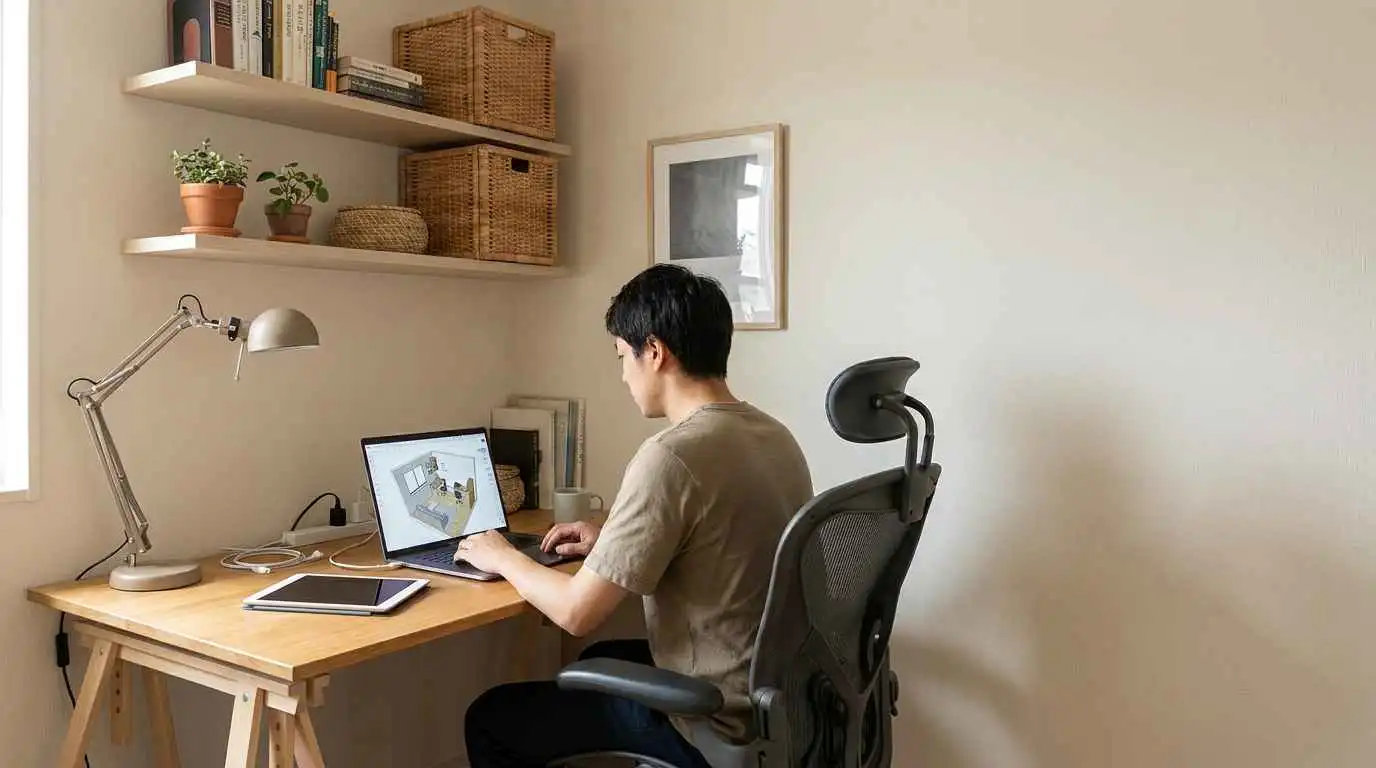
AI room design can help users test home office setups with better desk placement, ergonomic seating, task lighting, background wall styling, shelves, cable control, and storage. A spare room, bedroom corner, or small apartment nook can be turned into a warmer and more functional workspace.
For example, a user can upload a room photo and ask for a warm minimal home office with a walnut desk, ergonomic chair, floating shelves, soft neutral walls, and a clean video-call background. This helps create a workspace that looks good on camera and feels better during everyday work.
The Main Benefit: See the Direction Before You Commit
The best use case for AI room design is early decision-making. Whether you are planning a living room refresh, improving a rental bedroom, staging a property, creating blog visuals, or building a better home office, AI helps you move from “I do not know where to start” to “this is the direction I want to explore.”
It gives you a visual starting point before you invest time, money, or energy into the real makeover.
How to Use EzRemove to Design Your Room Online
If you want a simple way to test room ideas from a real photo, EzRemove AI Room Design gives you a clear online workflow. You do not need complicated design software, floor-plan tools, or professional interior design experience. Start with a normal room photo, choose the design settings, and preview how your space could look before making real changes.
Step 1: Upload Your Room Image
Start by uploading a photo of the room you want to redesign. It does not need to be perfectly staged or professionally shot. A normal phone photo is enough to get started.
For better results, use a photo with clear lighting and a visible layout. Try to show the main room structure, including walls, windows, flooring, and major furniture placement. This helps the AI understand the space more accurately and create a design that still feels connected to your real room.
This step is especially useful when your room feels empty, outdated, cluttered, or hard to style. Instead of trying to imagine the makeover from scratch, you can use your actual room as the starting point.
Step 2: Choose the AI Model, Room Type, and Style
After uploading your image, choose the AI settings that match your goal.
Select Basic if you want fast and reliable generation. It is useful for quickly testing ideas, comparing different looks, or getting early inspiration without spending too much time on one version.
Select Pro if you want more photorealistic results with richer details. It is better when you care about realistic lighting, materials, textures, furniture finishes, and a more polished final design.
Next, choose your Room Type and preferred Style. This helps solve a common design problem: many people know the feeling they want, such as warmer, cleaner, brighter, more modern, or more luxurious, but they may not know how to describe it clearly. Selecting the room type and style gives the AI a stronger direction from the start.
You can also use Additional Instructions to describe anything specific you want. For example, you can ask for brighter lighting, natural wood textures, softer colors, renter-friendly decor, hidden storage, or a cozy minimalist look. These details help the AI generate a result that feels closer to your actual needs.
Step 3: Preview, Download, and Try More Versions
After generation, preview your new room design and see how your space could look before buying furniture, repainting walls, changing lighting, or starting a renovation.
This makes it easier to compare ideas and feel more confident about the direction. You may discover that a lighter color palette makes the room feel larger, that a larger rug improves the layout, or that warm lighting makes the space feel more comfortable.
When you find a result you like, download it and save it for inspiration, planning, or sharing with family, roommates, clients, designers, or contractors. You can also generate more versions to explore different styles until the room feels right.
Use EzRemove AI Room Design when you want to redesign a bedroom, refresh a living room, stage an empty room, test different interior styles, explore furniture direction, compare design moods, or create a visual reference before making real changes.
Try EzRemove AI Room Design to upload your room photo and generate a new room design online.
Frequently Asked Questions
Can AI design my room from a photo?
Yes. Many AI room design tools let you upload a real room photo and generate new design ideas based on the room type, style, and instructions you choose. A clear photo usually leads to better results because the AI can better understand the room structure.
Do I need interior design experience to use AI room design?
No. AI room design is beginner-friendly. You can start with simple choices like room type and style, then add instructions in everyday language. You do not need technical design terms to get useful ideas.
What is the best prompt for AI room design?
A good prompt includes the room type, design style, color palette, furniture details, lighting mood, and anything you want to keep or remove. For example: “Small bedroom in Scandinavian style with light wood furniture, soft beige bedding, hidden storage, warm lighting, and a calm uncluttered feeling.”
Can AI room design help with small rooms?
Yes. AI can help you test lighter colors, slimmer furniture, hidden storage, mirrors, better lighting, and cleaner layouts. For small rooms, ask for realistic scale and practical walking space.
Can I use AI room design for a rental apartment?
Yes. AI room design can be useful for renters if you ask for renter-friendly changes. Focus on rugs, curtains, lamps, furniture, plants, removable wall decor, and freestanding storage instead of permanent renovation.
Can AI replace an interior designer?
Not completely. AI can help with inspiration, visual concepts, style testing, and early planning. For measurements, construction details, electrical work, plumbing, structural changes, and final professional decisions, you should still work with qualified experts.
Can I use AI room design for real estate staging?
Yes. AI room design can help visualize empty or outdated rooms with furniture, lighting, and decor. It is useful for exploring virtual staging ideas and helping buyers understand how a space could be used.
What should I do if the AI design looks unrealistic?
Use a clearer photo, choose a more suitable style, and add more specific instructions. Ask the AI to keep the room structure, use realistic furniture scale, avoid major renovation, and make the result practical.
Conclusion
AI room design makes the early stage of a room makeover easier.
You can start with a real room photo, test different styles, compare design versions, and see what your space could become before spending money on paint, furniture, lighting, or decor.
The best results come from a clear photo, a focused goal, a suitable room type, a realistic style choice, and specific instructions. The AI image should not be treated as a perfect final plan. It is a visual starting point that helps you make better decisions.
Use it to discover your style, clarify your ideas, compare options, and build a room makeover plan that fits your space, budget, and daily life.
When you are ready to try it, start with EzRemove AI Room Design, upload your room photo, choose a style, add your instructions, and preview a new design for your room online.