Skip to content
How to Remove Background of an Image in Seconds
Visual storytelling defines how the world communicates today. If you’ve ever wondered how to remove background of an image online for free, this guide will show you the fastest, easiest way to do it. Whether you’re an eCommerce seller in the U.S., a freelance designer in Singapore, or a content creator in Europe, professional imagery defines how your audience perceives you. Yet, many people still struggle to figure out how to remove background of an image quickly and beautifully. Traditional editing tools are slow, complicated, and often require professional skills. How to remove the background of an image quickly, accurately, and without design skills?
The truth is, removing image backgrounds is no longer just a design task — it’s a necessity for clarity, branding, and storytelling. A clean background instantly elevates an image’s professionalism, helping products stand out, profiles look more polished, and visuals communicate messages clearly. For online sellers, a white or transparent background increases trust and boosts sales. For influencers and designers, it creates space for creative compositions. No matter your role, knowing how to remove background of an image can save hours of editing and dramatically improve visual consistency across your projects.
Now, thanks to AI-powered background removers, what once took hours can be done in seconds without Photoshop— anywhere in the world, by anyone, with just one click. In this guide, you’ll learn the challenges people face, compare the best tools, and see step by step how to remove background of an image online like a pro.

3 Best Tools to Remove Background of an Image: Remove.bg vs Canva vs EzRemove AI
When it comes to how to remove background of an image, three tools dominate the market: Remove.bg, Canva Background Remover, and EzRemove AI.
Remove.bg — Fast, Reliable, and AI-Powered
Remove.bg is one of the most established online tools for anyone learning how to remove background of an imagequickly and accurately. The platform is browser-based, meaning there’s no need to install extra software — simply upload your image, and the AI automatically removes the background within seconds. It’s particularly powerful for professionals who need to handle large batches of product photos, as it supports bulk processing and API integration for automated workflows. Whether you’re managing an online store or editing marketing visuals, remove.bg offers a fast, efficient way to understand how to remove background of an image at scale, with consistently clean and professional results.
Canva Background Remover — Convenient for Design-Focused Users
The Canva Background Remover is a built-in feature available to Canva Pro users, designed for creators who prefer to keep everything within one design platform. If you’re already working on a poster, social media graphic, or product layout, you can simply click once to remove the background without switching tools. It’s perfect for users who want to learn how to remove background of an image while staying in a familiar environment. Although Canva’s remover may not capture the same fine detail as specialized tools, its strength lies in its convenience — letting you remove, replace, or customize backgrounds seamlessly during the design process. For content creators and marketers, it’s a practical way to apply how to remove background of an image directly into creative workflows.
EzRemove AI — A Powerful, Completely Free Background remover Tool
EzRemove AI is a fast, accurate, and completely free AI background remover that helps anyone master how to remove background of an image effortlessly. With just one click, you can instantly erase unwanted backgrounds, replace them with new colors or scenes, or keep them transparent for professional use. Beyond simple background remover, EzRemove AI also includes advanced tools like watermark remover, text erasing, and customizable background templates — all available at no cost. There’s no sign-up, no hidden fees, and no watermarks on your downloads. Whether you’re an eCommerce seller, content creator, or everyday user, EzRemove AI gives you the freedom to learn how to remove background of an image in seconds and take full creative control without spending a cent.
Each has its strengths, but not all deliver the same combination of accuracy, speed, and ease of use. Let’s compare them across the features users care about most. Here’s a quick comparison of the most popular tools to understand which one fits your needs best.
| Feature / Metric | Remove.bg | Canva Background Remover | EzRemove AI |
|---|---|---|---|
| Ease of Use | Upload → instant result | Built into Canva editor (extra navigation needed) | Upload → result in seconds (no learning curve) |
| Accuracy | Good for portraits and products | Works for simple images | Excellent precision for hair, glass, and transparency |
| Speed | 11–12 seconds per image | 6–8 seconds | 5-6 seconds per image — fastest overall |
| Paid Plan | Pay-as-you-go: 3 credits = $3, Lite: $8.10/mo, Pro: $35.10/mo, Volume+: $80.10/mo | Pro: $120/year per user, Teams: $100/year per user (3 seats minimum = $300/year), Enterprise: Contact sales | 100% free + no watermark |
| Best For | Developers & teams | Designers already using Canva | Everyone who wants quick, clean background remover |
How to Remove Background of an Image Using EzRemove AI
Now let’s see how easy it is to actually do it.
Step 1: Upload Your Image
Visit EzRemove AI and upload any photo — whether it’s a selfie, a product shot, or an ID image. No signup, no installation.
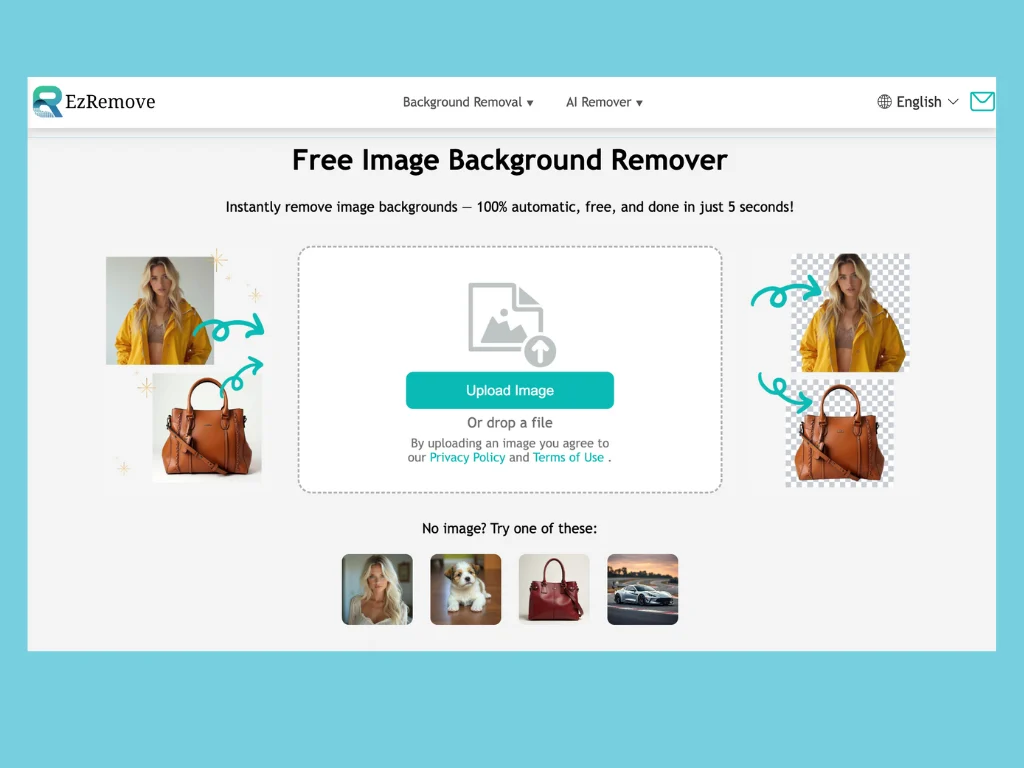
Step 2: Watch AI Remove the Background Instantly
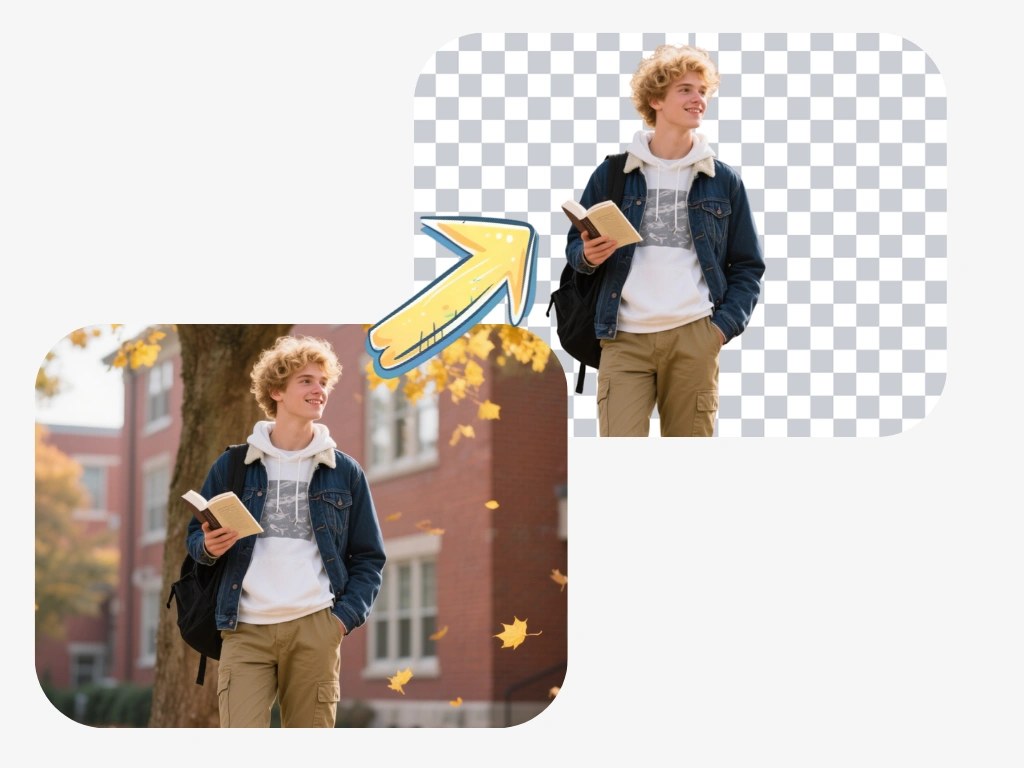
In just a second or two, EzRemove AI analyzes the image and cleanly separates the subject from the background.Even complex elements like hair strands, glass, and fabric edges remain sharp and natural.
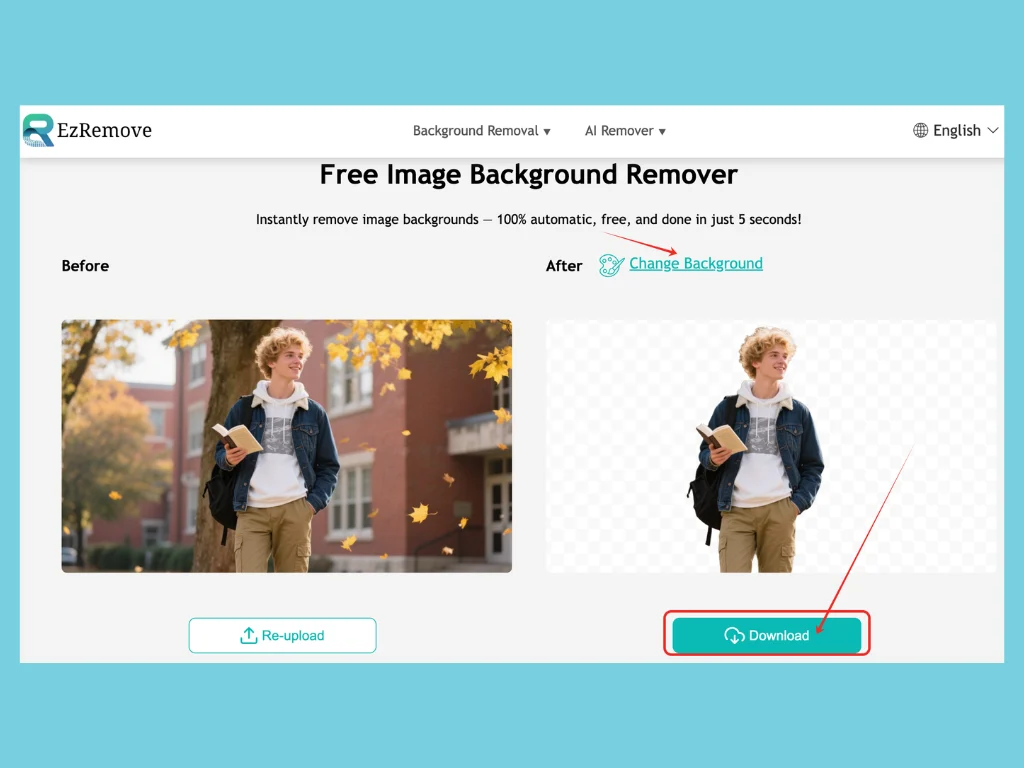
Step 3: Choose or Replace the Background
Once the background is removed, you can:
● Keep it transparent for versatile use
● Select a white, black, red, or pink background
● Upload a custom background for ads or creative scenes
This flexibility allows you to fully customize your visuals while mastering how to remove background of an image for any purpose.
Step 4: Download and Use Your Image
Download your new image instantly in PNG format — no watermark, no loss of quality.You’ve just learned how to remove background of an image the fastest way possible.
Who Can Benefit From Background Remover Tools
E-commerce Businesses: Clean, Consistent Product Photos at Scale
If you manage an online store, you know how difficult it is to make every product photo look consistent. Some images have shadows, others have distracting backgrounds, and your product listings lose visual harmony. By learning how to remove background of an image using EzRemove AI, you can instantly transform cluttered product shots into clean, professional visuals that build trust and drive more sales. From Amazon sellers in the U.S. to Shopify stores in Europe or Asia, this tool helps brands worldwide achieve a polished and consistent look with just a few clicks.

Content Creators and Influencers: Create Stunning Visuals Without Designers
For creators, every second counts. Whether you’re designing YouTube thumbnails, social media banners, or digital ads, manual background remover slows down your creative process. With EzRemove AI, you can upload a photo, automatically remove the background, and integrate it into your project instantly. Understanding how to remove background of an image helps creators across all regions — from vloggers in Tokyo to Instagram influencers in London — save hours of repetitive work while keeping every visual sharp, on-brand, and professional.
Professionals and Students: Present Ideas with Confidence
In both classrooms and boardrooms, presentation matters. A cluttered or unpolished image can easily undermine an otherwise strong idea. By using AI tools like EzRemove AI to learn how to remove background of an image, professionals and students can refine their visuals for resumes, portfolios, reports, and slides. From business presentations in New York to academic projects in Singapore, clean and well-designed visuals leave lasting impressions and elevate your work instantly.
Everyday Users: Perfect Passport, ID, and Personal Photos
Even outside of work or business, knowing how to remove background of an image can make everyday tasks easier. Maybe you need a passport or ID photo but don’t have access to a studio. Or perhaps you want to clean up a family photo for printing. With EzRemove AI, anyone can remove a messy background, replace it with a blue, red, or white color, and get professional-quality results in seconds. From users in India editing ID photos to families in the U.K. enhancing portraits, EzRemove AI helps people worldwide save time, save money, and look their best in every photo.
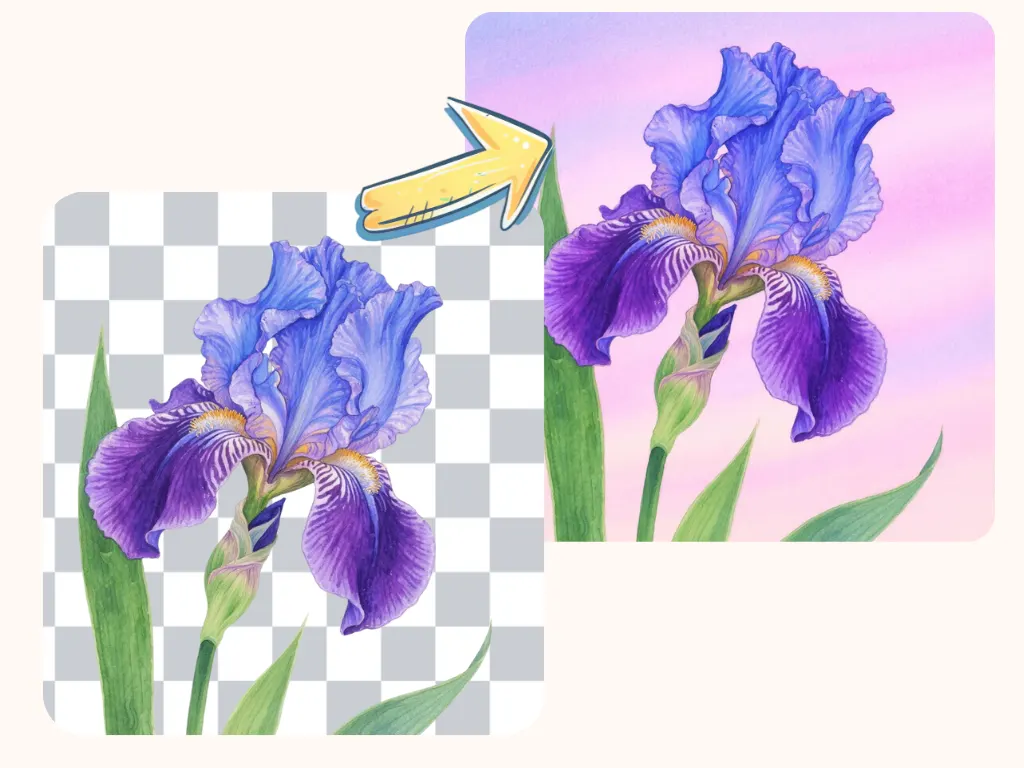
Why Choose EzRemove AI
Unmatched Speed: Removes any image background in just 5–6 seconds — perfect for eCommerce, media, and presentations.
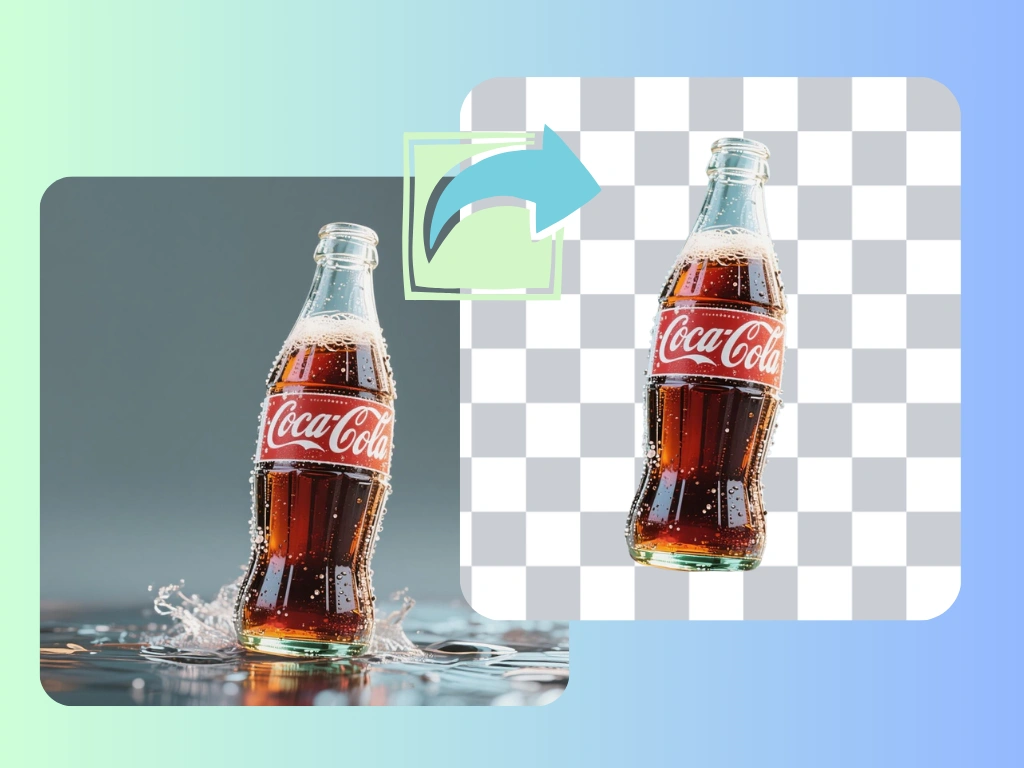
Exceptional Accuracy: Handles challenging edges like hair, glass, or soft fabrics with studio-level precision.
Creative Flexibility: Offers color presets, transparent modes, and full customization for international brand styles.
All-in-One Editing: Integrates Magic Eraser, Watermark, and Text Remover — eliminating the need for multiple tools.
Global Accessibility: Works seamlessly on all browsers and devices, from laptops in the U.S. to mobile phones in Europe or Asia.
Zero Learning Curve: Anyone can master how to remove background of an image in seconds — no design skills required.
FAQ — Everything You Need to Know About How to Remove Background of an Image
1.What’s the easiest way to learn how to remove background of an image?
The easiest way to learn how to remove background of an image is by using an AI-powered tool like EzRemove AI. You simply upload your photo, and the system automatically detects and removes the background within seconds — no design skills or software installation required. It works on any device, anywhere in the world, making it ideal for beginners and professionals who need fast, consistent results.
2.How accurate are AI background removers?
Modern AI tools like EzRemove AI achieve near-perfect accuracy, even for detailed edges, hair, and transparent objects.If your goal is clean, professional visuals, this is the easiest way to learn how to remove background of an imageaccurately.
3.Is EzRemove AI really free to use?
Yes. EzRemove AI is completely free and has no hidden costs or watermarks. You can remove unlimited backgrounds, change background colors, and even erase watermarks or unwanted text — all without paying a cent. For users who want to master how to remove background of an image without subscription fees or software downloads, EzRemove AI is the most accessible choice.
4. How to remove background of an image for product photos?
For clean, professional product images, upload your photo to EzRemove AI, let the AI automatically erase the background, and choose a white or transparent background. This method ensures every product looks polished and ready for marketplaces like Amazon, eBay, or Shopify. Sellers worldwide use this process to improve sales and brand trust — it’s the simplest way to learn how to remove background of an image for eCommerce.
Conclusion
Removing the background of an image is no longer a complicated or technical process. With AI-driven technology, anyone can now learn how to remove background of an image in just seconds — no design skills, no software, and no cost.
EzRemove AI transforms your photos into clean, ready-to-use graphics instantly. Whether you’re editing one picture or managing a full gallery of product shots, the process is the same: upload, click, and download. You’ll get flawless, professional-quality results every time.
From business owners to designers and everyday users around the world, EzRemove AI makes how to remove background of an image effortless, accurate, and completely free. Ready to experience it yourself? Visit EzRemove today — and see just how fast and easy background remover can be.