Hotel Lobby AI Video Generator
Upload two photos and turn them into a viral Hotel Lobby AI video with the iconic orange booth, hanging mic, and original track.
Two Photos In, One Hotel Lobby AI Video Out
Two upload slots, one for each side of the booth, are all a Hotel Lobby AI video needs. Each slot takes a single photo with one person in it, and the two pictures do not have to come from the same day, the same camera, or even the same city — so the friend who moved away can still take the second slot. That matters because the pairing is usually the joke: the wider the contrast between the two people, the harder the clip lands in a feed. A clear, front-facing portrait gives the model far more to work with than a face cropped out of a group shot, and either side can be swapped before you commit. If a photo needs work first, clean up or retouch a photo before you upload it in the same account, then come back and drop it into its slot.
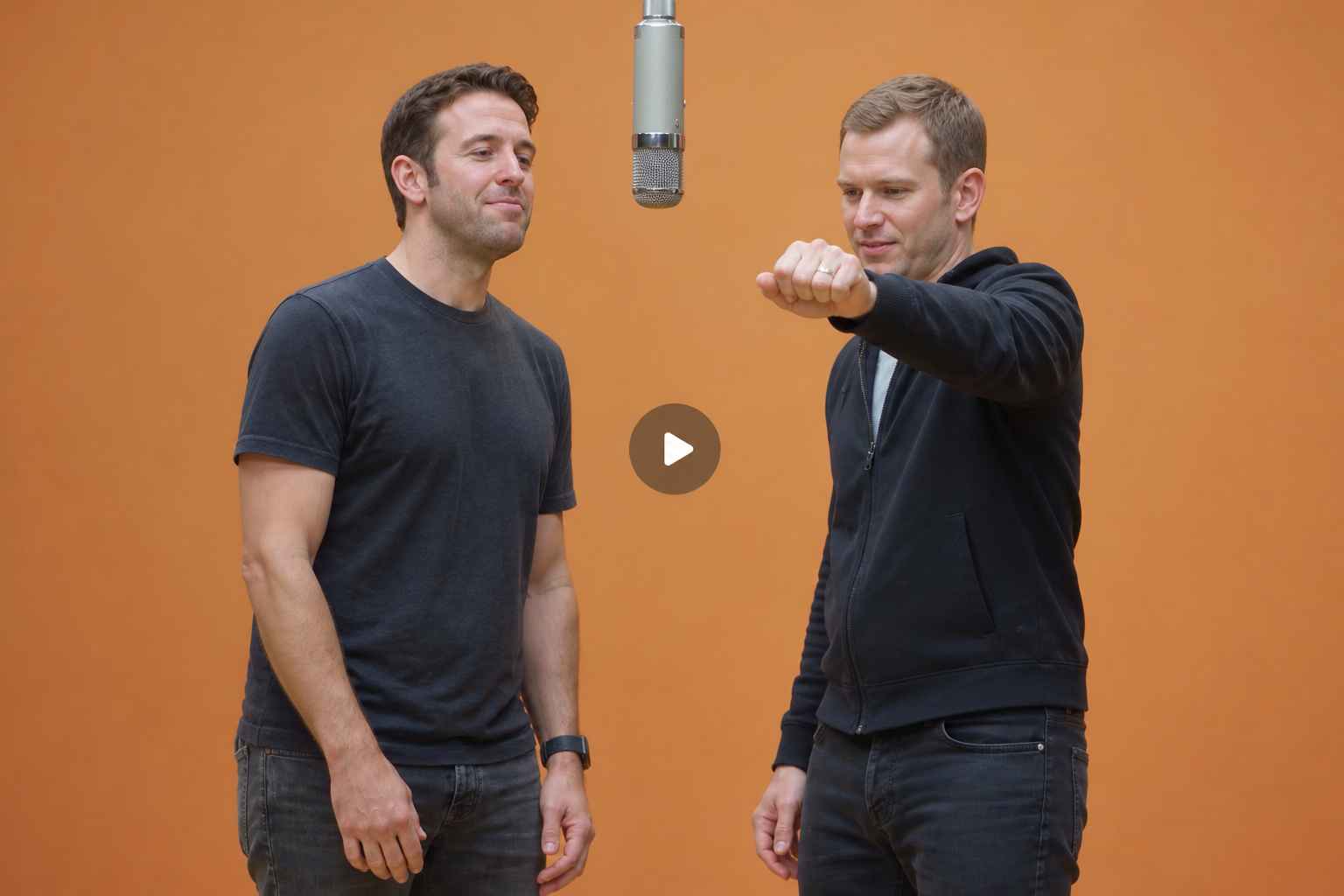
Keep the Orange Booth, the Mic and the Moves
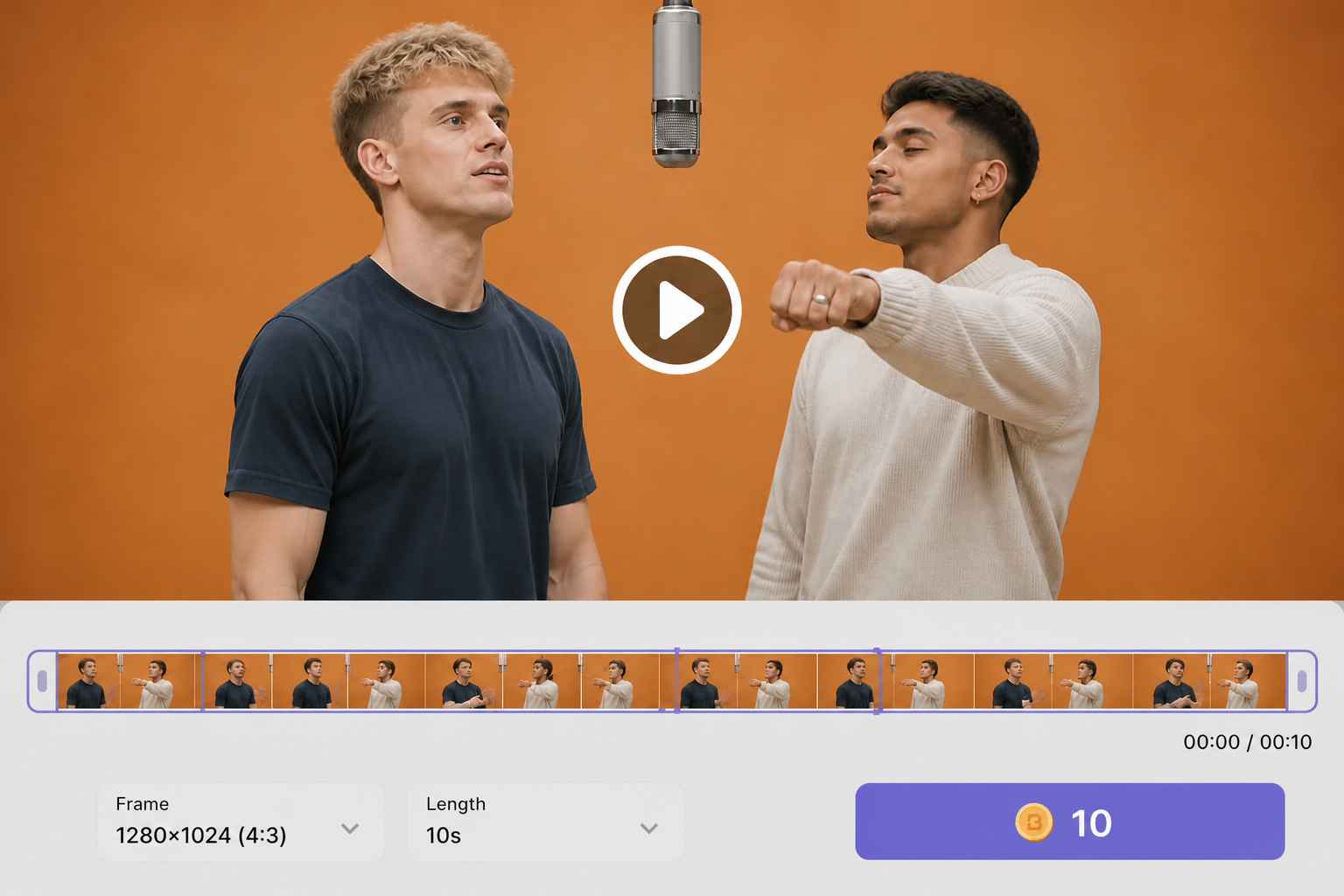
A Hotel Lobby AI video reads as the trend because the staging stays put: the flat orange backdrop, one microphone hanging on its cable, a locked-off camera, and two performers trading lines back and forth. Recreating that by hand means hunting for a template, masking faces frame by frame, and matching someone else's timing to the beat. Here the scene, the camera rhythm and the performance structure are already built in, so you are casting the booth rather than directing it. What changes is who stands on each side of the mic.
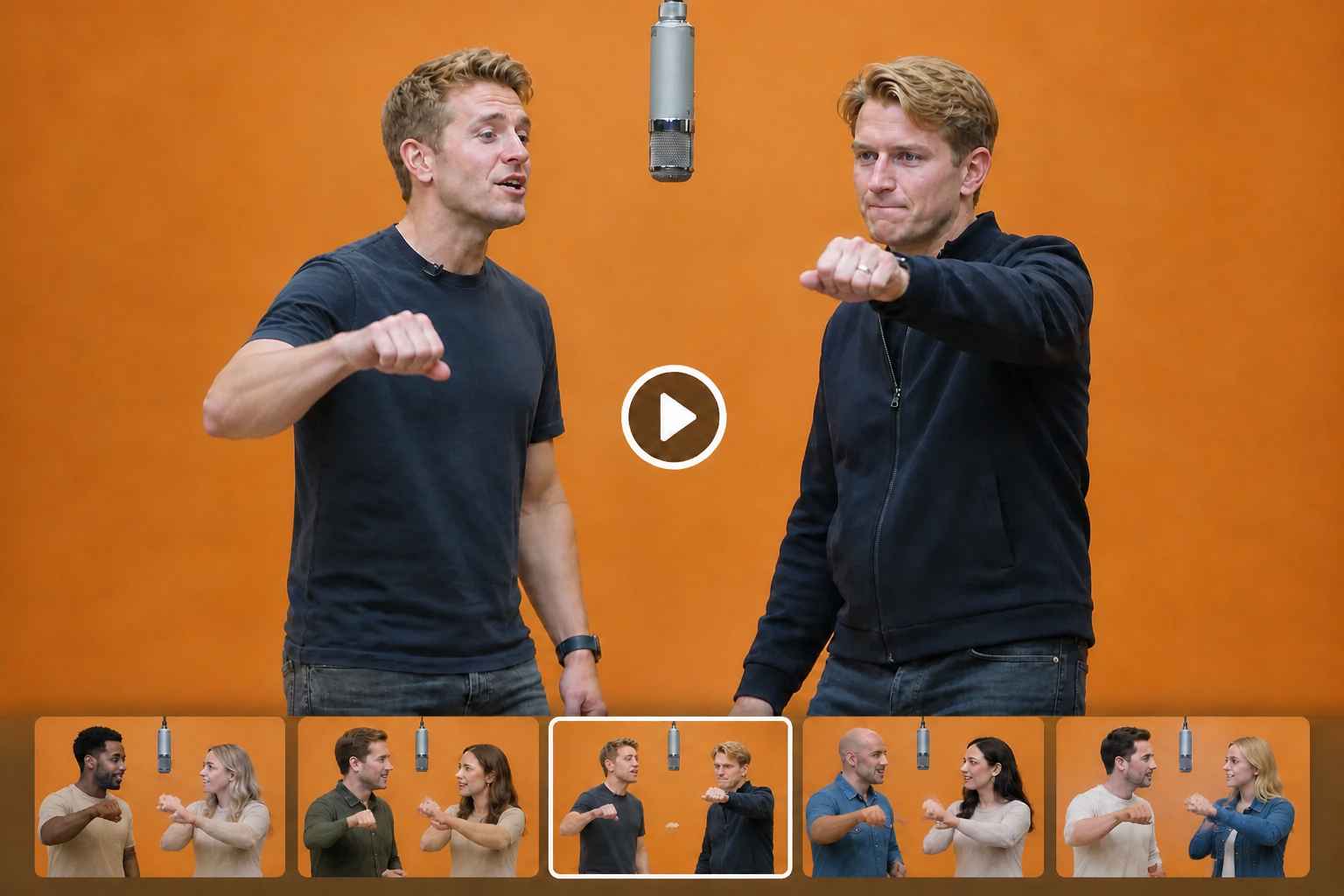
The Track Stays With Your Clip
Sound is half of why this format travels. Your Hotel Lobby AI video keeps the reference audio, so the beat, the timing and the performance read the way viewers expect the moment the clip starts playing. There is no second export to line up and no separate editor to open before the clip is postable. Before you publish, check how your platform treats music and synthetic media, and label the result as AI-generated.
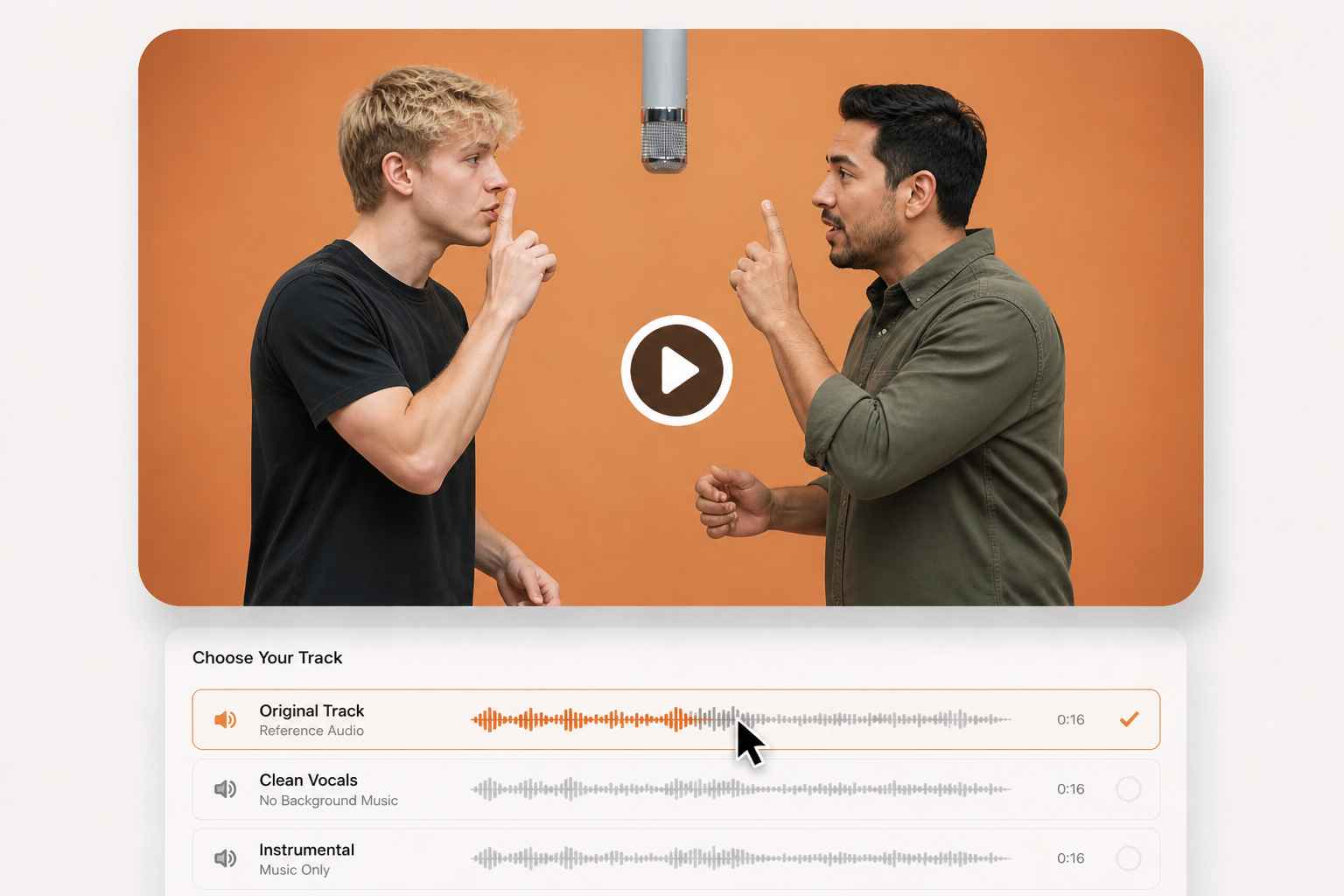
Pick the Frame Your Feed Wants
Short-form platforms do not agree on shape. Set the framing before you generate: vertical for TikTok, Reels and Shorts, landscape for a YouTube post or a group chat, square when you have not decided where it is going yet. Clip length and resolution are chosen in the same place. Deciding up front saves the crop later, which is exactly where most trend clips lose their framing and half their impact.
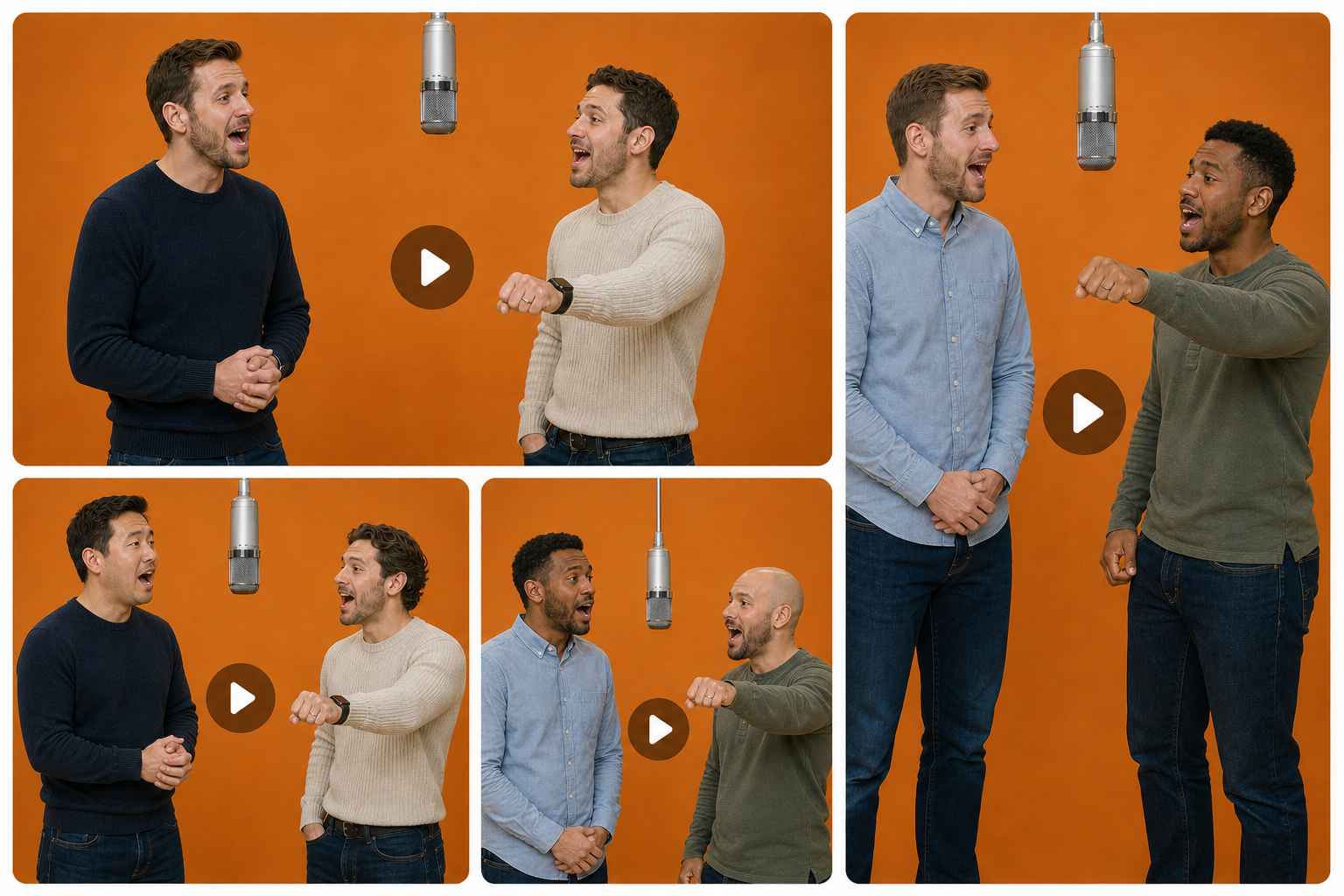
See What a Clip Costs Before You Generate
Generation runs on EzRemove credits, and the cost for the settings you picked is shown before anything is submitted — no guessing at a tier, no surprise at checkout. Choose the frame and length that suit the post you have in mind, read the number on the button, then decide. When the render finishes, the file is saved to your EzRemove history, so you can come back for it instead of waiting on the page. Broader video work lives in the same place: generate videos from text, images or references when this trend is not the format you need.
How to Use the EzRemove Hotel Lobby AI Video Generator Online
-
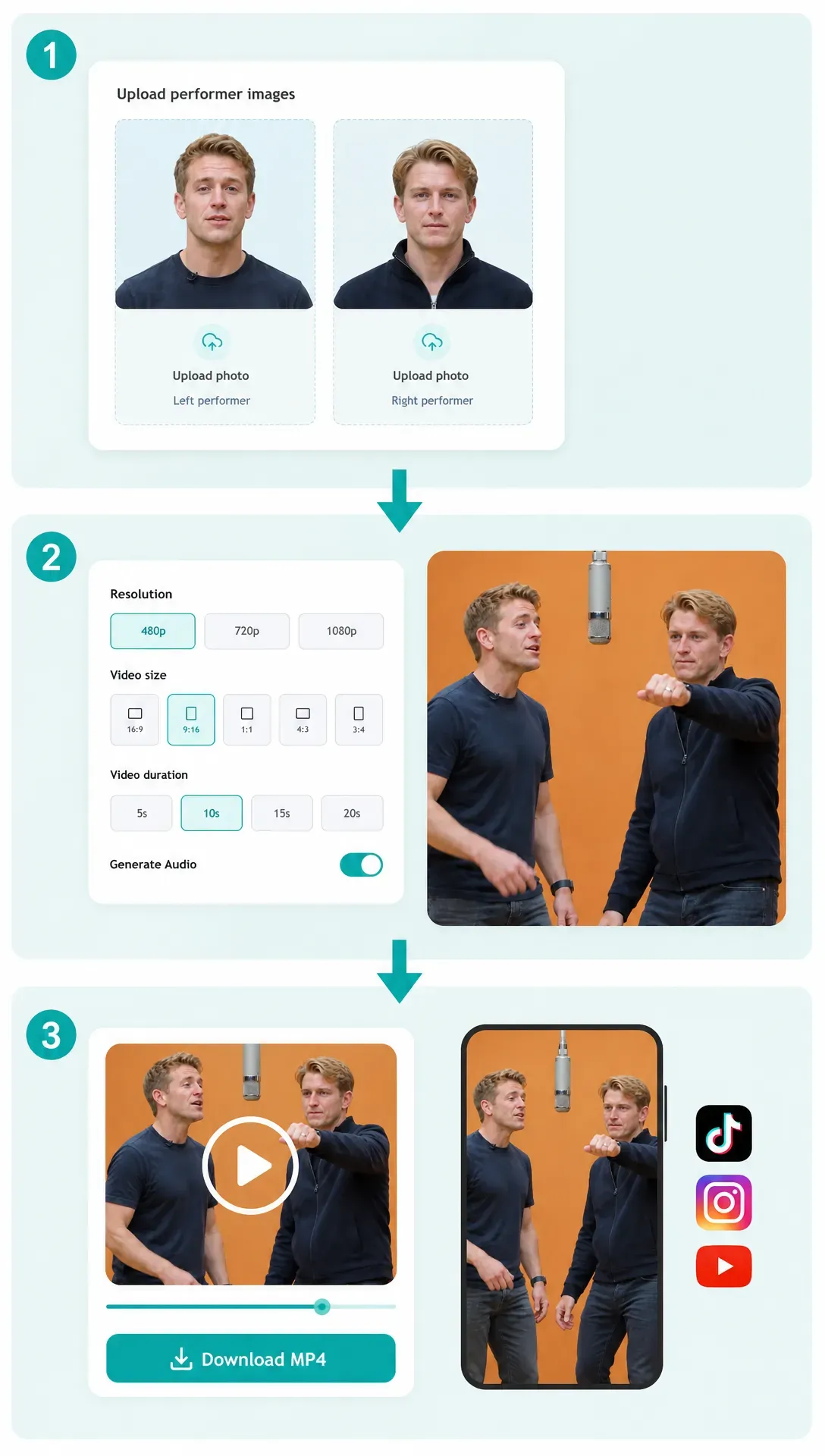
1
Add one photo per side
Upload a clear, front-facing portrait to the left slot and a second one to the right slot, one person per photo. Both people need to have agreed to appear in the clip. Different lighting and different backgrounds between the two photos are fine.
-
2
Set your frame and generate
Choose the framing, the clip length and the resolution, then confirm. The orange booth, the hanging microphone, the camera and the performance are already set, so there is nothing to write and no timeline to edit. The credit cost appears before you submit.
-
3
Download your MP4
Review the finished clip, then download the MP4 and post it where the trend is running.
Why Make Your Hotel Lobby AI Video on EzRemove
No prompt to write
The booth, the microphone, the camera and the performance are preset. You cast two people, set the output, and generate.

Separate portraits, no joint selfie
Each side takes its own photo, so the pairing never depends on both of you being in the same place at the same time.

Left and right stay where you put them
Your casting decision carries into the clip instead of being handed to a prompt to describe.

The booth and the track stay recognizable
Viewers know the format before the first line lands, which is the point of riding a trend.

Cost shown before you commit
Credits appear on the button with the settings you chose, so you decide with the number in front of you.

One account for the whole workflow
Uploads, generations and downloads live in the same EzRemove account you already use for images, so nothing is scattered across tools.
What Creators Say About This Hotel Lobby AI Video Generator
Hotel Lobby AI Video Generator FAQ
What is a Hotel Lobby AI video?
A short clip that puts two people of your choosing into a recognizable studio performance format: one flat orange backdrop, one microphone hanging on a cable, a locked-off camera, and two performers trading lines. Your photos supply the cast; the setting, the camera and the performance are already built in.
Where did the Hotel Lobby AI trend come from?
The format traces back to a 2022 studio performance that spread again across TikTok and Reels in 2026, once AI video tools made it possible to recast the booth with any two faces. People also search for it as the Migos AI trend or the AI rap duo.
How do I make a Hotel Lobby AI video?
Add one clear photo to the left slot and another to the right, choose your framing, length and resolution, then generate. There is no prompt to write. When the render is done, download the MP4 from your EzRemove history.
Which photo goes on the left?
The photo in the first slot becomes the person on the left when the clip starts. If you want them the other way round, swap the two slots before generating.
Can I use one photo of both of us?
Each slot takes one photo with one person in it. Two separate portraits — taken on different days, in different places, or on different phones — work fine and are the usual way to cast a duo.
What kind of photos give the best result?
One person per photo, facing the camera, with the eyes and jawline visible and even light on the face. Avoid heavy filters, sunglasses, motion blur and faces cropped out of a larger group shot. A small or soft photo gives the model less identity detail, so raise the resolution of an old photo first if that is all you have.
Do I need to write a prompt?
No. The booth, microphone, camera, and performance are preset. Your inputs are the two photos plus framing, length, and resolution.
Does the video keep the original audio?
Yes. Your clip keeps the reference audio, so the beat and the performance timing come through the way viewers expect. Check how your platform treats music and synthetic media before posting, and label the result as AI-generated. If you would rather put your own voice on a finished clip, you can match a clip to your own audio track.
Is the Hotel Lobby AI video generator free?
Generation runs on EzRemove credits. The exact cost for the settings you picked is shown before you submit, so you can decide with the number in front of you.
What length, resolution and framing can I choose?
Framing, clip length and resolution are all set before you generate. Vertical suits TikTok, Reels and Shorts; landscape suits a YouTube post or a group chat; square covers feeds when you have not decided yet. The options available to you, and their cost, are listed before you submit.
How long does generation take?
Rendering runs in the cloud rather than on your device. When the clip is ready it is saved to your EzRemove history, so you do not need to keep the page open to collect it.
Can I use a celebrity, a public figure or a photo of a minor?
No. Upload only photos you own or have permission to use, showing adults who have agreed to appear. Public figures, minors, deceptive impersonation and copyrighted characters are not allowed.
Is a Hotel Lobby AI video the same as a face swap?
Not quite. A face swap pastes one face onto existing footage. This generates a new performance in the look of the format, with your photos guiding the cast. The two photos do not need to be taken together, and results vary between runs.
Do I need video editing experience?
No. There is no timeline, no masking and no frame-by-frame work. You cast two people, choose your output settings, and download an MP4.