Skip to content
5 Best AI Photo Editors in 2026 You Should Know
AI is no longer just a trend in photography; it has become the bedrock of digital creativity. By 2026, the era of tedious manual masking and hours spent on a single portrait is officially over. Whether you are an e-commerce entrepreneur, a branding expert, or a professional photographer, the best AI photo editor acts as a professional assistant that delivers studio-quality results in mere seconds.
In this comprehensive 2026 guide, we explore the top 5 tools dominating the market, analyzing their specialized models, workflow efficiency, and value for money.
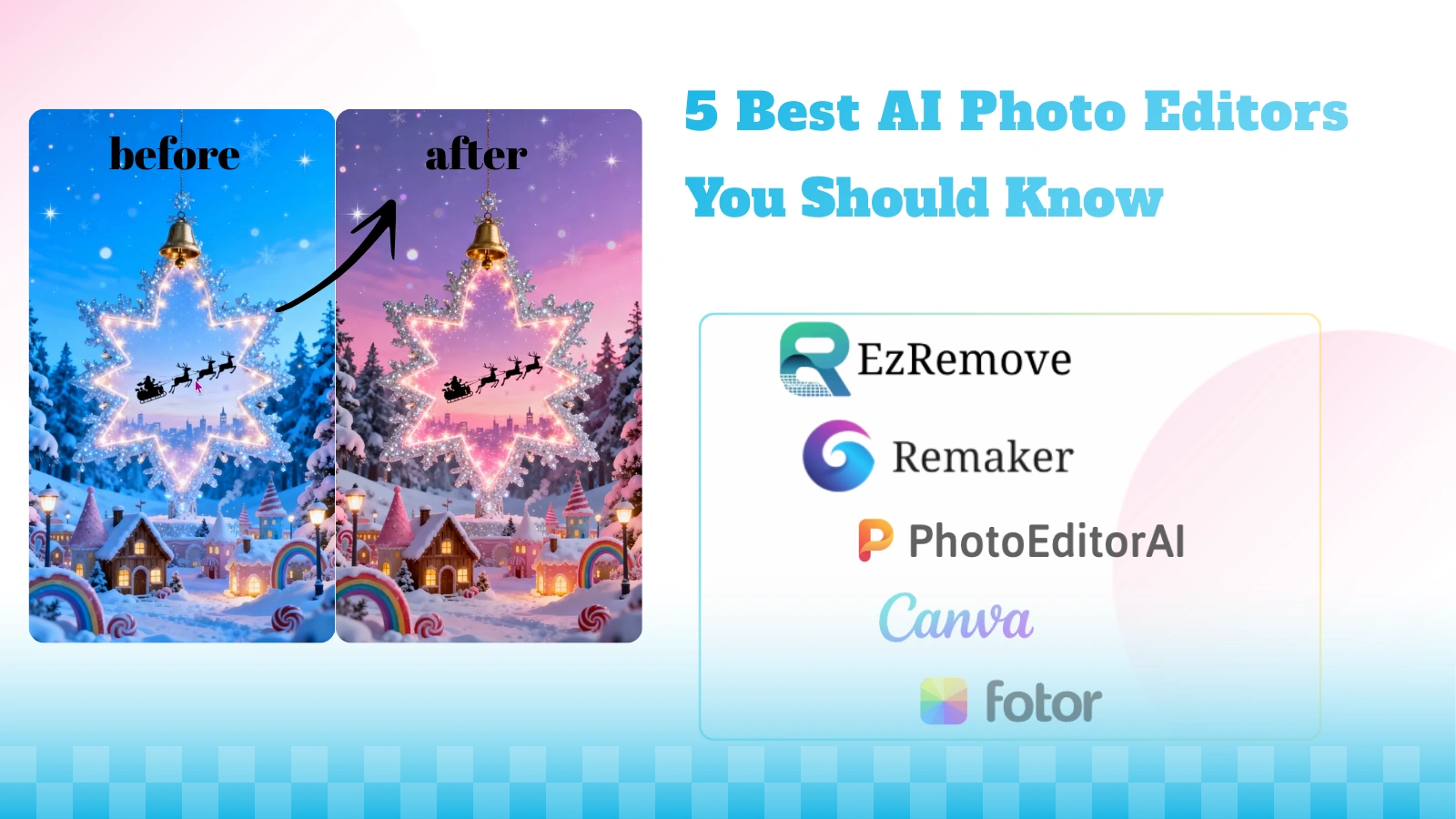
Why Use an AI Photo Editor in 2026?
According to current industry shifts, AI image editors have become essential for four primary reasons.
Intelligent Automation: Complicated tasks like masking flyaway hair or re-lighting a scene are now handled by machine learning in one click.
Generative Creativity: AI doesn't just fix pixels; it creates them. By leveraging advanced image to image AI technology, you can now extend canvases, transform reference photos into entirely new styles, or swap environments using generative expansion.
Accessibility for All: Context-aware assistants have lowered the barrier to entry, allowing beginners to produce industry-standard visuals without learning complex software.
Semantic Precision: 2026-era AI understands the difference between a product, a person, and a background with pixel-perfect accuracy.
Comparison Table: Finding Your Best AI Photo Editor
| Tool | Best For | features | Pricing Model |
|---|---|---|---|
| EzRemove | Beginners, Pro Designers & E-commerce: Anyone seeking texture-level 4K quality and an all-in-one aesthetic upgrade. | Multi-Model Hub (8+ Engines): Includes Seedream 4.5 (Texture-level precision) & Nano Banana. One-stop industrial design workflow; 4K photorealistic output. | 20 free credits/day + extra 30 credits; Credits starting at $4.99 (No subscription required) |
| Remaker AI | Precision-Seekers & Designers: Beginners and pros needing high-fidelity local edits and specific object swaps. | Dual-Engine Integration: Combines Google Nano Banana & Seedream. Supports local brush-to-prompt modifications; High character consistency. | 30 credits on sign-up; Credits starting at $5.99 (No subscription required) |
| PhotoEditorAI | Privacy-Minded Casual Users: Quick, anonymous visual cleanup for non-professionals. | Fast Generative Inpainting; Browser-native (No software); Private & Anonymous. | 100%Free |
| Canva | Marketing Teams & Non-Designers: Collaborative brand content . | Magic Studio / Brand Kits | Subscription (starting at $15) |
| Fotor | Influencers & Content Creators: Rapid, high-volume batch processing. | Batch One-Click Enhancements | Subscription (starting at $3.19) |
Top 5 AI Photo Editors to Try in 2026
1. EzRemove AI: A Professional Multi-Model Generator
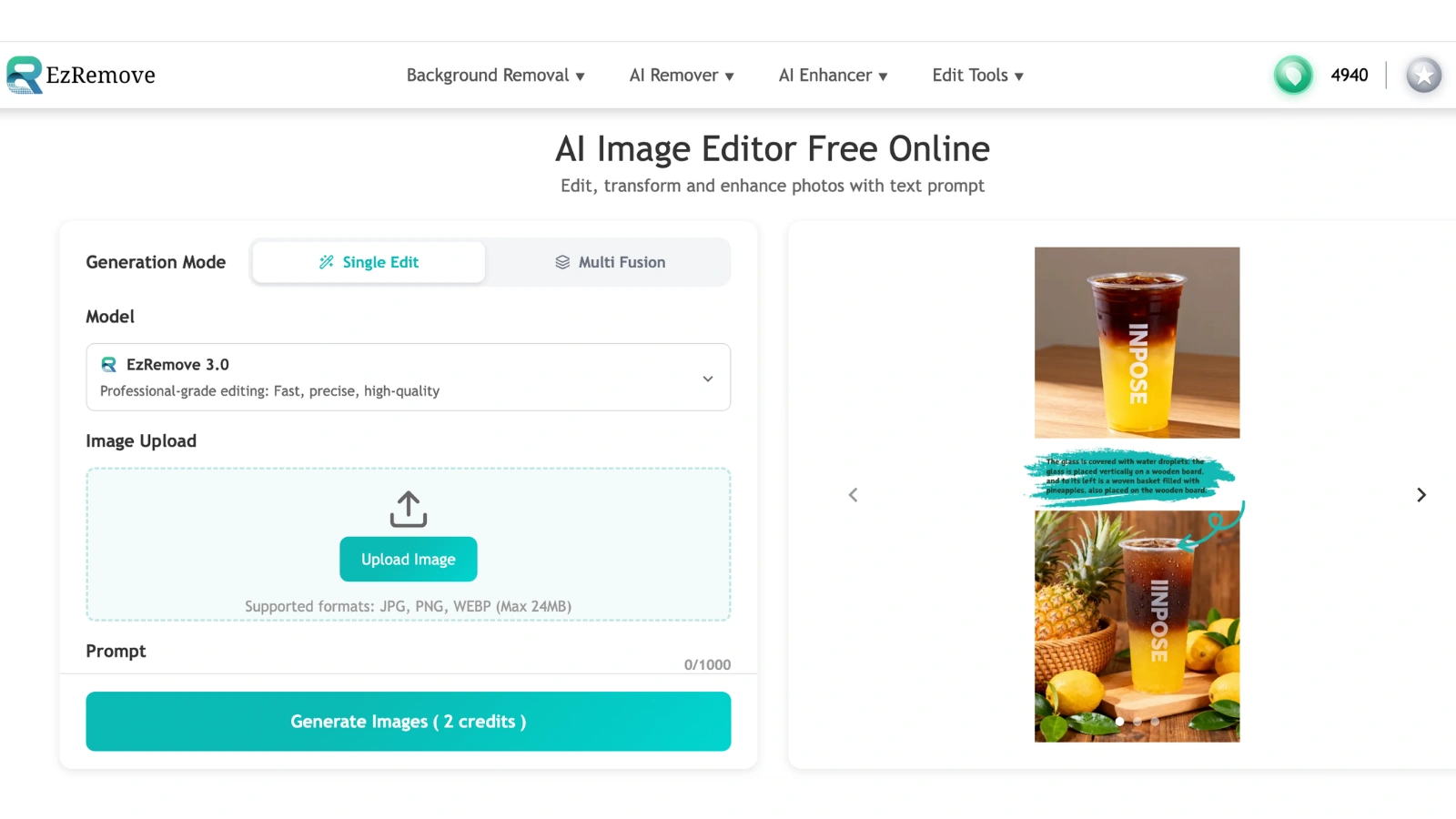
As the premier engine room for perfectionists in 2026, EzRemove stands out. By offering a professional multi-model hub, the AI photo editor allows users to match the AI brain to their specific resolution and consistency needs. By providing specialized engines like Seedream 4 for 4K precision and Google Nano Banana for advanced character consistency, this free AI photo editor serves as an indispensable tool for professional photographers and e-commerce entrepreneurs who demand technical flexibility and surgical-grade pixel reconstruction.
Key Features
Versatile Multi-Model Architecture: EzRemove offers specialized engines for every nuance: EzRemove 4.0/3.0 for high-speed precision, SeeDream 4.5/4.0 for 4K photorealistic textures, and Nano Banana or Qwen for industry-leading character consistency and industrial design.
Universal Character Consistency: Advanced algorithms ensure your subject's features remain perfectly uniform across any scene, environment, or complex composition.
Beginner-Friendly UX: Despite its powerful backend, the interface is streamlined and clear, allowing even first-time users to achieve studio-quality results instantly.
Flexible "Pay-as-you-go" Credits: Unlike traditional editors that force monthly subscriptions, EzRemove offers a flexible credit system where you only pay for what you use. Plus, every user receives daily free credits, making it the most cost-effective pro tool on the market.
Pros
Technical Versatility: Offers an unmatched multi-engine hub (SeeDream 4K/Nano/Qwen) tailored for every professional nuance.
Superior Consistency: Industry-leading algorithms ensure subjects and characters remain perfectly uniform across diverse scenes.
Surgical Precision: Handles complex textures and high-resolution background reconstruction where most editors leave blurs.
Cost Effective Flexibility: A user-friendly, pay-as-you-go credit system with daily free credits. No monthly subscription traps.
Pro Level Simplicity: Combines power with an intuitive, clutter-free interface.
Cons
The sheer variety of specialized high-end models may require a brief moment for new users to decide which specialized engine best fits their project.
Pricing
Daily Free Credits: Gifted to all users.
Pay-as-you-go (One-time): 70 Credits: $4.99; 300 Credits: $9.99; 700 Credits (Hot): $17.90; 3000 Credits: $69.90; 15000 Credits: $199.00.
2. Remaker AI: The Object & Prompt Specialist
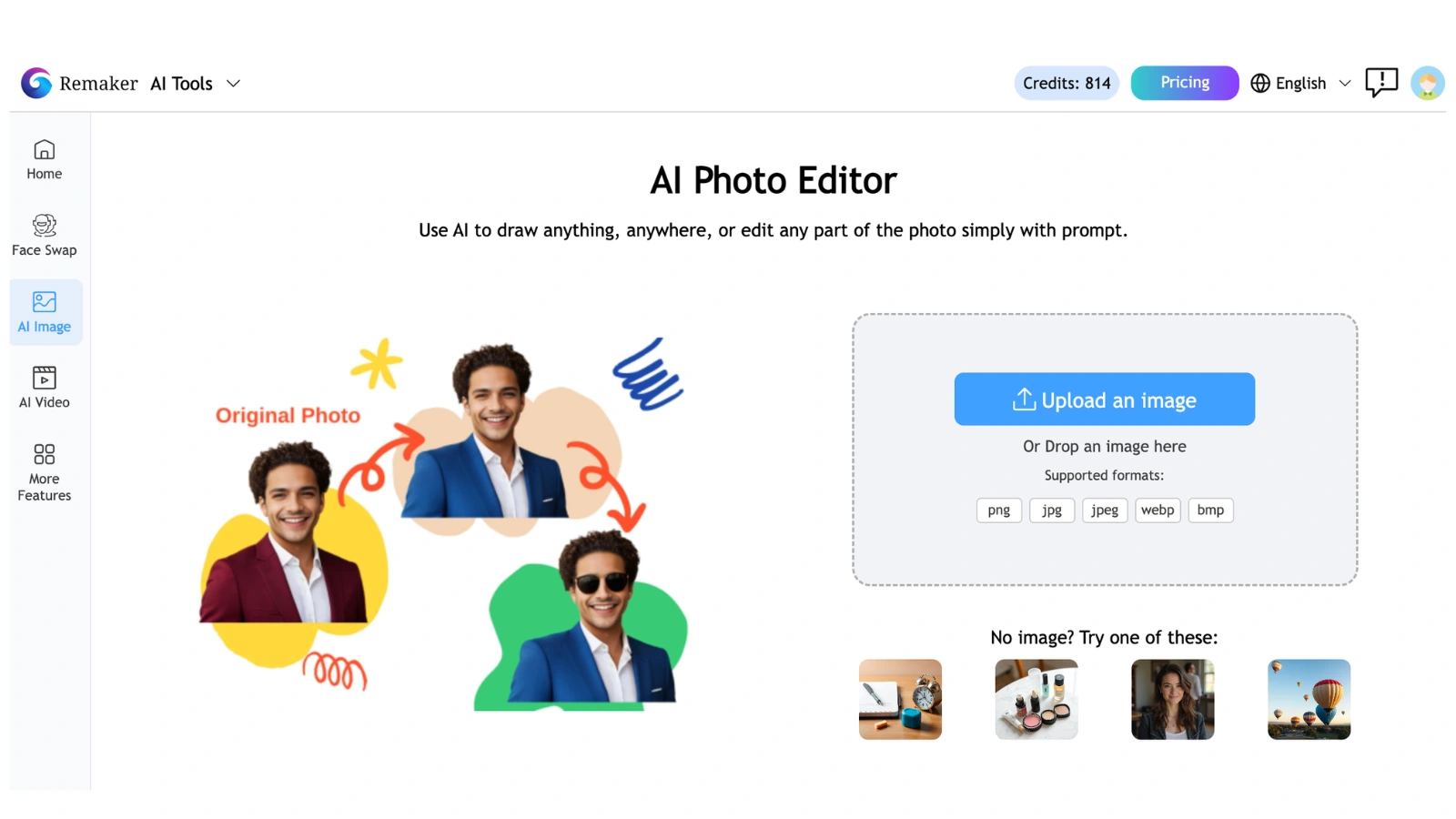
As a best AI photo editor in 2026, Remaker bridges the gap between manual precision and generative magic, specializing in high-fidelity object replacement through a sophisticated multi-model interface. By integrating a diverse selection of neural engines, it provides creators with granular control to execute specific modifications while preserving the absolute integrity of the original shot.
Key Features
High-Precision Transform Objects: Features a surgical manual brush tool that allows you to highlight specific areas for additions or replacements. This ensures high-precision local editing where new elements blend seamlessly with the original lighting and textures. Multi-Model Prompt Edit: This text-driven interface allows users to toggle between powerful models like SeeDream, Nano Banana, and Flux. This variety ensures the AI intelligently adapts to any project, whether you are retouching human portraits, complex industrial designs, or vast landscapes.
Pros
Unrivaled Localized Control: The brush-based masking system prevents the AI from "hallucinating" or changing unintended parts of your image.
Versatile Neural Options: Having access to SeeDream, Nano Banana, and Flux in one place makes it a highly flexible AI photo editor for various artistic styles.
Seamless Integration: Newly generated objects feature realistic shadows and reflections that match the original environment.
No Subscription Trap: The one-time credit purchase model offers great value for users who want pro tools without a monthly bill.
High-Fidelity Realism: Avoids the "plasticky" AI look by maintaining authentic skin textures and fine details.
Cons
No Multi-Image Fusion: It cannot currently blend or merge elements from multiple different photo files into a single composition.
Manual Effort Required: Unlike one-tap tools, it requires active brushing and descriptive prompting for the best results.
Pricing
One-time payment (No subscription): 200 Credits: $5.99; 530 Credits (Most Popular): $9.99; 1100 Credits: $19.99; 3000 Credits: $49.99; 20000 Credits: $299.00.
3. PhotoEditorAI: The King of Accessibility
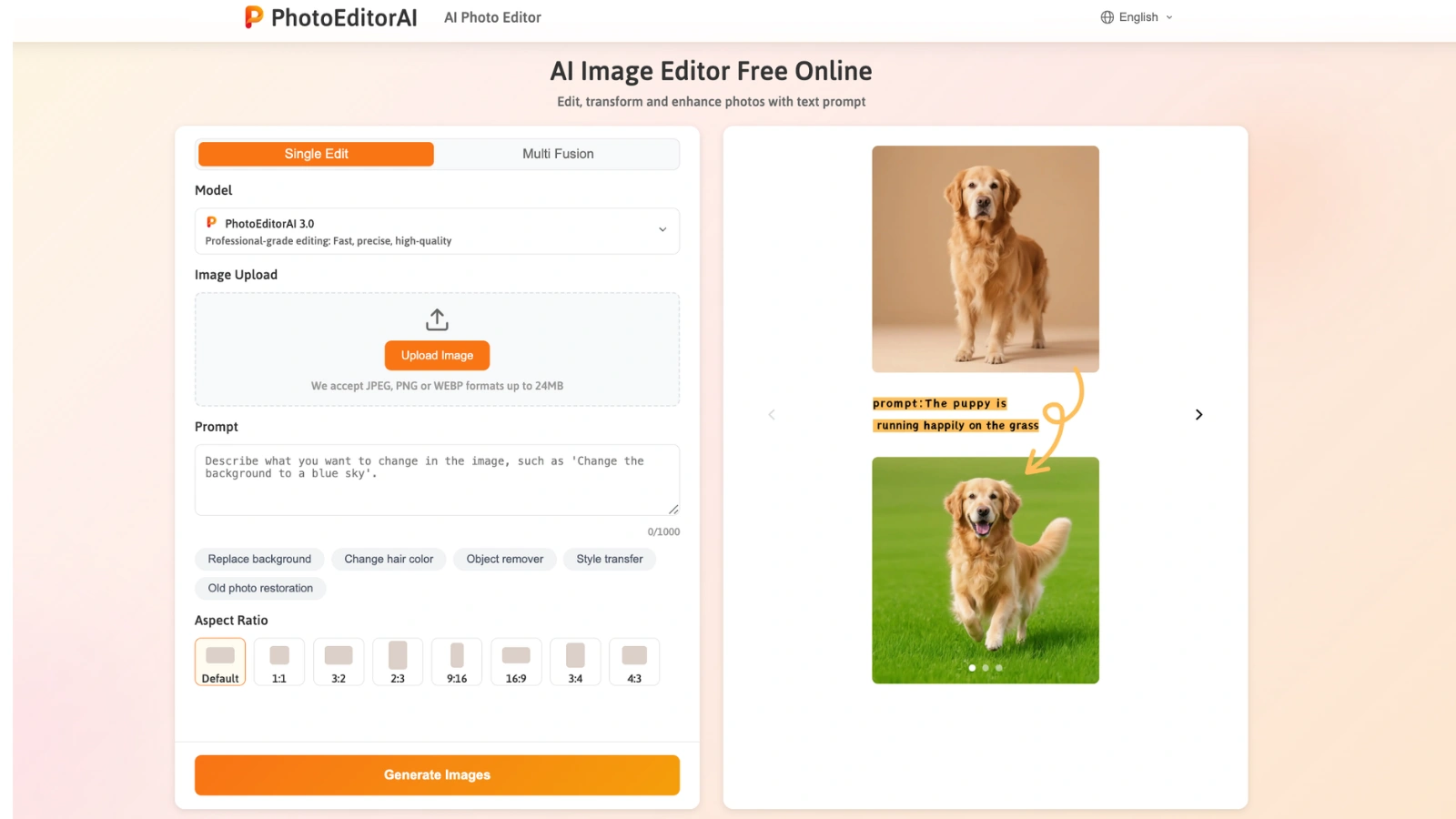
Acting as the minimalist's ultimate dream in 2026, PhotoEditorAI is a zero-friction AI photo editor that delivers high quality generative inpainting directly in your browser. Its fast mechanism is specifically tailored for privacy-conscious users and casual creators who need an immediate, anonymous solution for removing distractions or people from their photos. By bypassing the need for subscriptions or permanent profiles, it has secured its place as the best AI photo editor for high-speed, no-commitment visual cleanup.
Key Features
Advanced Generative Inpainting: Leverages high speed neural networks to flawlessly remove unwanted people, text, or complex objects while intelligently reconstructing the underlying background. Zero-Login Workflow: Provides 100% private access to professional editing tools with no registration required, making it the most accessible AI photo editor on the web today. Web-Native Processing: A fully browser-based engine that requires no software downloads, working instantly across desktops, tablets, and smartphones with equal efficiency.
Pros
Zero Barrier to Entry: Start editing the second the page loads with no account fatigue or sign-up walls.
Privacy-Centric Design: The premier choice for users who want quality results without sharing personal data or creating a digital footprint.
Superior Speed: Its interaction is fast for rapid, high quality cleanups.
Completely Free: Offers robust, context-aware generative fill capabilities at zero cost to the user.
Cons
No Cloud Storage: Since no login is required, your edit history and progress are lost once the browser tab is closed. Task-Specific Scope: Lacks the branding kits, multi-model hubs, or complex batch processing features found in premium design suites.
Pricing
100% FREE.
4. Canva: The Collaborative Brand Co-Pilot
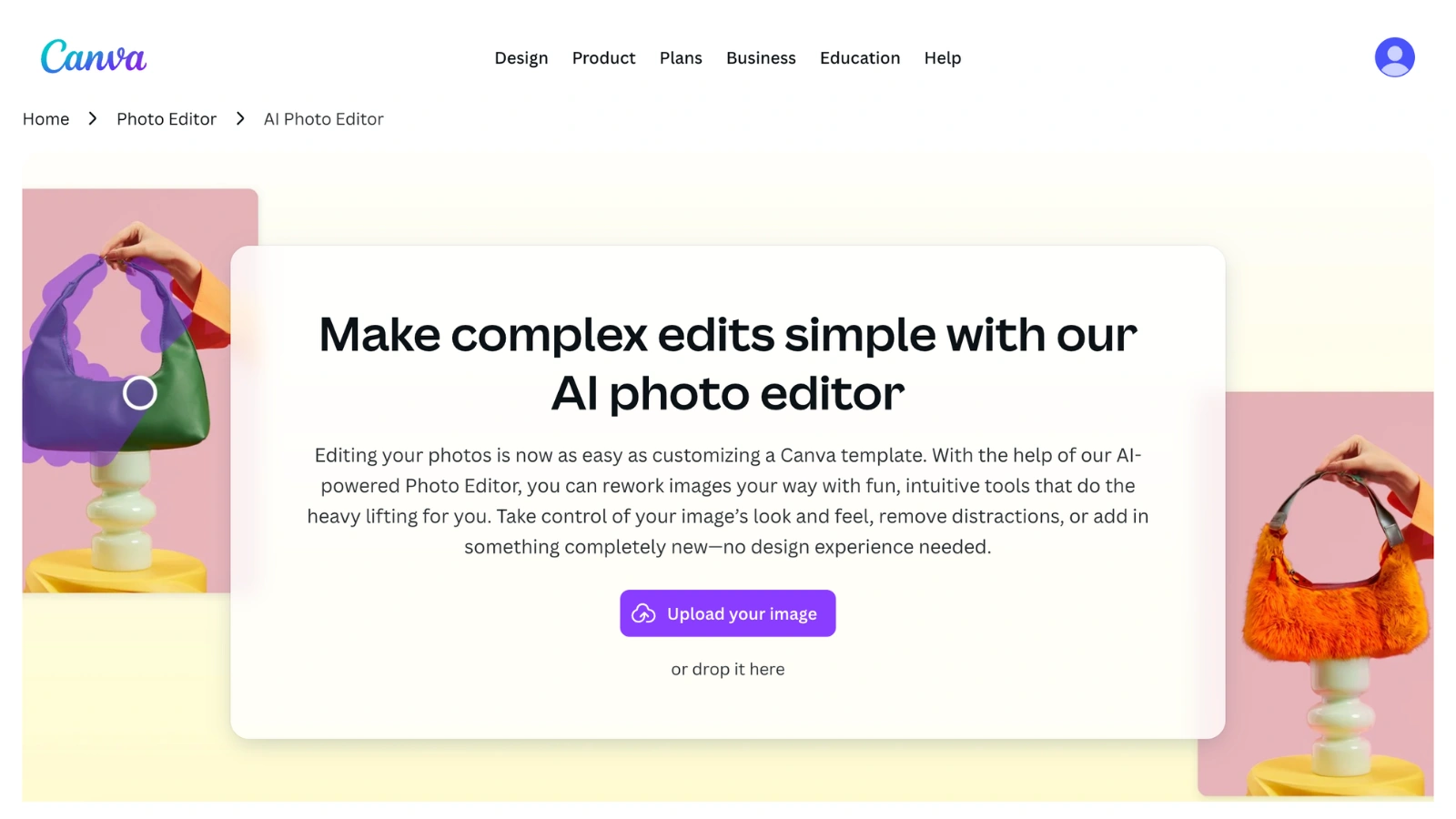
Canva serves as the central co-pilot for collaborative branding, where the AI photo editor is seamlessly integrated into a massive design ecosystem. Built to turn raw images into finished marketing products instantly, Canva's Magic Studio is a powerhouse for small teams and branding experts. While it prioritizes design-ready workflows over deep-level photographic technicalities, its ability to bridge the gap between photo manipulation and graphic design makes it a top contender for the best AI photo editor in the marketing sector.
Key Features
Magic Media & Magic Grab: Instantly isolate subjects from complex backgrounds or generate new visual elements from text prompts, making image composition effortless.
Magic Resize & Expand: Automatically reformat a single design for multiple platforms or use generative AI to "fill in" the edges of a poorly cropped photo.
Branded Magic Studio: A comprehensive suite of AI tools that allows for background replacement and object manipulation while keeping everything perfectly aligned with your brand identity.
Pros
Unrivaled Collaboration: The only AI photo editor that allows real-time team editing, commenting, and asset sharing within a single workspace.
Consistent Branding: Integrated Brand Kits ensure your logos, fonts, and colors are automatically applied across all AI-edited visuals.
Design-to-Social Workflow: Move from a raw photo to a high-converting social media post or ad campaign without ever leaving the platform.
Infinite Asset Library: Access millions of high quality stock photos, templates, and icons that sync perfectly with your edited images.
Cons
Generalist Approach: Lacks the surgical precision or specialized model selection (like 4K Seedream) found in dedicated professional tools.
Complexity for Simple Edits: The interface can feel overwhelming if you only need a quick 30-second fix.
Pricing
Free Plan: Available with basic AI features.
Canva Pro: $15/month Pro, $120/year Pro; $10/month per person (minimum 3 people) Teams, $100/year per person (minimum 3 people) Teams.
5. Fotor: The Efficiency Engine for Creators
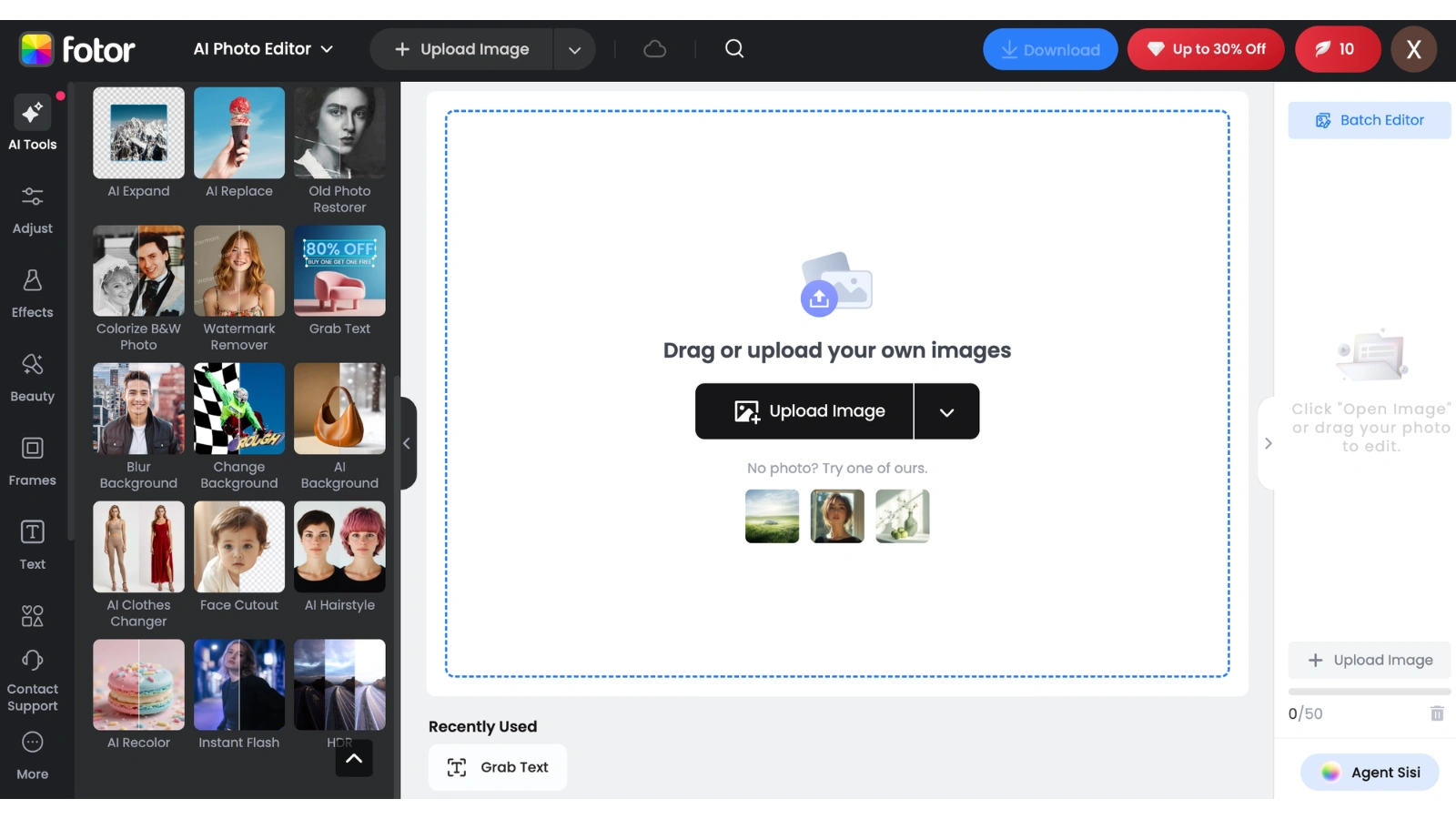
Fotor is the industry's leading efficiency engine, functioning as a "speed-first" machine that excels at high-volume production. This AI photo editor is designed for users who need polished, professional-looking visuals without the manual labor of a desktop suite. By providing a wide array of one-click automation tools, it caters perfectly to social media influencers and busy entrepreneurs who need to maintain a high quality aesthetic across hundreds of images simultaneously, solidifying its reputation as a highly practical AI photo editor for the creator economy.
Key Features
Intelligent AI Enhancer: Automatically analyzes and adjusts lighting, contrast, and color balance to transform average shots into studio-quality photos instantly.
Massive Batch Editing: The most robust tool for applying consistent AI enhancements, background removals, or artistic filters to large photo sets in a single pass.
Creative AI Transformation: Features an expansive library of trending artistic styles. Including "Clay AI" and "Ghibli Style". To keep your content visually relevant.
Pros
Exceptional Throughput: Optimized for rapid-fire editing, making it the most efficient AI photo editor for high-volume content schedules.
Ultra-Beginner Friendly: Most tools are "one-tap" actions, removing the steep learning curve associated with professional retouching.
Versatile Design Extras: Includes built-in collage makers and templates that make quick social graphics effortless.
Automated Portraiture: Excellent for fast-paced facial retouching, including skin smoothing and blemish removal.
Cons
Interface Distractions: The user experience can be hampered by aggressive advertisements and frequent "Upgrade" prompts in the lower tiers.
Limited Scene Depth: Less effective than specialized tools for building complex e-commerce product scenes from scratch.
Pricing
Free Plan: Available with ads.
Fotor Pro: $3.19/month (billed annually at $38.39) or $10.99/month (billed monthly).
How to Choose the Best AI Photo Editor for Your Needs
In 2026, the market is flooded with tools, but more features don't always mean better results. For small business owners and creators, the goal is to find a platform that balances power with simplicity. Here is what you should prioritize when selecting your go-to editor.
1. Technical Precision & Model Choice
Most generic editors use a single "standard" AI model that often struggles with complex textures like hair, fabric, or jewelry. This is where EzRemove stands out. While other tools might leave a "smudge" or blur, EzRemove AI allows you to select high-end engines like Seedream 4, ensuring your photos maintain 4K professional clarity and realistic textures. If your business depends on high quality product shots, don't settle for a tool that can't handle the details.
2. Workflow Efficiency & Ease of Use
If a tool has a steep learning curve, it isn't saving you time. Look for an intuitive interface with "drag-and-drop" functionality and clear automation. Your editor should feel like a partner, not a puzzle. Tools like Remaker and EzRemove here are offering "zero-barrier"sentry points.
3. Intelligent Background & Object Control
For e-commerce, background removal is the most used feature. The AI should isolate your product with surgical precision instantly. Beyond just removal, you need Generative Inpainting. The ability to not just delete a stray object but to "fill" that space with a realistic background. EzRemove and Remaker AI are the top contenders here, offering manual brush controls to guide the AI exactly where it needs to work.
4. High-Volume Batch Processing
If you have 100 product photos from a single shoot, you shouldn't have to edit them one by one. A reliable AI photo editor should offer batch processing for lighting, color correction, and background removal. Fotor is a leader in this category, allowing you to maintain visual consistency across an entire catalog in minutes.
5. Flexible Pricing for Your Budget
Subscription fatigue is real. When choosing a tool, consider how often you edit. If you have a massive ongoing design need, Canva’s subscription makes sense. However, for project-based work or high-end professional edits, EzRemove’s flexible credit system is the smarter investment. You only pay for the high-performance AI processing you actually use. Furthermore, if you are looking to explore these tools for free, both EzRemove (thanks to its daily free credit rewards) and PhotoEditorAI are excellent choices for getting started without any initial cost.
Expert Verdict: Which Tool Should You Choose?
For Professional 4K Results: Choose EzRemove AI. Its multi-engine approach is the only way to ensure commercial-grade resolution and texture restoration.
For Manual Precision: Choose Remaker AI. If you need to "paint" specific elements into an image with text, this is your best bet.
For 100% Free & Quick Fixes: Choose PhotoEditorAI. If you want a high quality edit without a subscription or even the hassle of creating a login, this is the ultimate friction-free choice.
For Design & Teamwork: Choose Canva. If your photo is part of a larger campaign, Canva’s collaborative design tools are unbeatable.
For High-Volume Social Posts: Choose Fotor. Its ability to batch-process lighting and color is a massive time-saver.
FAQs About Best AI photo editor
Q1: What is an AI photo editor and how does it differ from traditional software?**
A: An AI photo editor uses advanced machine learning algorithms to automate complex editing tasks that used to take hours. Unlike traditional software that requires manual masking and layering, a modern AI photo editor can understand the context of an image to perform generative inpainting, object removal, and lighting adjustments in seconds.
Q2: Which platform is considered the best AI photo editor for professional 4K results in 2026?**
A: While many tools offer convenience, EzRemove AI is widely recognized as the best AI photo editor for professional use. Its unique multi-model architecture. Featuring the Seedream 4 engine. Allows for precise reconstruction at 4K resolution, ensuring that textures and details remain photorealistic, which is essential for e-commerce and high-end photography.
Q3: Is there a high-quality AI photo editor available for free?**
A: Yes. If you need a quick, anonymous fix, PhotoEditorAI is a fantastic AI photo editor that is 100% free and requires no login. However, if you need professional-grade results without a price tag, EzRemove AI is also an excellent choice as it rewards users with daily free credits, allowing you to access premium models like Nano Banana or SeeDream at no initial cost.
Q4: Can an AI photo editor maintain character consistency across different images?**
A: This is one of the most challenging tasks in digital editing. EzRemove AI is currently the leading AI photo editor in this category. By utilizing specialized models like Google Nano Banana and Qwen, EzRemove ensures that the features and style of your subject remain uniform across various scenes, making it a must-have tool for consistent branding and industrial design.
Q5: Why should I choose a credit-based AI photo editor over a monthly subscription?**
A: Subscription fatigue is a major issue for many creators. Choosing a credit-based AI photo editor like EzRemove or Remaker allows for much greater financial flexibility. Instead of paying a recurring fee even when you aren't editing, you only pay for the high-performance processing you actually use. EzRemove’s "pay-as-you-go" model is particularly smart for project-based professionals who demand the highest quality without the long-term commitment.
Q6: Which AI photo editor is best for removing complex objects from a busy background?**
A: For super cleanup, EzRemove AI is the top recommendation. While most editors might leave a blur or a "smudge" when removing objects, EzRemove’s spatial intelligence models (EzRemove 4.0 and SeeDream) intelligently rebuild the background texture. For those who prefer manual control, Remaker AI is also a strong contender with its precision brush-to-prompt workflow.
Expert Conclusion For Best AI photo editor
In 2026, choosing the best AI photo editor comes down to your specific creative and professional needs. If you prioritize technical depth, character consistency, and professional 4K resolution, EzRemove AI is our undisputed recommendation. For those seeking targeted control, Remaker AI is a standout tool. It serves not only as a powerful AI photo editor but also as a professional precision tool that allows you to replace specific objects with surgical accuracy. Meanwhile, Canva remains the essential powerhouse for collaborative designers, and PhotoEditorAI is unbeatable for a quick, free fix.
Whether you are scaling an e-commerce brand or perfecting a social media post, stop wasting hours on manual edits. Try these AI-powered tools today and let the next generation of technology elevate your creative workflow!