Free AI Watermark Remover Online
Remove a watermark from a photo online for free. EzRemove cleans logos, text marks, timestamps, and overlays with AI Auto Mode or Manual Brush.

Or Drop an image here
Supported Formats:
This tool is intended for removing watermarks you own or have rights to. Please ensure your use complies with applicable copyright laws.


AI Watermark Remover with Smart Detection
EzRemove is a powerful watermark remover that uses AI to detect and remove watermarks from images and photos automatically. Whether you're trying to remove a watermark from a photo or clean up a screenshot with a logo, our tool identifies overlays without any manual work. For users looking to erase text from an image or remove unwanted labels, our detection model also works across most digital content.

Manual Watermark Remover for Precise Edits
When automatic detection isn't enough, EzRemove lets you brush over specific areas for precise removal. This feature is ideal if you want to remove proof from a picture, erase dates, or remove words from a photo. It functions like a true watermark eraser and doubles as a smart eraser tool for images, perfect for retouching content with full control.

Remove Watermarks Without Losing Image Quality
EzRemove removes unwanted overlays while keeping your photo clear. Unlike some tools that blur content, this watermark remover lets you delete watermark photo content without damaging resolution or detail—perfect for professional use. For even higher resolution results, consider pairing it with our AI image upscaler.

Remove Watermarks Without Photoshop
No need for complex software. EzRemove runs in your browser, letting anyone remove a watermark from an image easily. If you've ever wondered how can I remove a watermark from a picture without installing Photoshop, this tool is your solution.

What Makes EzRemove the Best Watermark Remover
Erase Watermarks from JPG, PNG, WebP, and BMP Images
EzRemove supports common image formats including JPG, PNG, JPEG, WebP, and BMP. Whether you are cleaning a product photo, screenshot, social media image, or downloaded visual, you can upload the file directly, remove the watermark online, and download a cleaner image without extra conversion steps.

Watermark Remover for Logos and Social Media Marks
Need to clean a product photo or social post covered with branding? EzRemove helps remove watermarks from logos, icons, stamps, and other visual marks while keeping the image ready for reuse. You can remove a watermark from a photo online for free, with no app download or complicated editing steps required.

Remove Date Stamps, Timestamps, and Camera Info
Old photos, screenshots, and camera images often include date stamps, timestamps, or camera information that distract from the main subject. EzRemove helps you remove these visible marks from photos and restore a cleaner, more natural look. After cleaning the watermark or timestamp, you can further refine the image with a remove background online tool when you need a transparent or more reusable visual.

Clean Full-Screen or Repeated Watermarks
When watermarks stretch across the entire image, EzRemove's AI scans repeated patterns. If you're trying to remove full-screen watermark from an image or remove a logo from the background, this watermark remover handles it with minimal effort.

Remove Signatures or Author Names from Pictures
Some images include signatures, author names, creator tags, or small text marks that distract from the main subject. EzRemove helps clean these visible marks from photos, downloaded images, and shared visuals while keeping the surrounding area natural. If you are working with screenshots, web page captures, tutorial images, or app interface images, our screenshot editor can help you remove UI text, page labels, arrows, and other screen-specific marks more precisely.

How to Remove Watermark from Photo Online?

Step 1: Upload Your Watermarked Image

Step 2: Choose Auto or Manual Mode

Step 3: Fine-Tune and Download Your Clean Photo
Remove Watermarks from Images, Photos, Logos, and Text Online

Remove Watermark from Image Online

Remove Watermark from Photo Without Photoshop
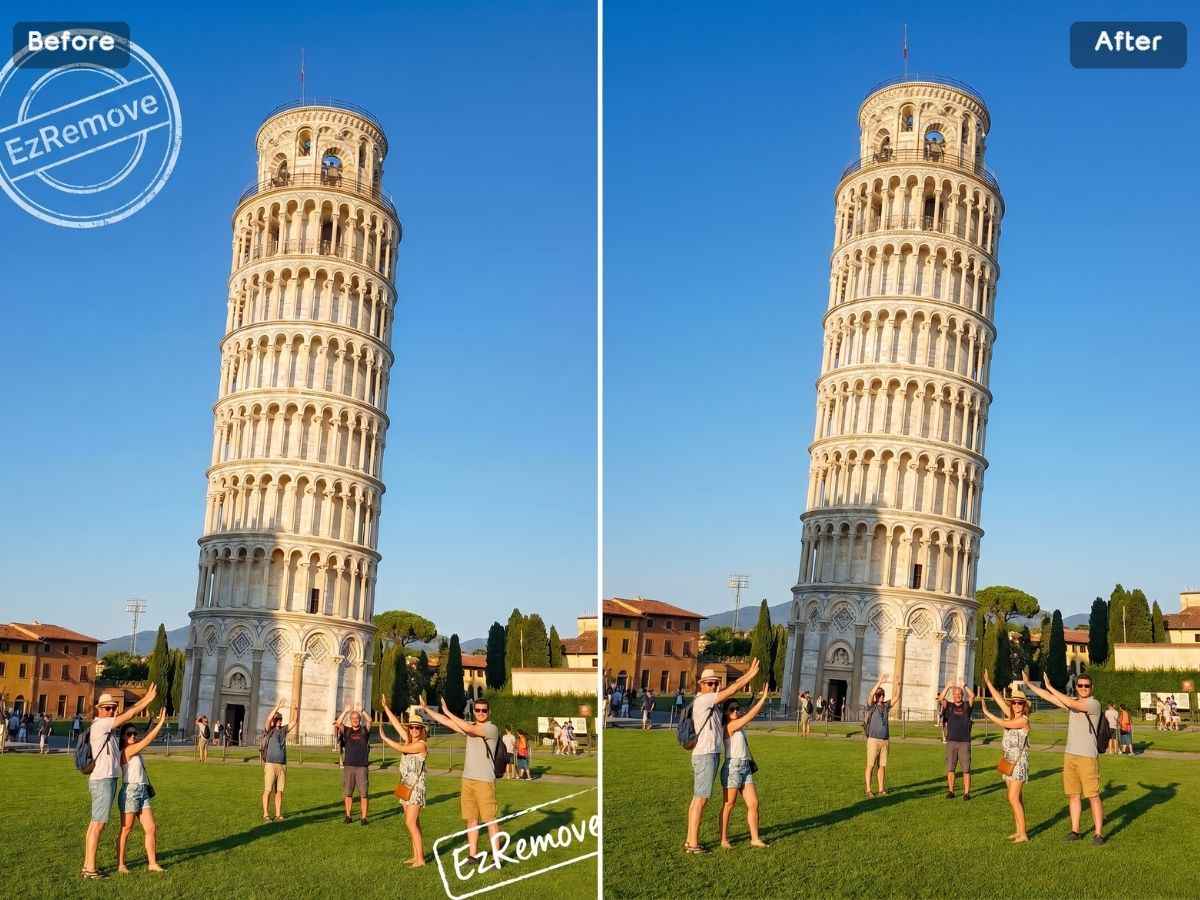
AI Logo Remover for Clean Visuals

Remove Text Watermarks, Stamps, and Signatures

Free Online Watermark Remover for Quick Edits

Batch Watermark Remover for Product and Social Images
Why Choose EzRemove Watermark Remover
Fast and Simple
Get clean images in seconds without technical skills.
AI + Manual Flexibility
Combine smart detection with user control.
Completely Free
No paywalls or hidden limits.
No Install Needed
Use it in your browser, no software required.
Safe and Private
Images are not uploaded or stored—your content stays local.
Quality Guaranteed
No blurry edges, no loss of detail, just clean results.
What Users Say About EzRemove Watermark Remover


Explore More Features – Beyond Image Watermark Remover
EzRemove is more than just an image watermark remover—it's a full-featured online tool that lets you clean up photos, videos, and AI-generated content with ease. You can erase text overlays from screenshots, and clear logos or timestamps from product images, all directly in your browser without any editing software or technical skills required.

Remove Watermarks Instantly

Remove Watermarks from Graduation or School Photos

Free Video Watermark Remover – No Download Needed
Frequently Asked Questions (FAQ)
How can I remove a watermark from a picture without editing software?
You can use EzRemove, an online free watermark remover, to easily remove watermark from a picture without needing Photoshop or any editing tool. Just upload your image, and use AI or the brush tool to clean it up—directly in your browser.
Can I remove watermark from photo online for free?
Yes! With EzRemove, you can remove watermark from photo online free—no sign-up, no payment, and no watermark on the output. It's quick, clean, and safe to use directly from your browser.
Does EzRemove help me delete watermark from old photos or scanned images?
Absolutely. Whether it's a digital photo or a scanned file, EzRemove can help you delete watermark photo content cleanly. You can use the brush tool for more precision on older or complex images.
How do I remove proof or copyright text from an image?
You can use EzRemove to remove proof from picture or erase copyright text easily. Our AI detects common watermark patterns, or you can manually brush over them for full control.
Can I remove logo or watermark from an image file like JPG or PNG?
Yes. EzRemove is a powerful watermark remover that works with all common formats including JPG, JPEG, and PNG. You can remove watermark from image files directly in your browser without converting them. It's ideal for clearing logos, photo stamps, or signature overlays—all without losing quality.
Is this AI watermark remover the best way to remove a watermark from a photo online?
An AI watermark remover is one of the easiest and fastest ways to remove a watermark from photo files online. Instead of using complex editing software, you can upload your image and let the AI automatically detect and clean the marked areas in seconds.
Can I use this AI watermark remover to remove a watermark from an image without losing quality?
Yes. EzRemove is designed to remove watermarks from image content while preserving background textures, lighting, and fine details. The AI reconstructs the affected area naturally to maintain high-resolution output.
Does this AI watermark remover work for both simple and complex watermarks?
Yes. Whether you need to remove a watermark from photo files with small logos or large full-screen overlays, the AI watermark remover can intelligently detect patterns and restore the background with minimal visual artifacts.
Can this AI watermark remover remove watermarks from image collections in bulk?
Yes. For one image, you can use this AI watermark remover directly. For multiple product photos, supplier images, social media assets, or large visual libraries, our batch watermark remover helps you clean image sets faster and keep your workflow more efficient.
Is this AI watermark remover also a free watermark remover?
Yes. EzRemove gives users daily free credits for online watermark removal, making it easy to clean photo files without installing software. For users who need to remove watermarks from more images or process content more frequently, additional credits are available for purchase.
Why should I use an AI watermark remover instead of manual editing?
Manual editing can be time-consuming and may cause visible blur. An AI watermark remover analyzes surrounding pixels automatically and helps you remove watermarks from image areas more accurately and efficiently.
Can I remove a watermark from a photo on mobile using this AI watermark remover?
Yes. The AI watermark remover works directly in your browser on desktop and mobile devices, so you can remove a watermark from photo files anytime without downloading apps.
What happens after I upload a watermarked image?
After you upload a watermarked image, EzRemove first uses AI to detect and remove visible marks automatically. Once the AI result is ready, you can check the edited area. If there are still small marks, logos, text, or stamps left, use Manual Mode to brush over those areas for a cleaner result.
Can EzRemove remove text watermarks from images?
Yes. EzRemove can remove text watermarks, labels, captions, proof marks, and simple text overlays from images. It works best when the text is clearly visible. For text placed over detailed areas, Manual Mode can help clean the remaining parts more precisely.
Is it legal to remove a watermark from an image?
You should only remove watermarks from images you own, have permission to edit, or are legally allowed to use. EzRemove is intended for cleaning personal photos, licensed materials, product images, drafts, screenshots, and other authorized content. Please make sure your use follows applicable copyright laws.