AI Product Staging for Ecommerce Product Photos
Turn plain packshots into realistic lifestyle product photos with EzRemove AI Product Staging, ready for ecommerce listings, ads, landing pages, and social media.
Click or drag product image here
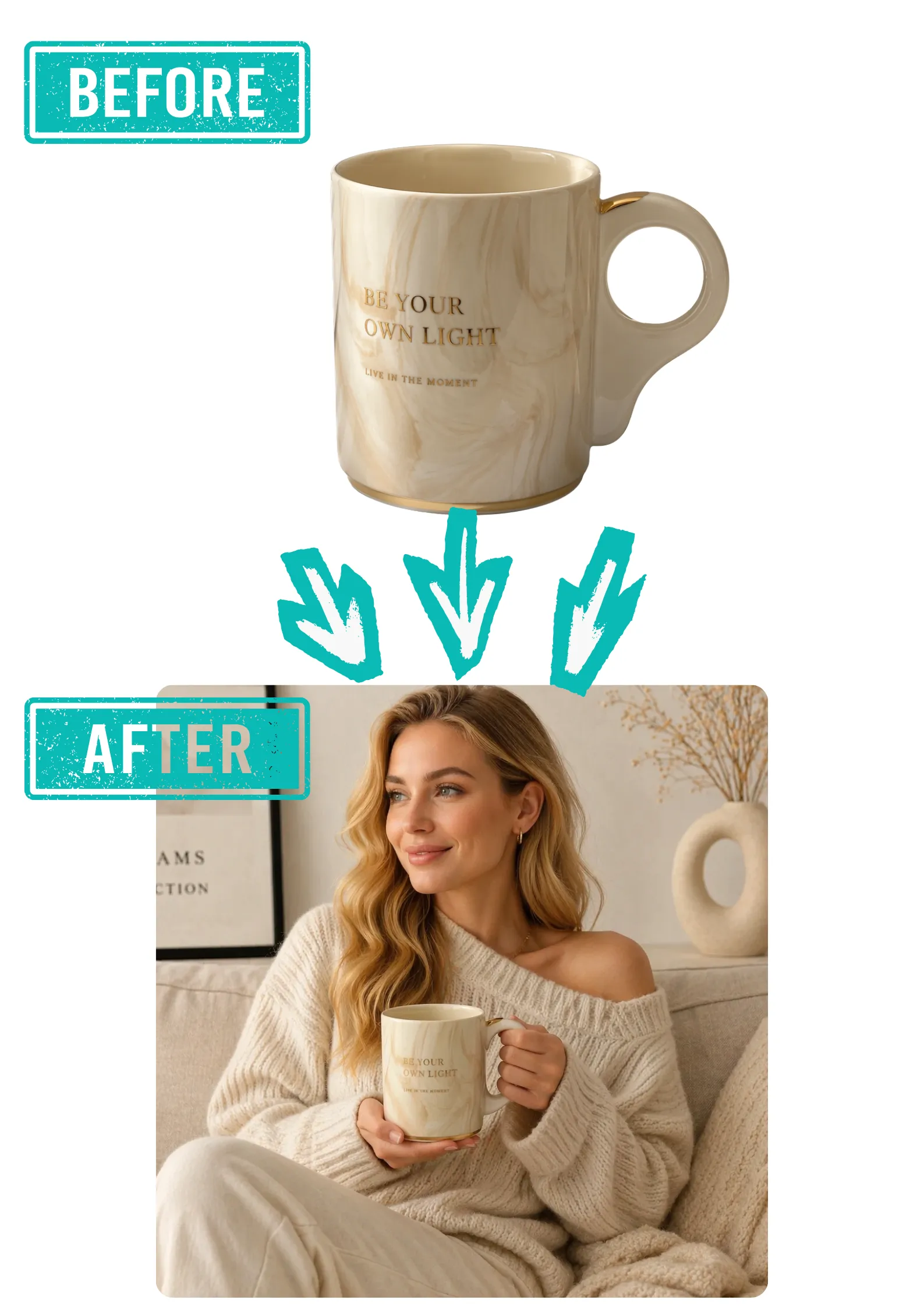
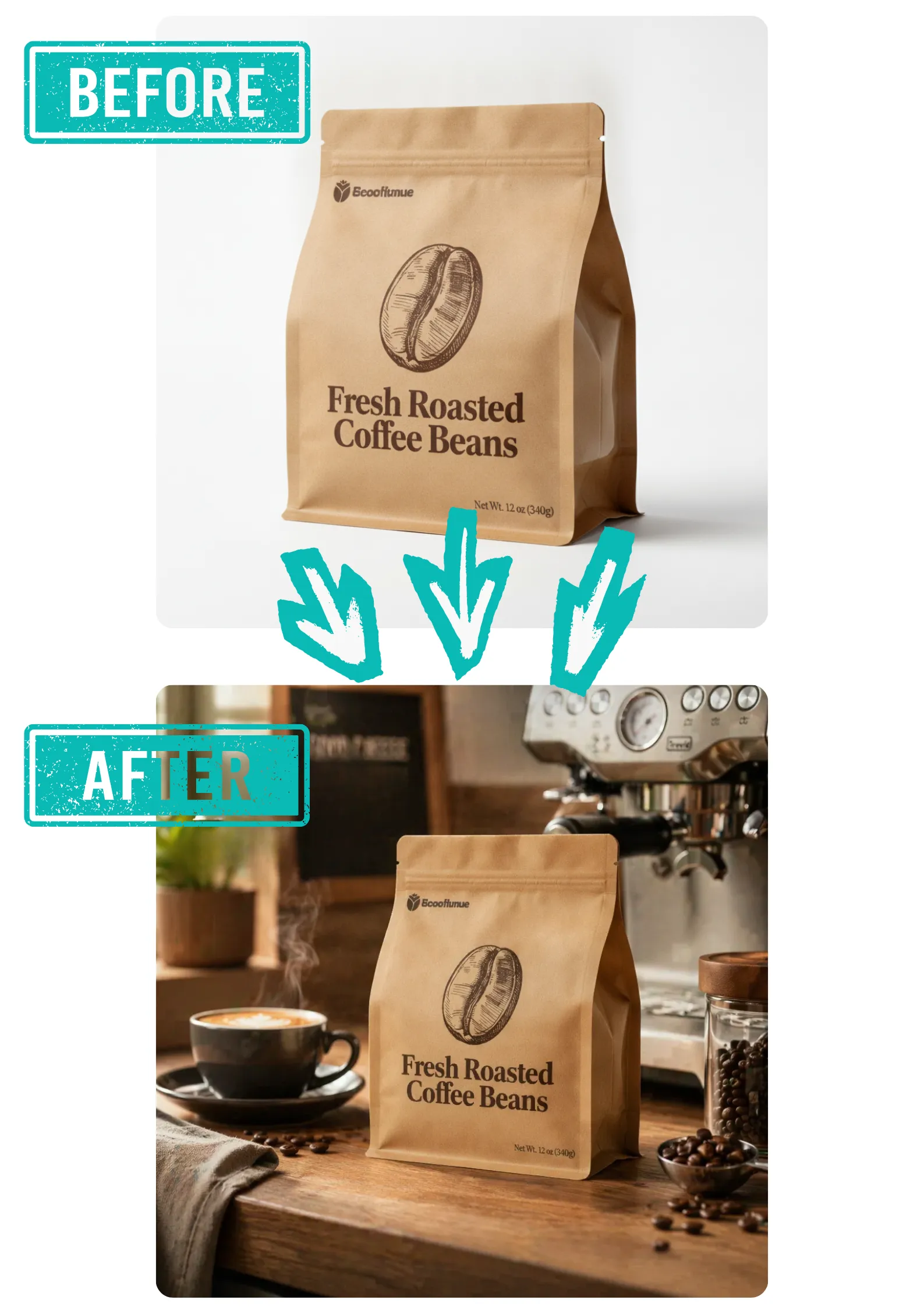
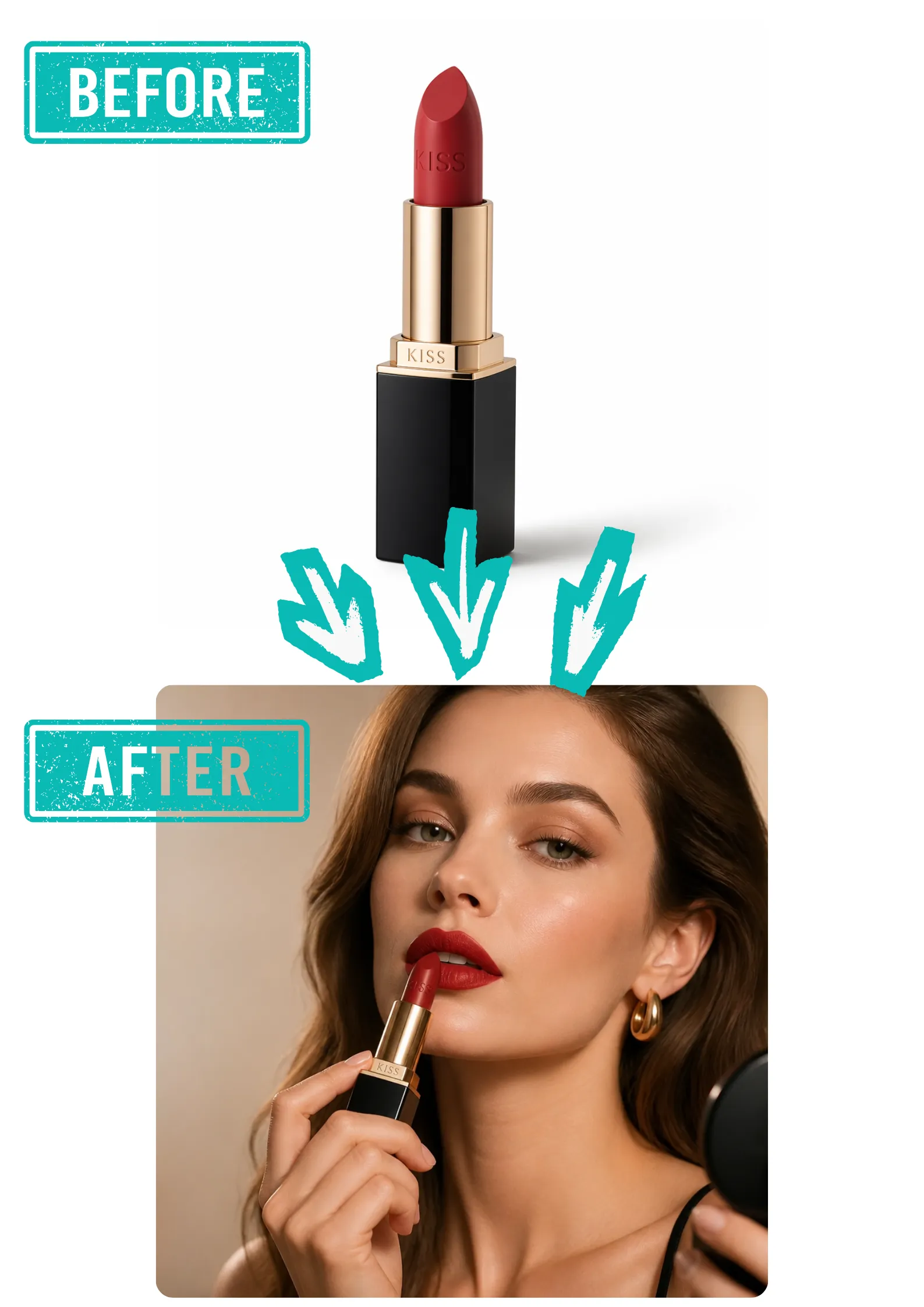


Create Realistic Product Scenes from One Packshot
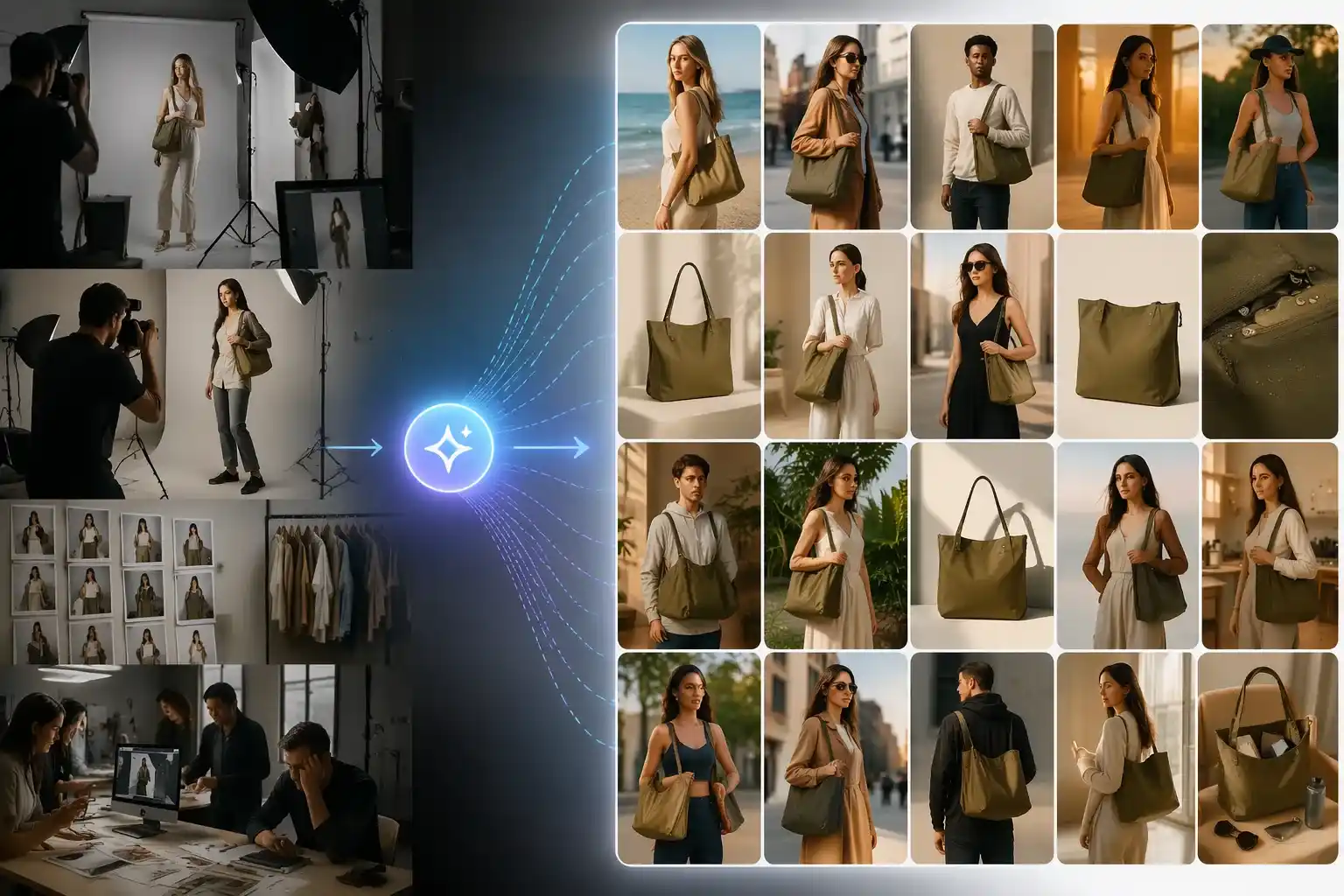
Turn a simple product image into a complete visual story. With EzRemove AI Product Staging, you can place beauty, fashion, home, food, and accessory products into realistic product scenes that match how customers actually discover, compare, and buy online. Instead of showing an isolated item, you can create lifestyle product photos that feel ready for ecommerce listings, ads, landing pages, and social posts. For more flexible edits, you can also use EzRemove as a free AI photo editor to refine and enhance your product visuals.
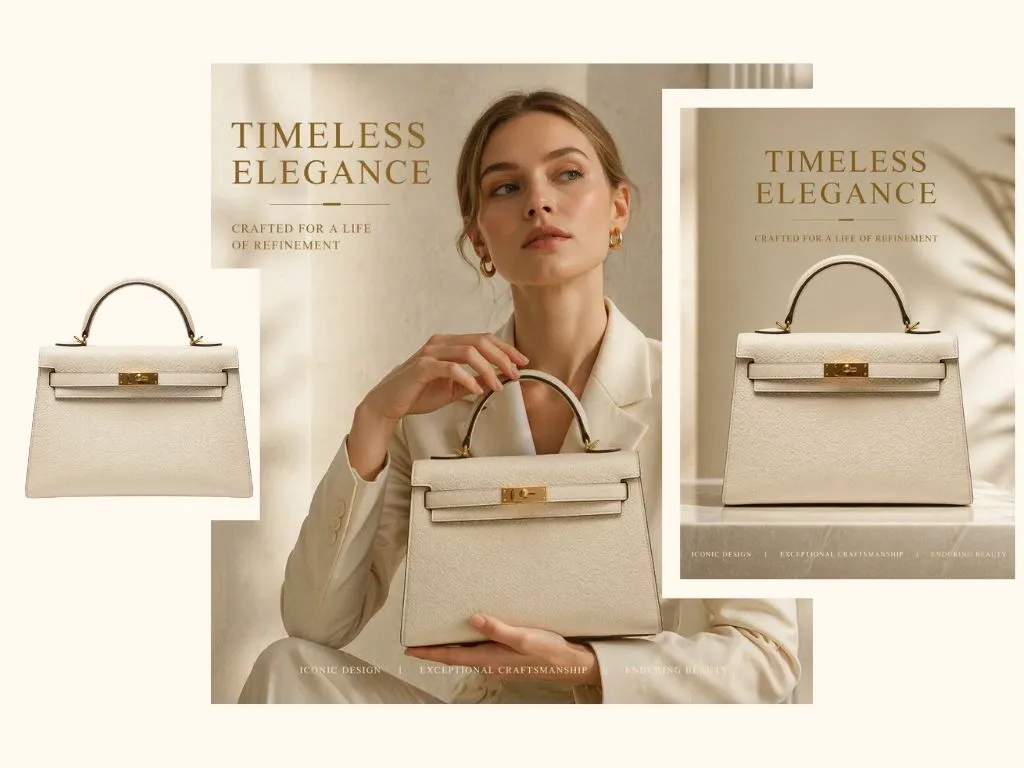
Build AI Product Photography for Different Selling Moments
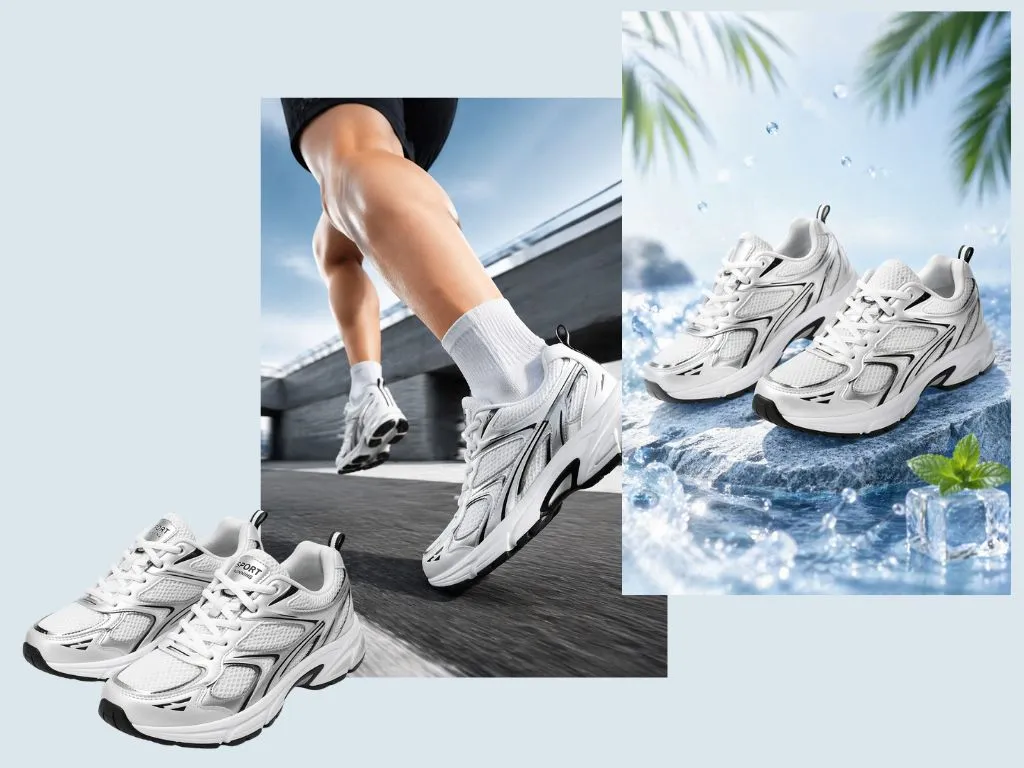
Different campaigns need different visuals. A skincare product may need a clean bathroom counter scene, a handbag may work better in a street-style setup, and a home item may look stronger in a warm interior space. EzRemove helps you create AI product photography for product launches, seasonal promotions, marketplace images, paid ads, and brand storytelling without preparing props, models, or new studio shoots. You can also start with EzRemove’s free background remover to clean up the original product photo before creating new staged visuals.

Refresh Product Visuals for Seasonal Campaigns
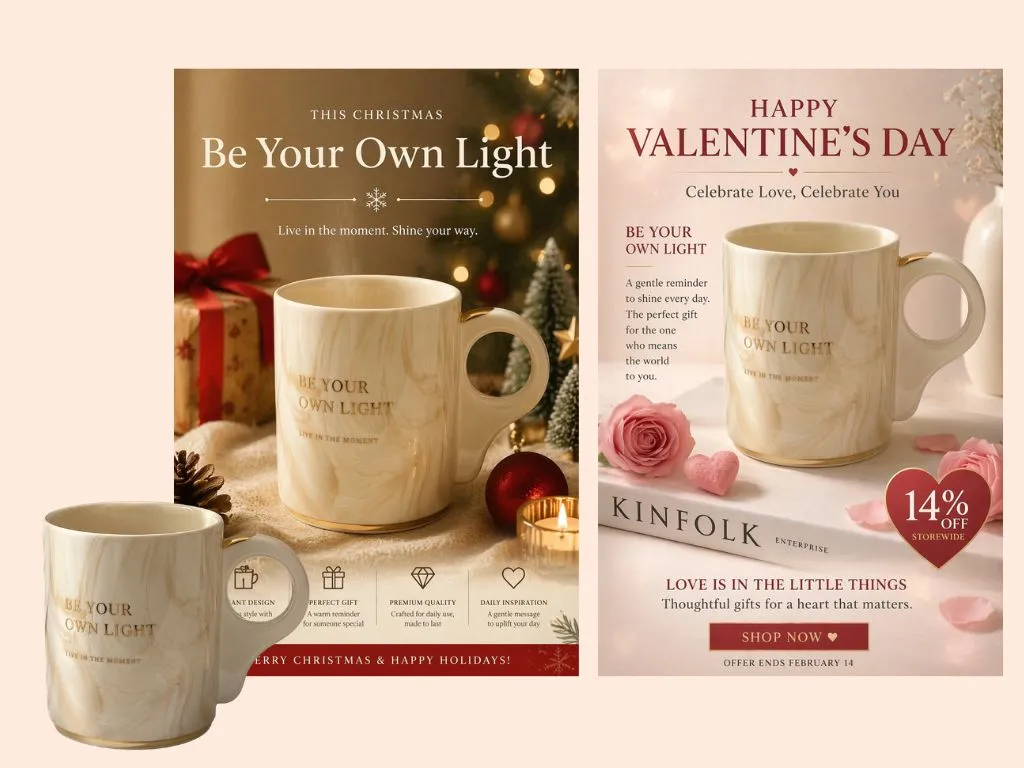
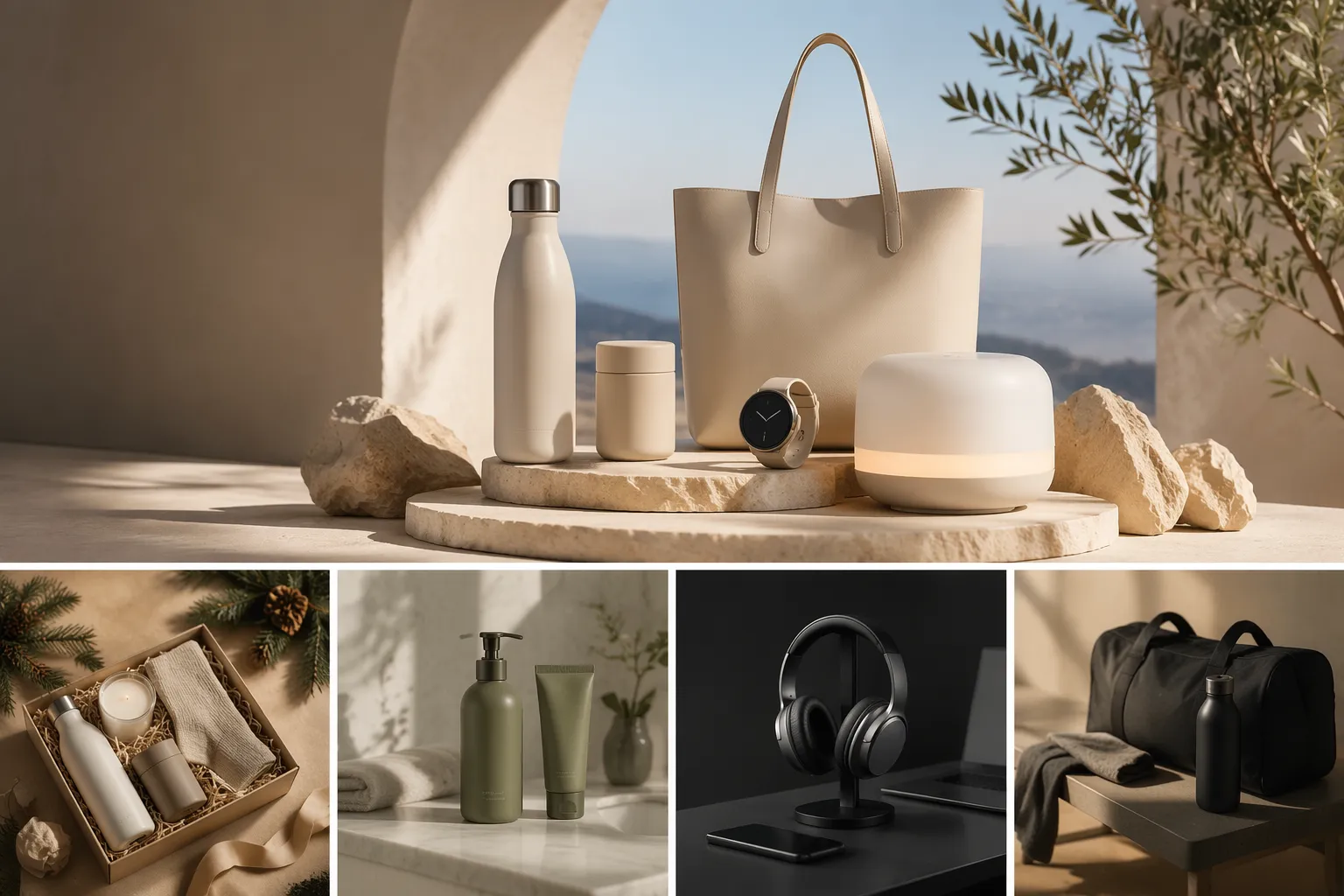
Seasonal campaigns move fast, and your product images need to keep up. With EzRemove AI Product Staging, you can turn the same product photo into fresh visuals for Christmas sales, Black Friday promotions, summer drops, Halloween campaigns, Valentine’s Day offers, and more. Add festive props, themed colors, cozy indoor scenes, or clean promotional layouts without arranging a new photoshoot. This helps ecommerce teams update listings, ads, landing pages, and social content faster while keeping the product clear, polished, and campaign-ready.
Make Product Images Look Connected, Clean, and Commercial
A good product scene should not feel like a pasted object on a random background. EzRemove AI Product Staging helps create cleaner compositions where the product, lighting, background, and overall mood feel visually connected. The result is polished ecommerce product photography that keeps the product clear, supports brand presentation, and makes every image easier to use across listings, banners, ads, and social content. For fashion and apparel visuals, you can also use EzRemove’s virtual model generator free online to present clothing on realistic AI models.
How AI Product Staging Works
-
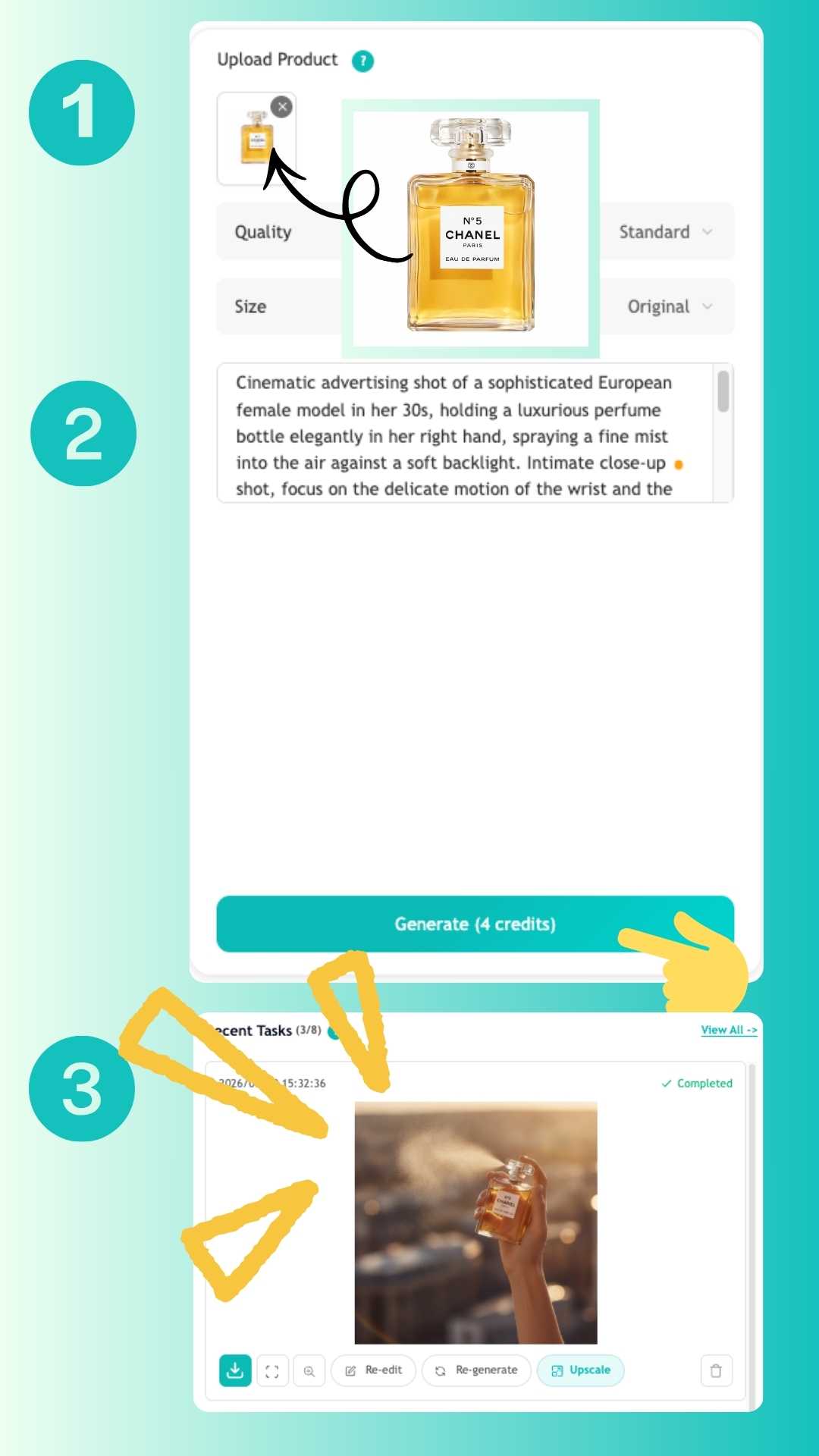
1
Upload the Product Photo
Start with a packshot, transparent PNG, or a product image from a previous shoot. Clear source images help you get a cleaner result, but the workflow is built to save time even when the original asset is not perfect.
-
2
Remove the Background and Stage the Product
Isolate the product, choose a scene direction, and generate a layout that fits your channel. You can keep the result minimal for product detail pages or build a richer product scene for promotional use.
-
3
Export Product Images for Every Channel
- Download assets for ecommerce pages, ad creatives, email banners, campaign landing pages, and social posts. One product can become a full set of visuals that stay visually consistent across your funnel.
AI Product Staging Use Cases
Product Staging for Ecommerce Listings
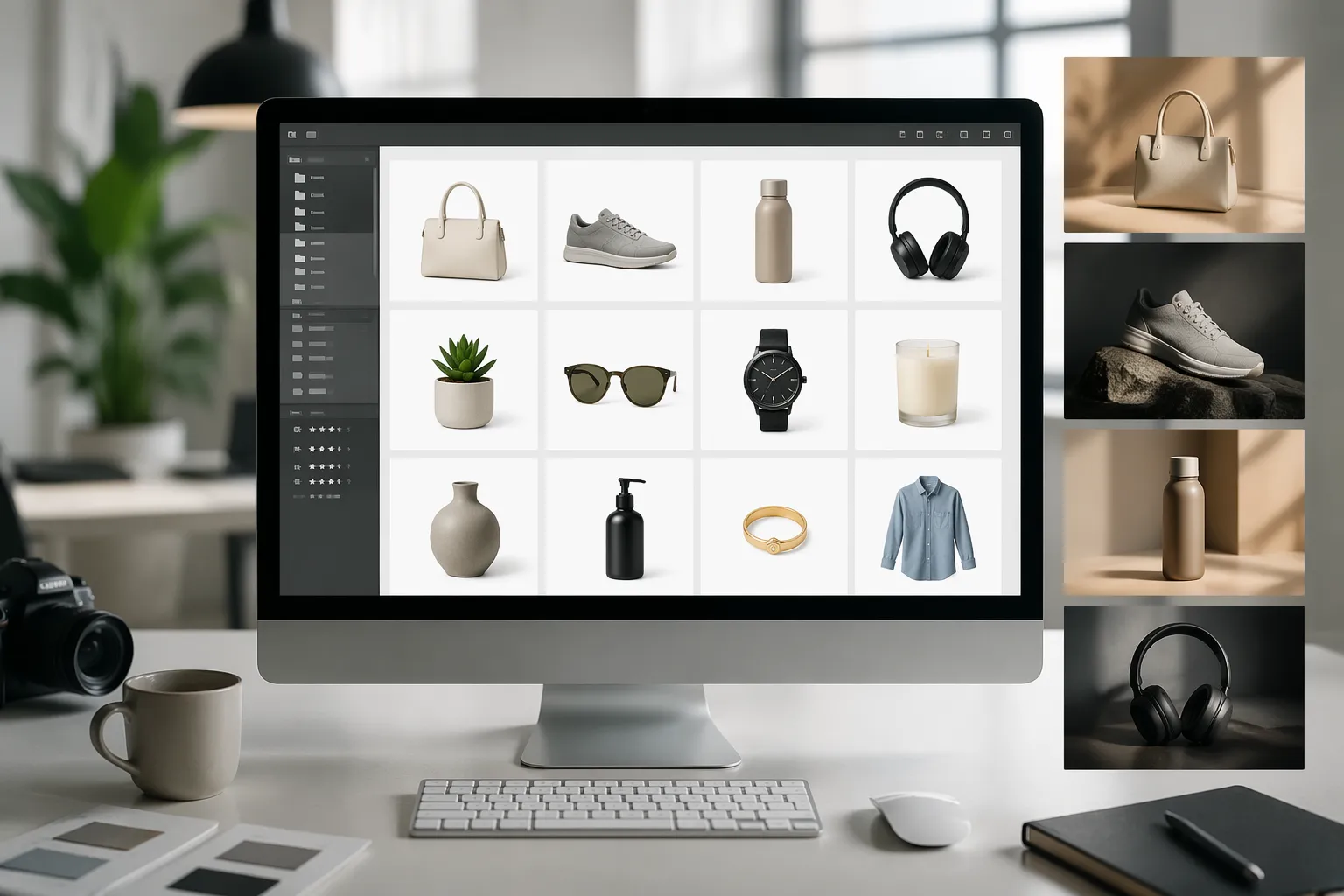
Keep catalog images cleaner, sharper, and more consistent across product pages. Use simple backgrounds for compliance and stronger hero visuals for storefront promotion.
AI Product Photography for Paid Social Ads
Create fresh product scenes for seasonal offers, promotions, and creative testing. Launch more visual variants without waiting on design bottlenecks or reshoots.
Product Scene Generator for Landing Pages
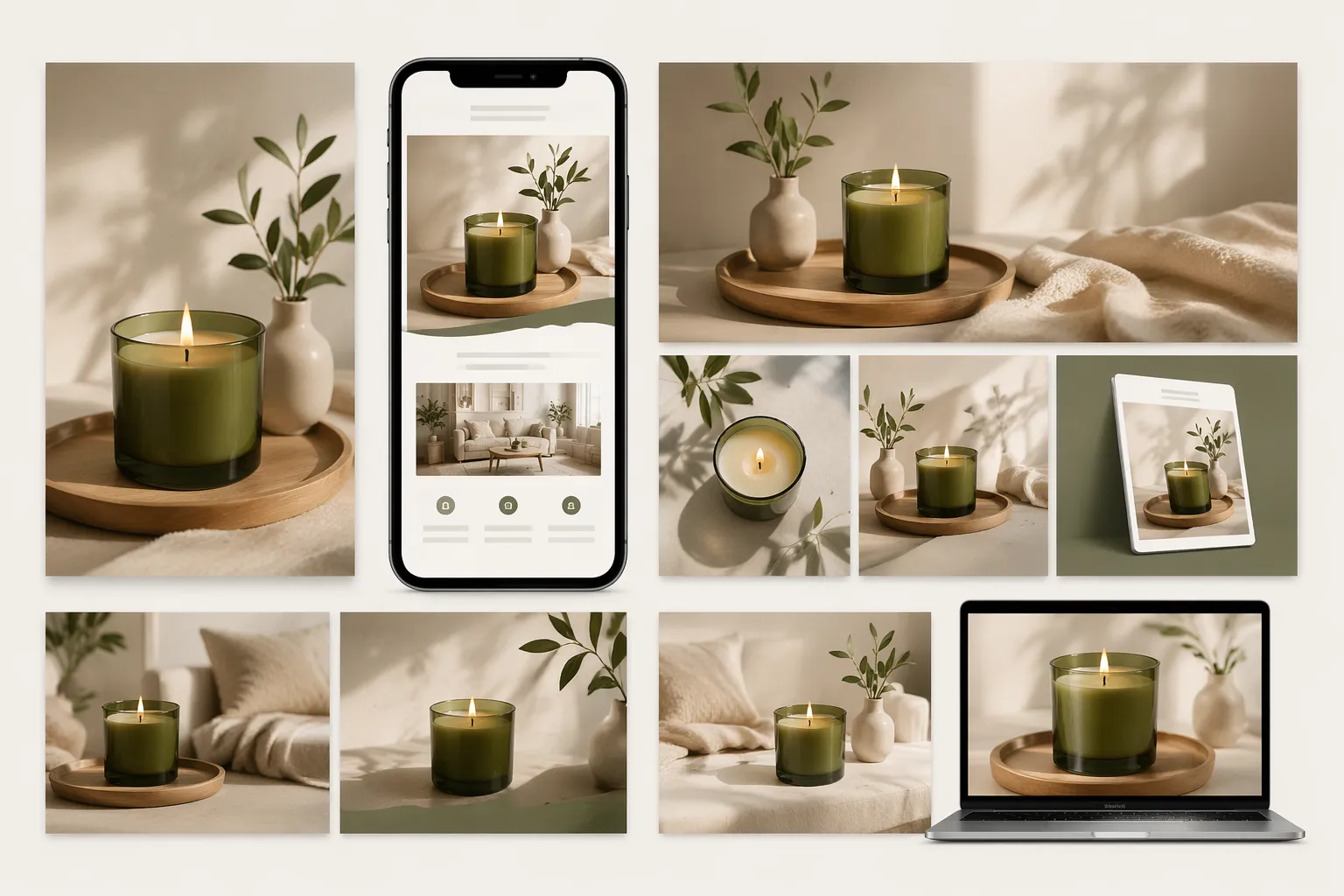
Build branded hero images that support feature messaging, bundles, gift guides, and campaign launches. Product visuals can match the tone of the page instead of feeling like disconnected catalog assets.
Lifestyle Product Photos for Email and Content Marketing
Turn a single product image into multiple marketing assets for newsletters, blog banners, lead magnets, and editorial-style promotions. This helps content teams keep visual quality high while moving faster.
Product Staging for Marketplaces and Retail Teams
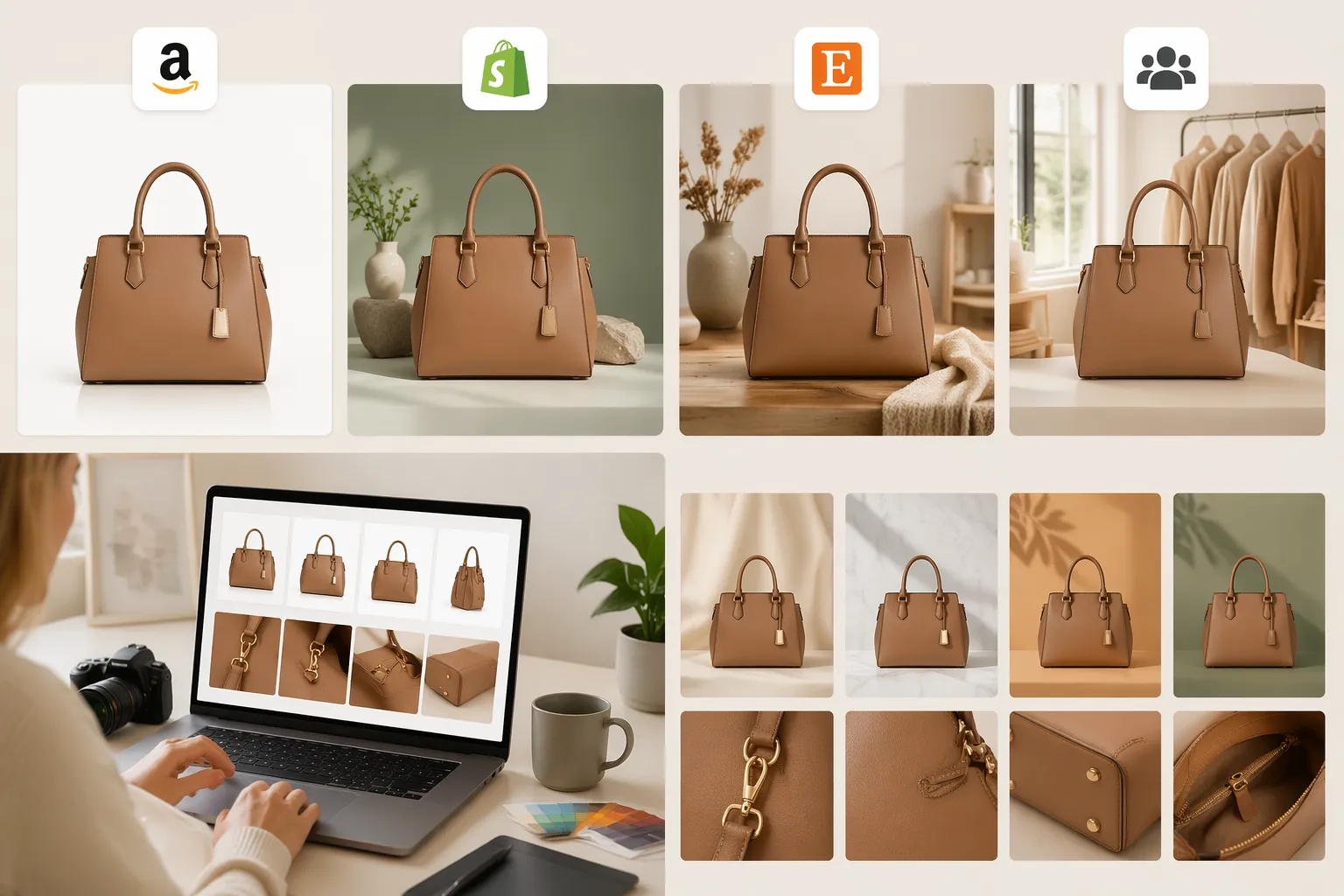
Prepare image sets for Amazon, Shopify, Etsy, and internal merchandising workflows. Make fast adjustments for background style, product focus, and campaign-specific needs without resetting the whole design process.
Keep catalog images cleaner, sharper, and more consistent across product pages. Use simple backgrounds for compliance and stronger hero visuals for storefront promotion.
Create fresh product scenes for seasonal offers, promotions, and creative testing. Launch more visual variants without waiting on design bottlenecks or reshoots.
Build branded hero images that support feature messaging, bundles, gift guides, and campaign launches. Product visuals can match the tone of the page instead of feeling like disconnected catalog assets.
Turn a single product image into multiple marketing assets for newsletters, blog banners, lead magnets, and editorial-style promotions. This helps content teams keep visual quality high while moving faster.
Prepare image sets for Amazon, Shopify, Etsy, and internal merchandising workflows. Make fast adjustments for background style, product focus, and campaign-specific needs without resetting the whole design process.
Why Choose EzRemove for AI Product Staging
Faster Launches
Move from raw product photos to approved campaign assets faster, with fewer revisions, fewer handoffs, and clearer creative consistency.
Consistent AI Photos
Keep every product image aligned across storefronts, landing pages, social ads, and seasonal campaigns with less manual cleanup.
More Creative Testing
Create more background styles and scene options for offers, channels, and audiences without restarting your production workflow.
Better Shopper Attention
Show products in realistic contexts that help shoppers imagine use, value, and fit before they reach checkout.
Lower Production Costs
Reduce reshoots, extra retouching, and repetitive design work while still delivering polished visuals that support conversion.
Scalable Team Output
Support marketers, ecommerce managers, and designers with a repeatable workflow that stays fast as content demand grows.
What Customers Say About EzRemove Product Staging








FAQ About AI Product Staging
What is AI Product Staging?
AI Product Staging is a way to turn a plain product photo into a more complete product scene using AI. Instead of only removing or changing the background, EzRemove helps place your product into realistic settings with cleaner composition, more natural lighting, and a more polished ecommerce look.
How does AI Product Staging work?
Upload your product photo, choose or describe the type of scene you want, and let AI generate a new product image around it. EzRemove keeps the product as the visual focus while creating a background, mood, and setting that better fit listings, ads, landing pages, or social media.
Can I use AI Product Staging for ecommerce product photography?
Yes. AI Product Staging is especially useful for ecommerce product photography because it helps create product visuals for online stores, marketplaces, paid ads, and product landing pages without arranging a full photoshoot every time.
Will AI Product Staging change my product?
EzRemove is designed to keep the product clear and recognizable while improving the surrounding scene. For best results, start with a clean product photo where the item is visible, sharp, and not heavily covered by shadows, hands, or other objects.
What types of products work best with AI Product Staging?
AI Product Staging works well for beauty products, fashion accessories, home goods, food packaging, drinkware, electronics, jewelry, bags, shoes, and many other physical products. Clear packshots, catalog images, and product photos with simple backgrounds usually generate better results.
Can I create lifestyle product photos with AI?
Yes. You can use EzRemove to create lifestyle product photos that show your product in more realistic contexts, such as a bathroom counter, kitchen table, desk setup, fashion scene, gift layout, or seasonal campaign setting. This helps shoppers better understand how the product fits into real life.
Do I need Photoshop or photography skills?
No. EzRemove AI Product Staging is made for ecommerce teams, marketers, store owners, and designers who want faster product visuals without complex editing. You only need to upload a product photo and choose the type of product scene you want to create.
Can AI Product Staging help improve conversion?
Better product visuals can help shoppers understand the product faster, feel more confident, and stay engaged with the page. While conversion depends on many factors, realistic product scenes, clean AI product photography, and consistent campaign visuals can support stronger product presentation.
Is AI Product Staging useful for Amazon, Shopify, and social ads?
Yes. You can use AI Product Staging to create clean product visuals for Shopify stores, Amazon-style listings, landing pages, social media posts, email campaigns, and paid ads. It helps teams create more visual variations without repeating the full production process.
Is there a free trial for EzRemove AI Product Staging?
Yes. You can use free credits to try EzRemove AI Product Staging. If you need more results, you can purchase credit packages, and purchased credits do not expire.