Choose Your Plan

Choose monthly, yearly, or one-time credits — pay the way that fits you best.

STARTER
Free Plan
10 Credits/Day

Unlock ALL Pro Features – No Subscription Needed!

Log in daily and get 10 credits instantly

✨ Usable on every premium tool:

Magic Eraser

Text Remover

Object Remover

People Remover

Image Watermark Remover

AI Photo Editor

💡 Upgrade your plan or add credits anytime for maximum flexibility

MOST POPULAR
One-Time Payment

Lifetime access, no recurring fees

More credits. Better quality. Faster than free.

Select Your Package

70 Credits

$0.100 /credit

$7

300 Credits

$0.050 /credit

$15

700 Credits

-12%

$0.041 /credit

$32.90$28.90
hot

2000 Credits

-35%

$0.029 /credit

$90.90$58.90

3000 Credits

-38%

$0.026 /credit

$127$78.9

5000 Credits

-40%

$0.020 /credit

$166$100

9000 Credits

-43%

$0.018 /credit

$291$166
MONTHLY ACCESS
Monthly Plan

Pay as you go, cancel anytime

Credits refresh every month.

Select Monthly Package
100 Credits / mo
$0.070 /credit
$7
500 Credits / mo
$0.030 /credit
$15
2000 Credits / mo
$0.018 /credit
$36
Most Popular
5000 Credits / mo
$0.016 /credit
$80

  • Auto-renews every month
  • Cancel anytime easily
Flexible monthly commitment
1-YEAR ACCESS
Yearly Pass

Steady credits, best value

Pay once, get credits monthly for a full year.

Select Yearly Package
-50%
6000 Credits total
500 credits / month

$15.00/mo

$7.50/mo

One-time Bonus

Added immediately upon purchase. Separate from your monthly allocation.

+1500 Permanent Credits

Up to 100 credits roll over monthly
$0.015 /credit
$180$90 total
-54%
Best Value
15000 Credits total
1250 credits / month

$35.00/mo

$16.25/mo

One-time Bonus

Added immediately upon purchase. Separate from your monthly allocation.

+3000 Permanent Credits

Up to 250 credits roll over monthly
$0.013 /credit
$420$195 total

  • One-time payment for a full year
  • Does not auto-renew next year
Perfect for continuous, high-volume usage
Secure Payment
Instant Activation
Money-Back Guarantee
EzRemove.ai
CreateAgentHOT

Creation Tools

ImageVideo

Studio

Photo StudioEcommerce StudioToolsMy Creations
Pricing

Popular tools

AI Photo EditorAI Photo EditorAI-powered photo editing for creators, brands, and teams. Use simple prompts to transform images, refine details, change styles, edit objects, and create polished visuals online in minutes.Read moreExplore All Tools →
AI Image
Remove & Enhance Tools
Background RemovalhotBatch Background RemoverBackground ChangerGIF Background RemoverhotMagic EraserObject RemoverText RemoverPeople RemoverCleanup PicturesAI Image UpscalerhotAI Photo EnhancerhotHD Photo ConverterPhoto RestorationSharpen ImageUnblur ImageBatch Image Enhancer
Edit & Generate Tools
AI Photo EditorhotAI Image GeneratorhotImage Text EditorImage To ImageScreenshot EditorAI Background EditorAI Room DesignhotAI Interior DesignAI Home DesignAI Room Planner
Solutions

Discover tailored workflows and tools for your specific needs.

Explore All Solutions →
AI Interior DesignE-commerce Photo EditingAI Photo EditingBackgrounds ToolsImage Enhancement & RestorationVideo & GIF EditingHow-to GuidesTool Reviews & Comparisons
0
0
Today's Free Credits

10

Auto Gift

✨

+30

Check In →

Expires Daily: All free credits reset at 00:00 (UTC)

Log in to get 10 free credits daily
Check in daily for up to 30 bonus credits

AI Creative Agent for
Image & Video

Describe the idea once, or attach a skill. Auto picks up the rest — generation, editing and motion in one conversation.

​
Auto
Skill library

Hover a card to preview its prompt. Click a card for the full prompt, or hit Use skill to attach it.
Turn One Request Into a Complete Creative Workflow

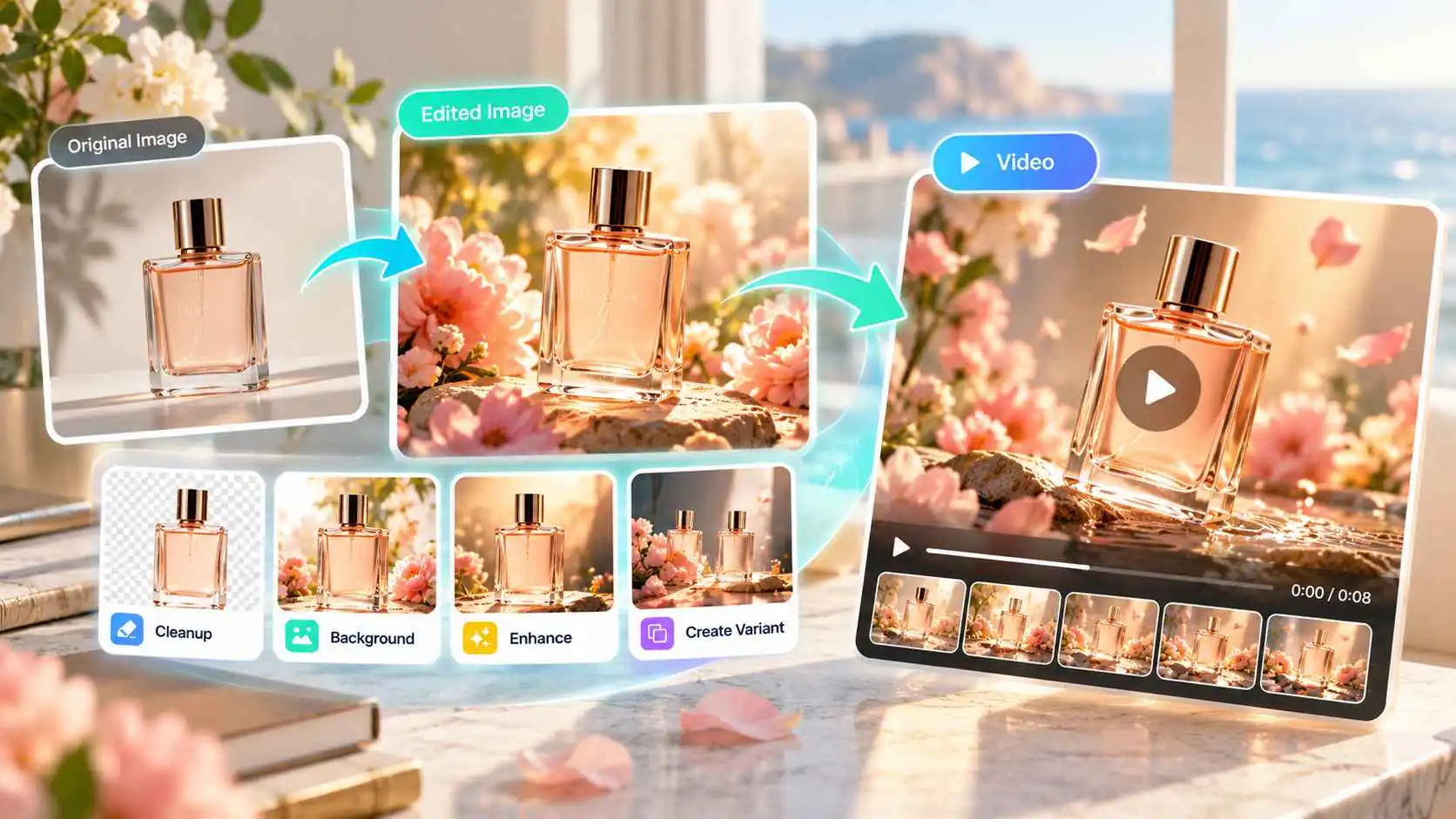
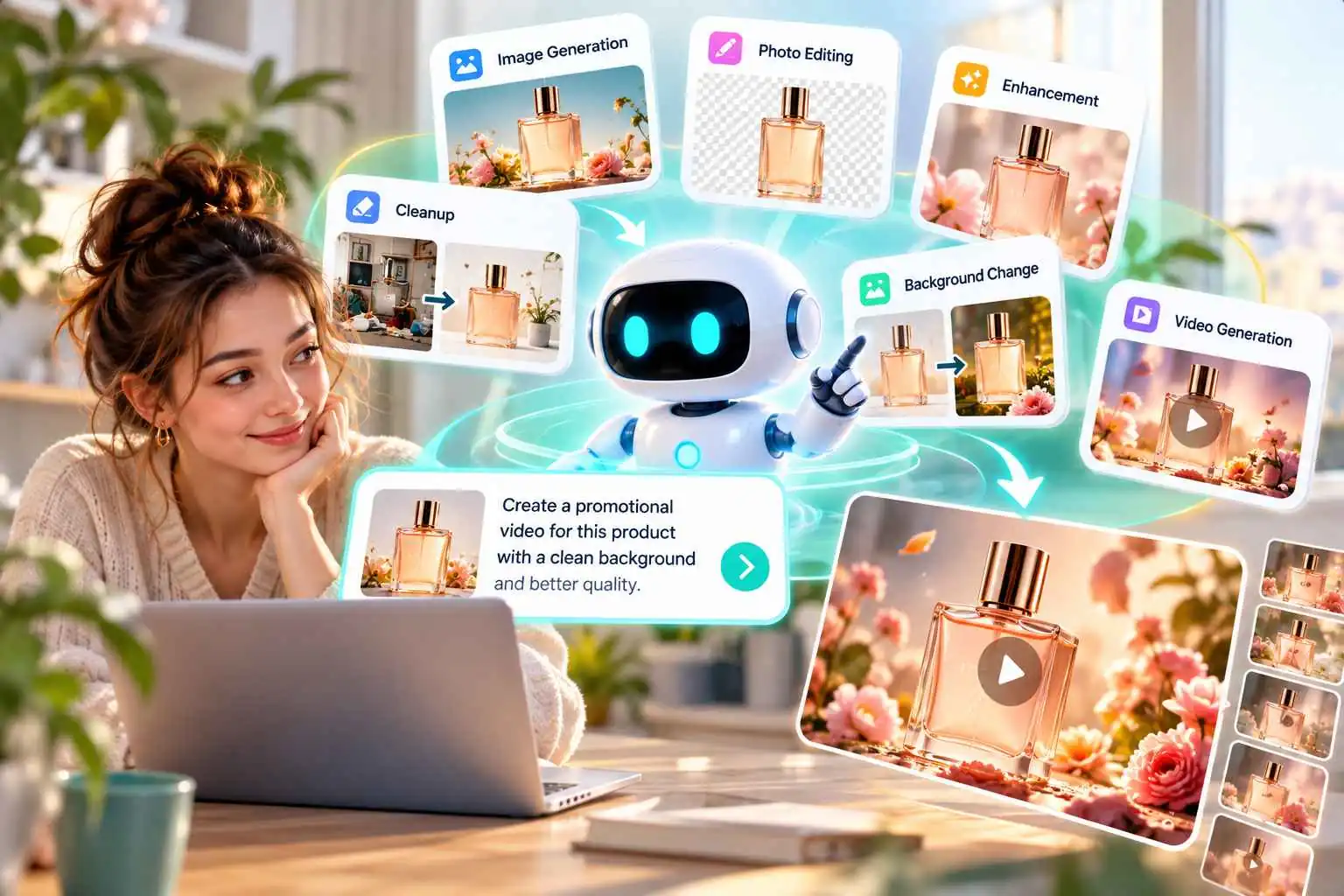
Creative work often starts with a simple idea but quickly turns into a list of separate tasks. You may need to clean up an image, change the background, improve the quality, create a new version, and then turn it into a video.

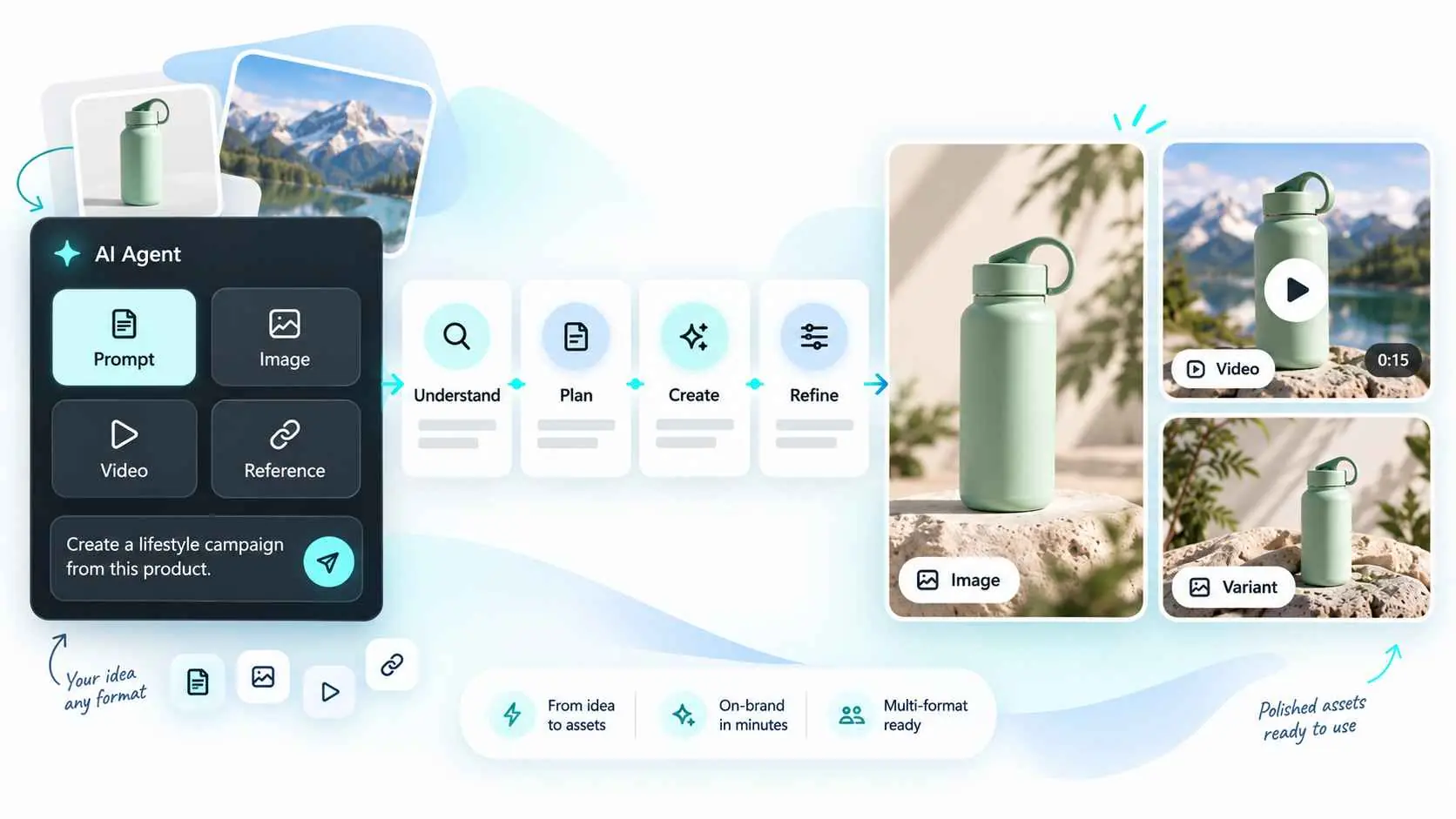
With EzRemove Agent, you can start by simply describing the result you want. Add a prompt, image, video, or reference, and the Agent understands the goal, works out the steps, and moves the project forward as one connected workflow.

EzRemove AI Creative Agent turning one request into a complete image and video workflow

Let EzRemove Agent Choose the Right Skills

You should not have to figure out which tool, model, or feature to use before you can create anything. When dozens of AI tools solve slightly different problems, choosing the right one can take longer than the task itself.

Tell EzRemove Agent what you want to achieve. It analyzes your request and automatically chooses the most relevant skills for tasks like image creation, photo editing, enhancement, cleanup, or video generation. You focus on the result. The Agent handles the workflow behind it.

EzRemove AI Creative Agent automatically selecting the right skills for image editing and video creation

Move From Image to Video Without Switching Workflows

A creative project rarely stays in one format. A product photo may need editing before it becomes an ad. A generated image may need to be enhanced before turning into a short video. Moving between separate tools often means uploading the same files again and rebuilding the creative direction from scratch.

EzRemove Agent keeps your source assets and project context connected, so you can refine an image and continue directly into video creation without starting a new workflow.

EzRemove AI Creative Agent moving from image editing to video creation in one connected workflow

Change What You Want Without Starting Over

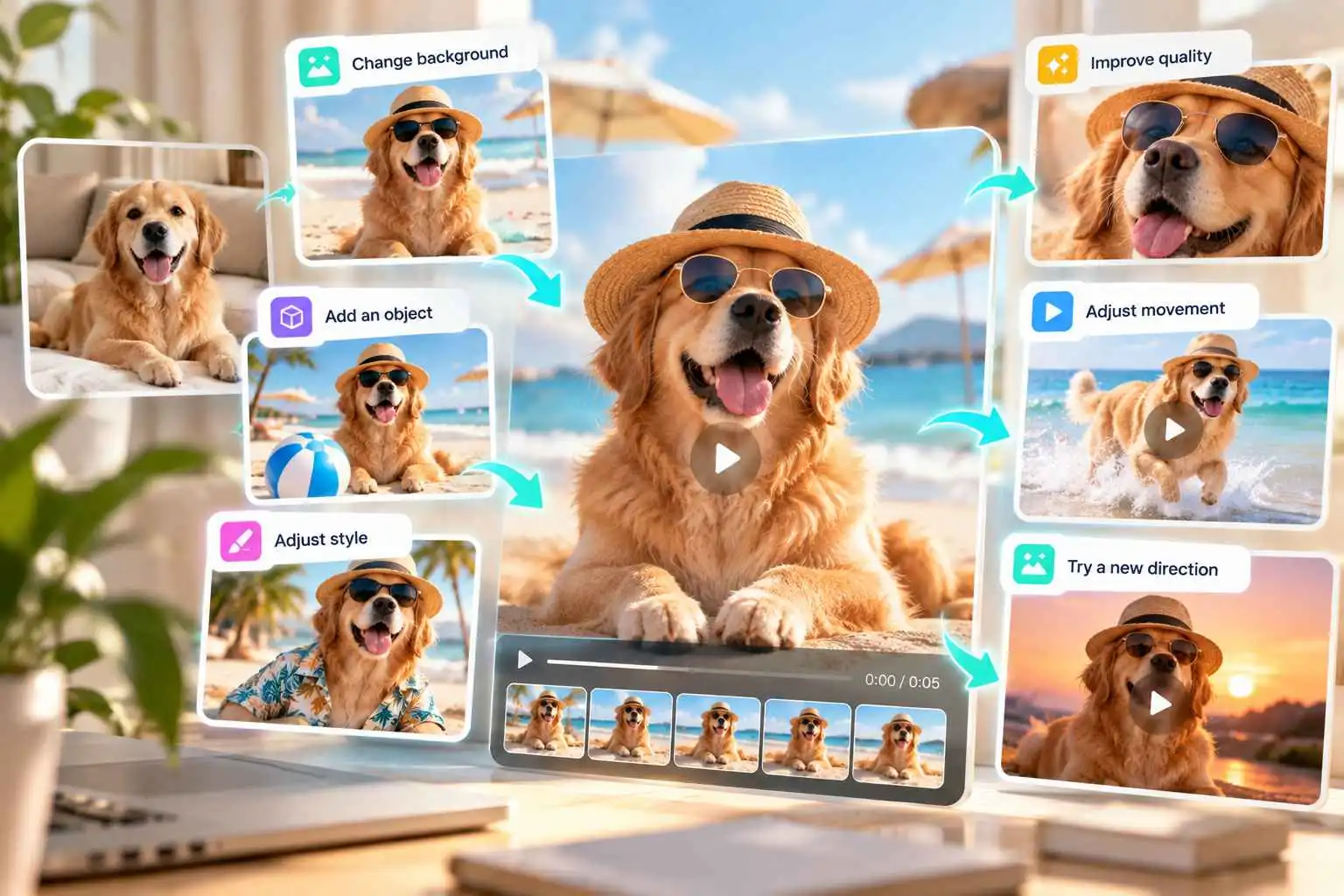
The first result is not always the final one. Maybe the product looks right, but the background does not. The image is strong but needs better quality. The video works, but the movement feels too fast.

Instead of starting again, simply tell EzRemove Agent what you want to change. It keeps the existing project context and continues from the current result, whether you are adjusting a scene, replacing an element, refining the style, improving quality, or taking the project in a new direction.

EzRemove AI Creative Agent refining backgrounds, styles, quality, and motion without restarting the project

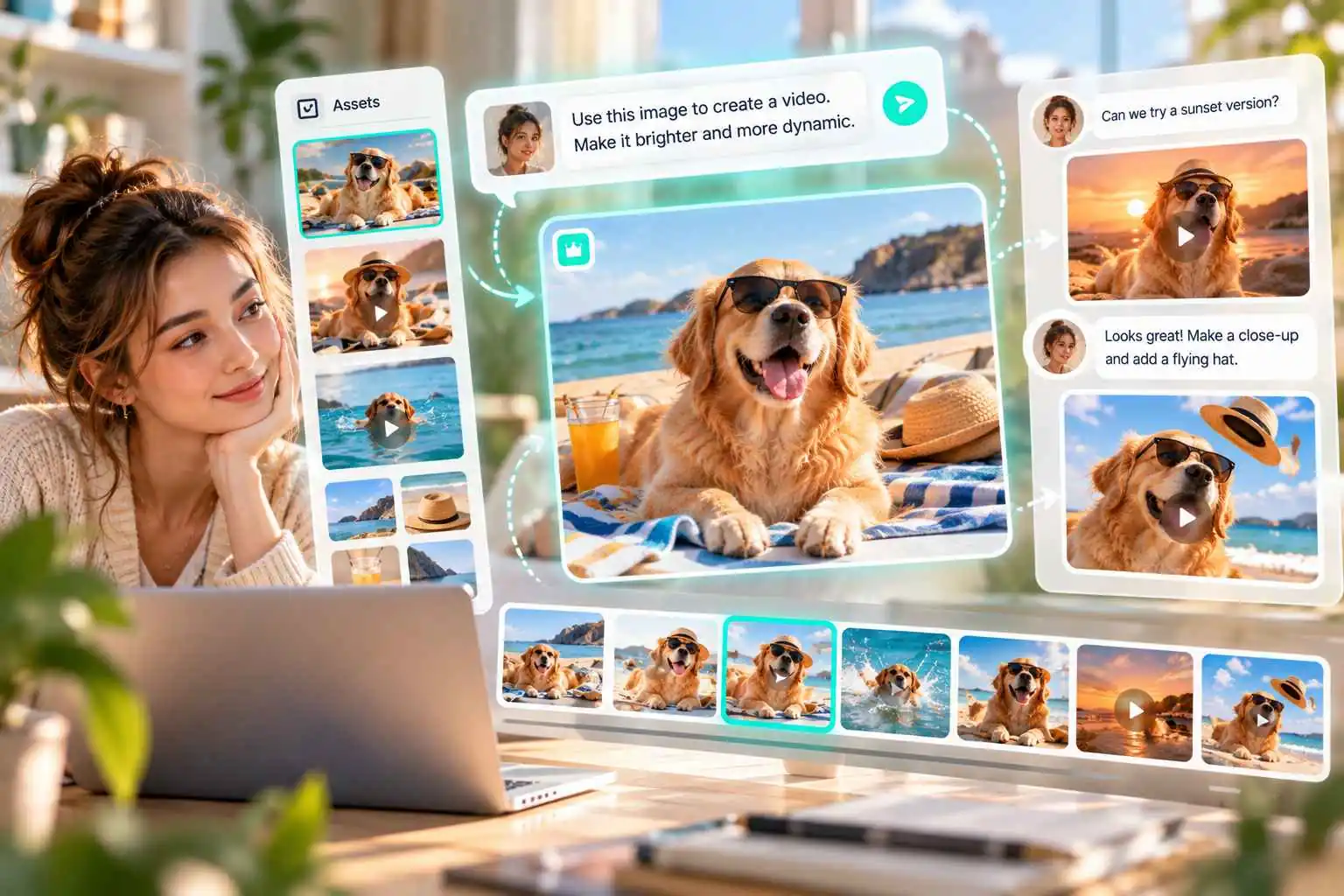
Keep Your Assets, Ideas, and Feedback Connected

Repeating the same prompt, uploading the same image again, or explaining your project from the beginning can quickly break your creative flow.

EzRemove Agent keeps your prompts, uploaded assets, generated images and videos, previous results, and feedback connected throughout the project. You can return to an earlier version, reuse an approved asset, or continue with a new request while keeping the same creative direction. Less time rebuilding context. More time improving the result.

EzRemove AI Creative Agent keeping creative assets, previous results, and feedback connected in one project

How the EzRemove AI Creative Agent Works

1

Share Your Goal and Assets

Start by describing what you want in normal language.

You can add a:

  • Text prompt
  • Image
  • Product photo
  • Video
  • Visual reference
  • Existing creative asset

Your request can be detailed or simple.

For example:

Remove the background from this product photo, create a cleaner ecommerce version, and then make a short video for Instagram.

You do not need to divide the request into separate tools first.

2

Let the EzRemove Agent Plan and Choose the Right Skills

EzRemove Agent analyzes your request, source media, previous conversation, and desired result.

It identifies what needs to happen and automatically chooses the relevant skill or sequence of skills.

For a simple task, one skill may be enough.

For a larger creative request, EzRemove Agent can plan several connected actions, such as:

Product Photo → Background Removal → Product Staging → Image Enhancement → Image to Video

If important information is missing, the Agent can ask for the details needed to continue rather than making you configure every setting manually.

3

Review, Refine, and Keep Creating

Review what EzRemove Agent produces and continue the conversation.

You can say:

  • Make the background brighter.
  • Keep the same product but change the scene.
  • I like this image. Turn it into a video.
  • Make the movement slower.
  • Use the previous version but improve the image quality.

EzRemove Agent keeps the existing context, source files, previous outputs, and your feedback connected.

You refine the project instead of rebuilding it.

Built for Real-World Creators, Marketers, and Brands

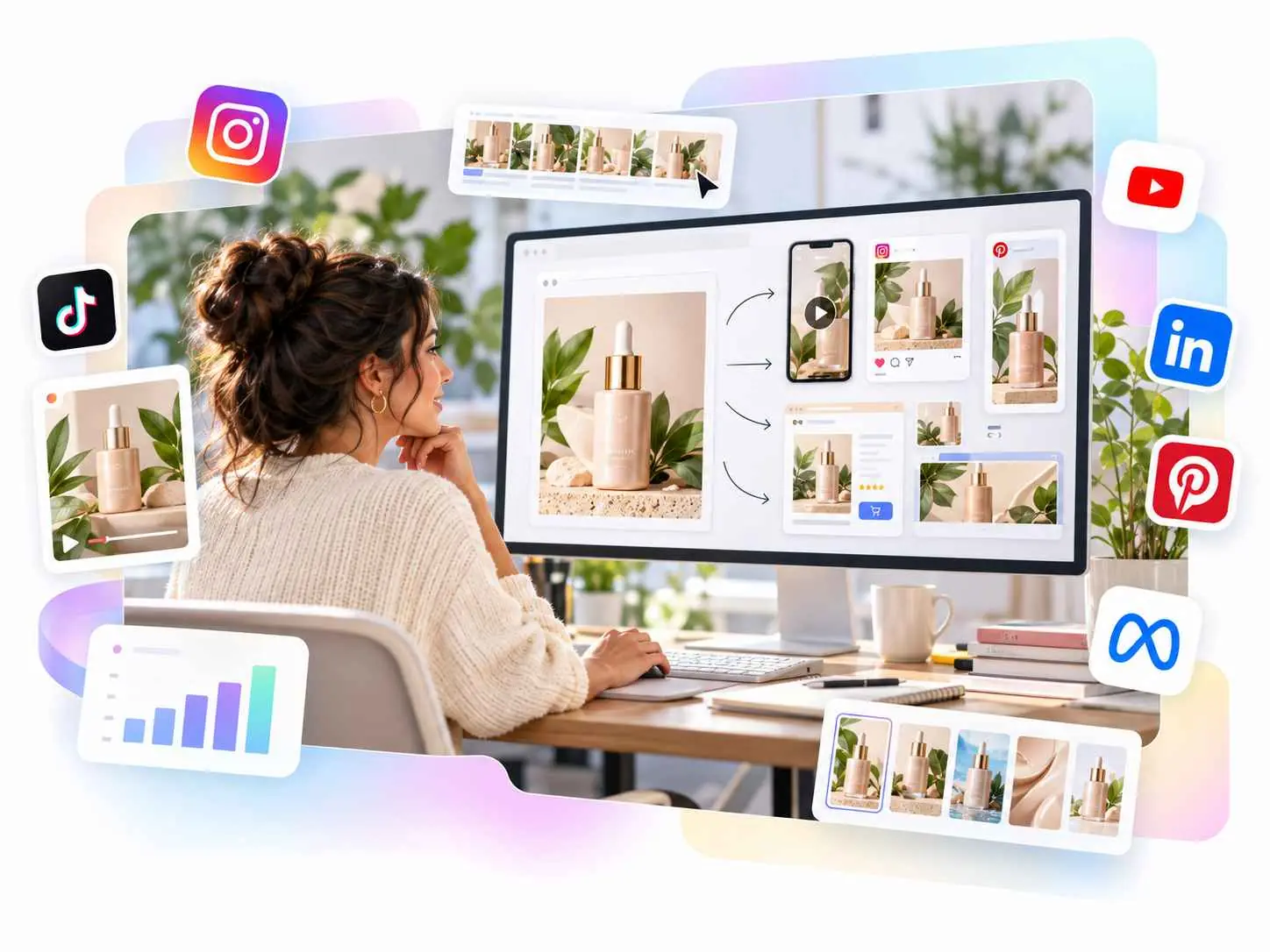
Creative work rarely starts with a perfect brief or a finished asset. You may have a rough idea, a product photo, an old campaign image, or a few references that still need work. EzRemove Agent helps turn those starting points into usable content while keeping your assets, feedback, and creative direction connected.

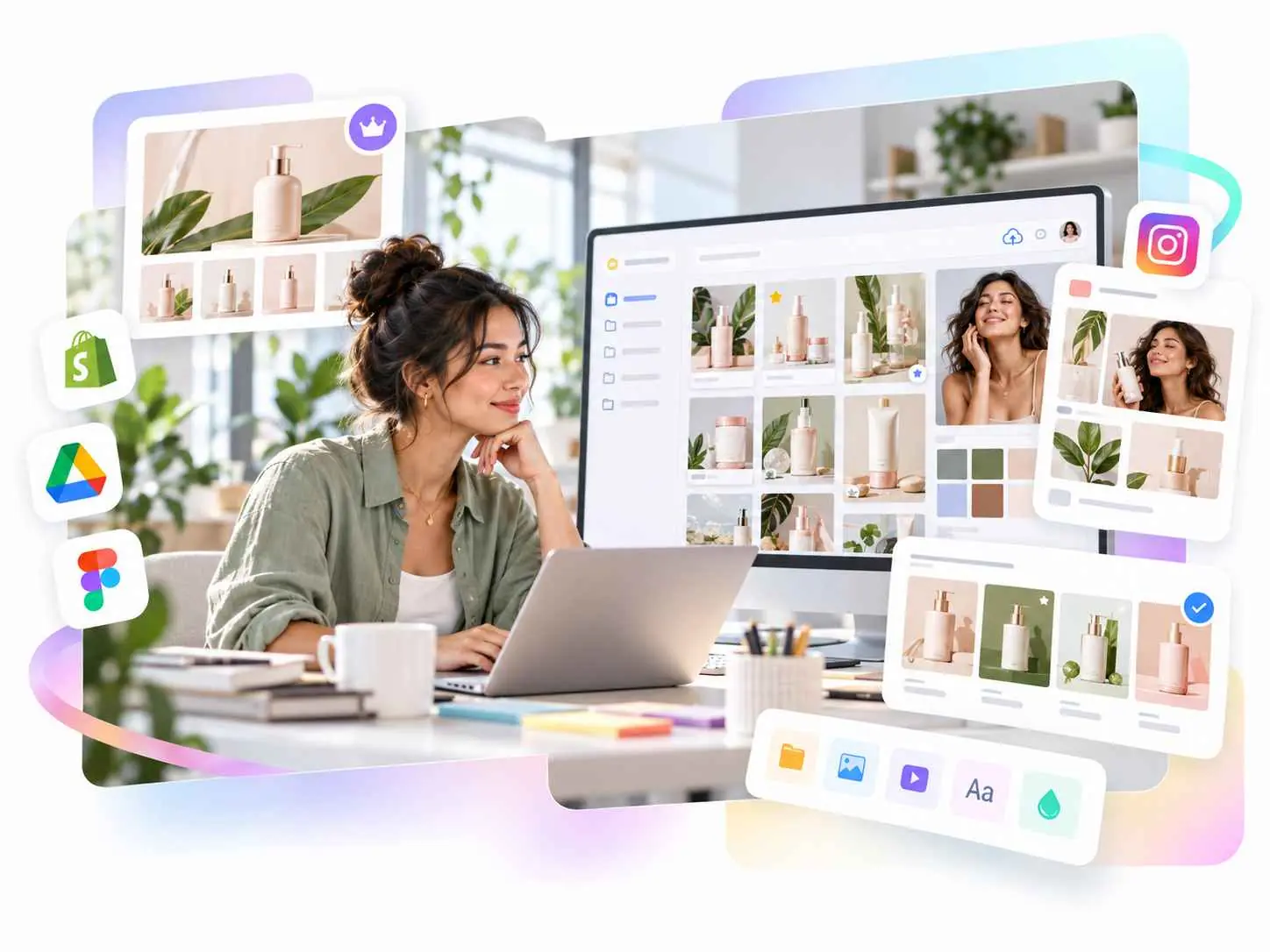
EzRemove AI Creative Agent helping marketers create and plan campaign content across social channels

Create Campaign Content That Moves People to Act

Turn product information, campaign ideas, reference images, or rough briefs into polished marketing assets. Start with a product photo, clean it up, create new campaign visuals, test different creative directions, and continue into promotional video when needed.

  • Test different hooks, offers, audiences, and visual directions
  • Turn existing product assets into ads, campaign images, and promotional videos
  • Create new variations without rebuilding the campaign from the beginning
EzRemove AI Creative Agent keeping creative assets, previous results, and feedback connected in one project

Create More Content From the Assets You Already Have

A single image or idea can become much more than one post. Use EzRemove Agent to edit photos, create new visual variations, improve quality, change styles, and turn approved images into short-form videos for different channels.

  • Reuse one idea across social posts, ads, product pages, and video
  • Keep approved subjects, products, and visual references consistent
  • Adjust individual assets without restarting the entire project
EzRemove AI Creative Agent keeping product visuals and brand content consistent across creative workflows

Build Consistent Brand and Product Content at Scale

Creating more content often means repeating the same instructions across multiple tools. EzRemove Agent keeps your product assets, previous results, and creative direction connected, making it easier to build a consistent set of visuals around the same brand or campaign.

  • Keep product, brand, character, and style references connected
  • Reuse approved images and creative directions across related projects
  • Create and refine supporting images, videos, and campaign assets in one workflow

Why Use EzRemove AI Creative Agent

Start With the Result, Not the Tool

Describe what you want to create. EzRemove Agent chooses the right capability for the task.

Automatically Choose the Right Skills

EzRemove Agent selects the best workflow for generation, editing, cleanup, enhancement, e-commerce, or video creation.

Keep Your Project Context Connected

Your assets, previous results, feedback, and creative direction stay connected as the project moves forward.

Connect Image and Video Workflows

Move easily between image creation, editing, enhancement, and video generation in one connected workflow.

Refine Results Through Conversation

Tell EzRemove Agent what to change, improve, or create next without rebuilding the prompt from scratch.

Spend Less Time Managing Tools

Avoid switching tools, reuploading files, and repeating instructions. Focus more on the final creative result.

FAQ About EzRemove Agent

What is EzRemove Agent?

EzRemove Agent is an online agent for image and video creation. It understands your goal, analyzes the available source material and project context, selects relevant AI skills, and can organize connected creative steps to move a project from request to result.

How is EzRemove Agent different from an AI image generator?

An AI image generator typically turns a prompt or reference into an image. EzRemove Agent can understand a broader goal, decide which skill is needed, use previous project context, and continue across multiple editing, enhancement, image generation, or video steps.

Does EzRemove Agent choose skills automatically?

Yes. EzRemove Agent analyzes your request and selects the relevant available skill automatically. If the task requires several capabilities, it can plan and execute a connected sequence of steps.

Can EzRemove Agent complete multiple tasks in one request?

Yes. You can describe a larger goal instead of submitting every action separately.

For example, you could ask EzRemove Agent to remove a product background, generate a new scene, enhance the final image, and then create a short product video.

EzRemove Agent can break the goal into appropriate steps and keep the project context connected.

What image tasks can EzRemove Agent handle?

Depending on the skills currently available, image workflows can include AI image generation, prompt-based photo editing, image-to-image transformation, background removal, object removal, people removal, text editing, image cleanup, enhancement, upscaling, sharpening, unblurring, photo restoration, e-commerce product visuals, virtual model creation, and room or home design.

What video tasks can EzRemove Agent handle?

Available video workflows may include text to video, image to video, reference to video, product video creation, social video creation, Talking Photo, Lip Sync, Talking Cartoon, Talking Animals, and other supported video generation or editing tasks.

Can EzRemove Agent work with images and videos in the same project?

Yes. A project can start with an image and later continue into a video workflow when the requested capabilities are supported.

For example, EzRemove Agent could clean and enhance a product image before using it as the source for a generated video.

Does EzRemove Agent remember previous instructions?

EzRemove Agent keeps the active project context connected so later instructions can build on previous prompts, assets, generated results, and feedback.

This allows you to continue refining the project without explaining the same creative direction from the beginning.

Can I change only one part of the result?

Yes. Tell EzRemove Agent exactly what you want changed.

You can ask it to adjust the background, composition, image quality, style, object, scene, motion, or other supported part of the result while continuing from the existing project.

Do I need to know which AI model to choose?

No. Start with the outcome you want.

EzRemove Agent is designed to handle the workflow and skill selection so you do not need to begin by comparing individual creative tools or models.

Can I use EzRemove Agent for e-commerce content?

Yes. Ecommerce workflows can include product photo cleanup, background removal, product staging, product image generation, AI model visuals, virtual try-on concepts, image enhancement, and product video creation when the relevant skills are available.

Is EzRemove Agent free to use?

You can start using EzRemove Agent after signing in. Image generation supports free credits, so you can try creating images at no cost. Video generation requires paid credits. The credit cost depends on the model and task you choose.

What should I do if the first result does not match my idea?

Continue the conversation and explain what needs to change. For better results, describe the specific subject, style, background, composition, detail, motion, or creative direction you want adjusted. EzRemove Agent can combine that feedback with the existing project context to guide the next result.

One Goal. One Conversation. A Complete Creative Workflow.

Start with an idea, image, video, product photo, or reference.

Let EzRemove Agent understand the task, choose the right skills, keep your project context, and carry your creative work from one step to the next.

ezremove logo
Products
  • AI Image
  • AI Video
  • Photo Studio
  • Ecommerce Studio
  • Tools
Solutions
  • AI Interior Design
  • E-commerce Photo Editing
  • AI Photo Editing
  • Backgrounds Tools
  • Image Enhancement & Restoration
  • Video & GIF Editing
Resources
  • How-to Guides
  • Tool Reviews & Comparisons
Company
  • Pricing
  • Contact Us
Legal
  • Content Policy
  • Online Safety
  • Privacy and Cookies Policy
  • Terms and Conditions
  • Refund Policy
Copyright © 2026 EzRemove. All rights reserved.